Example polls
Paste any of these into the message box in Slack.
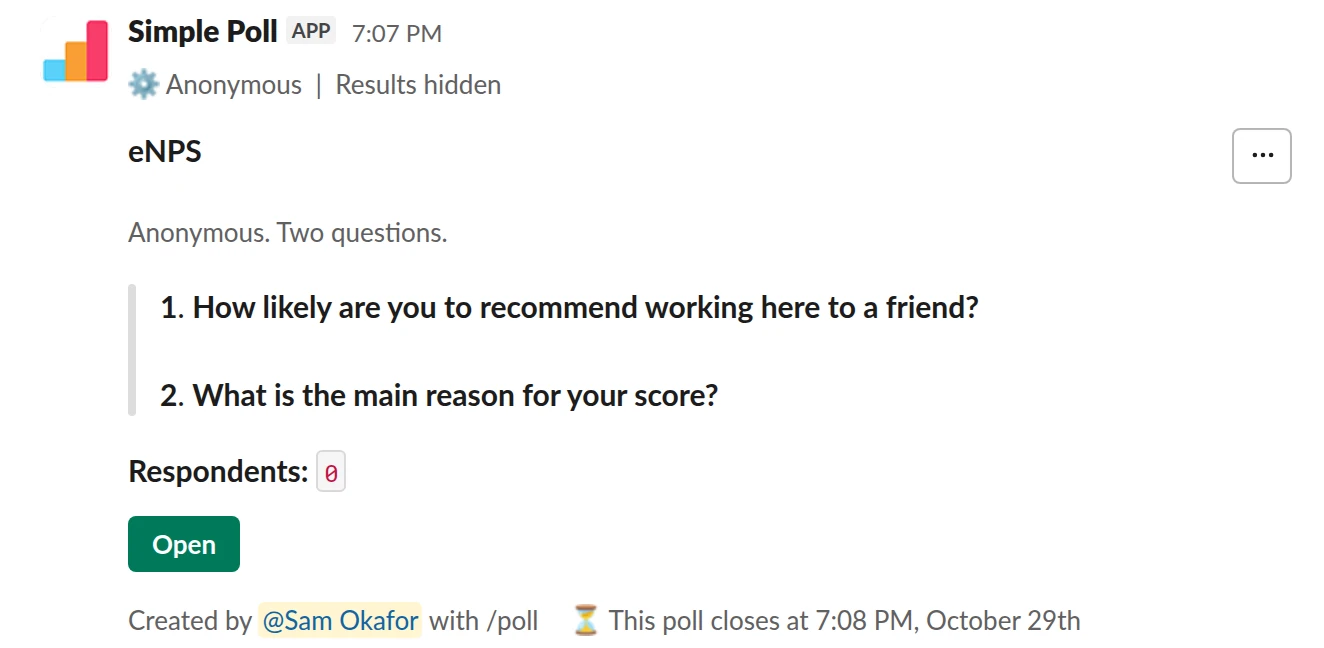
Survey (2 questions). A two-question eNPS survey, anonymous, with a reminder before it closes (Premium).
/poll "eNPS" "Anonymous. Two questions." anonymous show results to creator close after 7 days remind 1 day before closing --- "How likely are you to recommend working here to a friend?" "0" "1" "2" "3" "4" "5" "6" "7" "8" "9" "10" limit 1 --- "What is the main reason for your score?" short text optional
Premium: surveys (several questions), more than 5 options, closing automatically, reminders, results for the creator only
AnonymousShow results: only visible to youClose automatically: after 7 daysReminder: 24 hours before closing
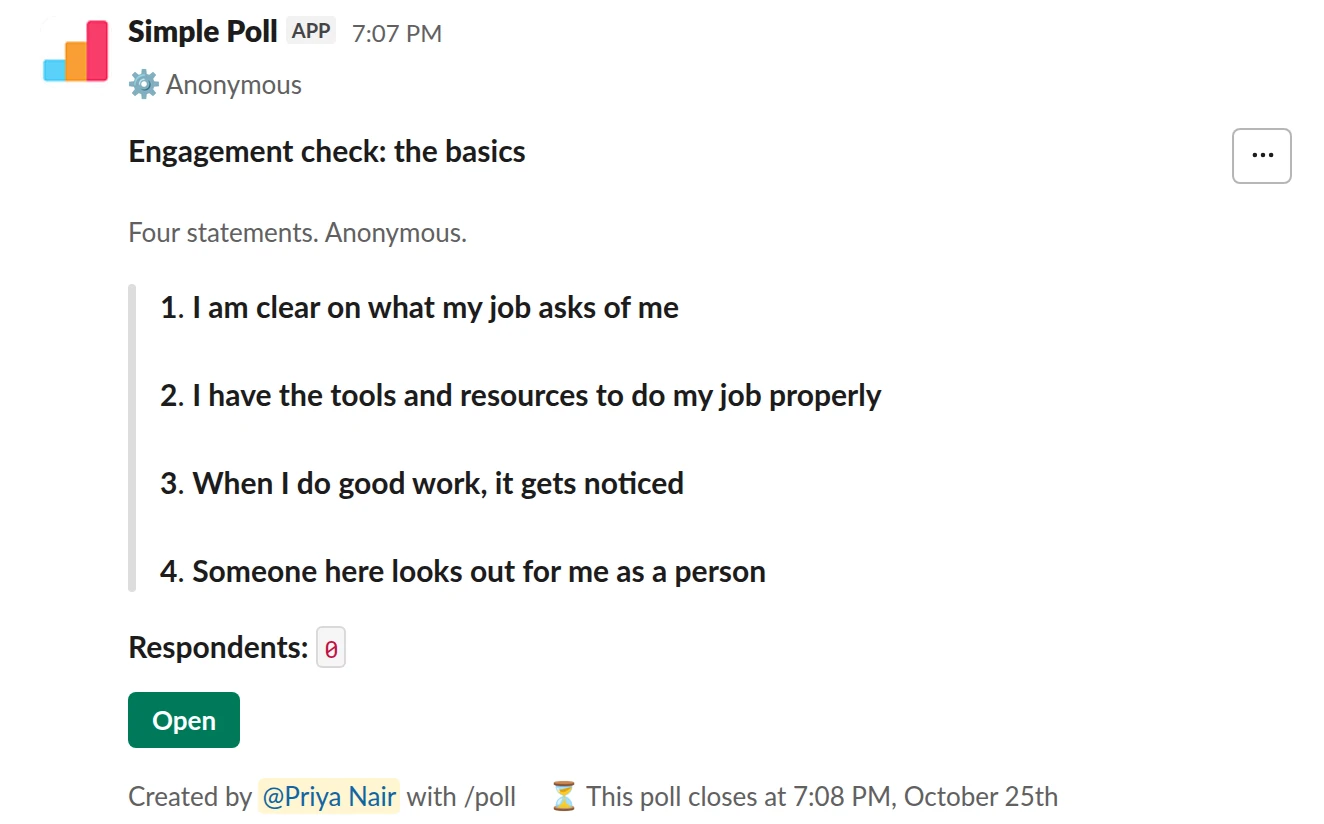
Survey (4 questions). Four engagement statements from Gallup's Q12, anonymous (Premium).
/poll "Engagement check: the basics" "Four statements. Anonymous." anonymous close after 3 days --- "I am clear on what my job asks of me" scale --- "I have the tools and resources to do my job properly" scale --- "When I do good work, it gets noticed" scale --- "Someone here looks out for me as a person" scale
Premium: surveys (several questions), closing automatically
AnonymousClose automatically: after 3 days
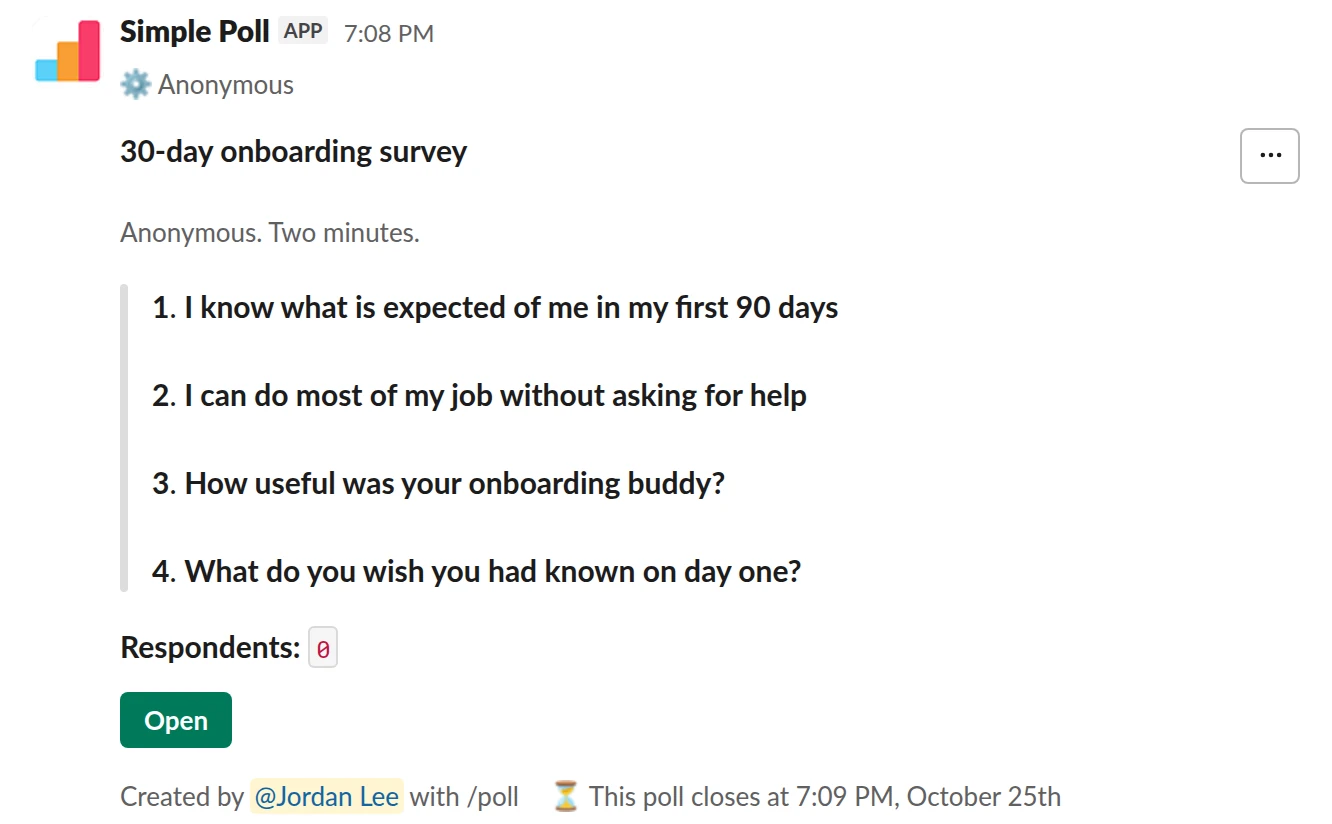
Survey (4 questions). A 30-day onboarding survey for new joiners (Premium).
/poll "30-day onboarding survey" "Anonymous. Two minutes." anonymous close after 3 days --- "I know what is expected of me in my first 90 days" scale --- "I can do most of my job without asking for help" scale --- "How useful was your onboarding buddy?" "Not useful" "Slightly" "Somewhat" "Very" "Essential" scale --- "What do you wish you had known on day one?" short text optional
Premium: surveys (several questions), closing automatically
AnonymousClose automatically: after 3 days
What you get
- Surveys of up to 20 questions that mix rating scales, multiple choice and open text (Premium). See how to create a survey in Slack.
- Anonymous answers. With
anonymousin the survey header, nobody sees who answered, including the person who sent it. - Recurring sends for a weekly pulse or a quarterly engagement survey, set up once (Premium).
- Surveys by DM to the people you choose instead of a whole channel (Premium).
- Closing times and reminders so a survey ends on schedule and late responders get a nudge (Premium).
- Exports of every result for your own reporting (Premium).
- Ready-made surveys for eNPS, Gallup Q12, onboarding and manager feedback.
Why a survey in Slack gets answered
The questions are rarely the hard part of a survey program. Getting people to open the survey is. An email invitation competes with everything else in the inbox, and the survey lives in a browser tab that gets closed.
A survey in Slack sits in the conversation people are already having. They answer in the same window, and a reminder (Premium) brings it back to the bottom of the channel for anyone who missed it. Read more on response rates and on keeping survey fatigue down.
How it's priced
Premium is one price per workspace, set by how many members the workspace has. It is not priced per user, and one upgrade gives every member every Premium feature. For surveys that matters: the point is to hear from everyone, so you should never have to decide who gets a seat.
Prices for each workspace size are on the pricing page. Start on Free, or try Premium for 14 days with /simplepoll trial in Slack (card required, no charge until it ends).
What your IT team will ask
Simple Poll is ISO 27001 certified. It sees the polls and votes your team creates, and nothing else: no channel history, no files, no DMs. Data is encrypted in transit and at rest, and the dashboard signs in with Slack, so there are no extra passwords.
Send whoever reviews apps the security review page. If your workspace requires app approval, they can follow how to review a Slack app request.
Where it fits
Simple Poll is for asking questions and collecting answers in Slack: engagement and pulse surveys, onboarding check-ins, manager feedback, event and training feedback, and quick votes. If you also need performance reviews, goal tracking or benchmark reports against other companies, that's a different kind of tool, and you can run both.
Questions
Are the answers anonymous?
When you put anonymous in the survey header, yes: nobody sees who answered, the person who sent it included. Leave it out when you need names, for example for an RSVP.
Can we send a survey to specific people instead of a channel?
Yes. On Premium you can send a survey to individuals by direct message.
Can we export the results?
Yes. Premium exports every result, so you can keep a quarter-by-quarter record outside Slack.
Is it priced per user?
No. Premium is one price per workspace, set by member count, and it covers every member. See pricing.
Does it work on Slack Enterprise Grid?
Yes. The Enterprise plan covers the whole Grid org. See Simple Poll for Enterprise Grid.
Related
- A pulse survey tool inside Slack
A pulse survey is a short survey sent on a regular schedule, so you see how things move over time instead of once a year. Simple Poll posts your pulse to Slack on the schedule you set, keeps it anonymous, and closes it on time (recurring surveys and closing times are Premium).
- Anonymous employee surveys in Slack that people trust
People tell you what they think when they're sure their name isn't attached. In Simple Poll, an anonymous survey hides who answered from everyone in your workspace, including the person who sent it. You still see every total and every written answer.
- eNPS survey for Slack
When you want one comparable number for how likely people are to recommend working here, tracked quarter to quarter.
- Gallup Q12-style engagement survey for Slack
When you want a structured engagement check covering the basics of a good job, without sending people to a separate survey tool.
- Slack polls for HR and People teams
People teams ask the whole company for input more than anyone else, which makes them the first to burn out a channel with surveys. The fix is a small, predictable calendar: a few polls with a clear job each, sent at the same rhythm, with results that go somewhere.
- Simple Poll security review
This page collects what a security or IT reviewer needs to approve Simple Poll in one place. Where a source page exists, it's linked so you can cite it in your review.