Step by step
-
Open the poll form
In the channel you want to survey, type
/polland press Enter. -
Add your first question, then more
Write the first question, then click Add more questions to turn the poll into a survey. Add each further question with Add another question, up to 20.
-
Pick a type for each question
For each question, pick a type under How do you want people to respond?: Select one option, Select many options, Write a short text, Rank options or Rate on a scale from 1 to 5. Tick Make this question optional for any question people may skip, then click Save.
-
Add a title and settings
Give the survey a title, which every survey needs, and an optional description of up to 2,000 characters. Set anonymity, hidden results, mentions, reminders and a close time for the whole survey.
-
Preview and post
Click Preview, check every question, then click Create Poll. The survey posts as one message with an Open button.
Example polls
Paste any of these into the message box in Slack.
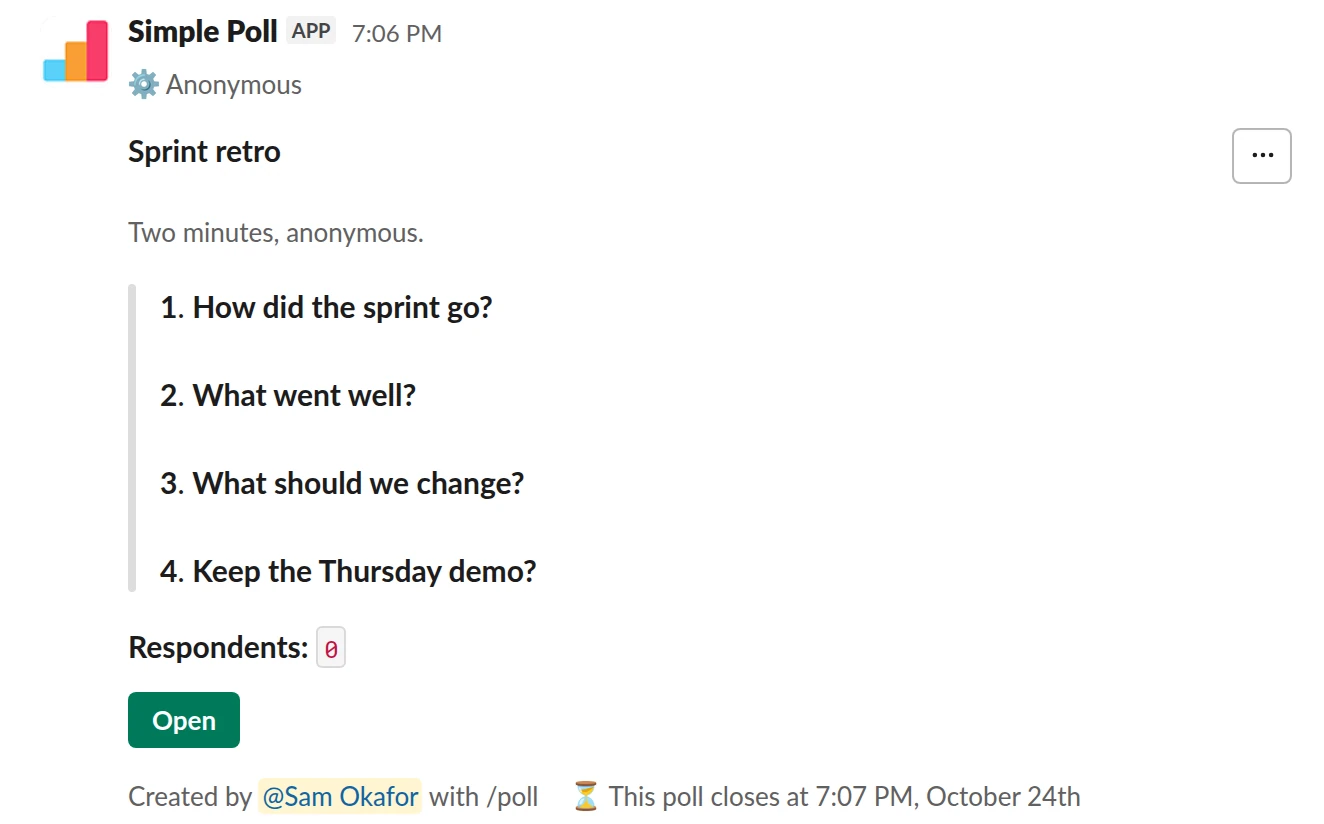
Survey (4 questions). A four-question anonymous retro that closes itself (Premium).
/poll "Sprint retro" "Two minutes, anonymous." anonymous close after 2 days --- "How did the sprint go?" scale --- "What went well?" short text --- "What should we change?" short text optional --- "Keep the Thursday demo?" "Yes" "No" limit 1
Premium: surveys (several questions), closing automatically
AnonymousClose automatically: after 2 days
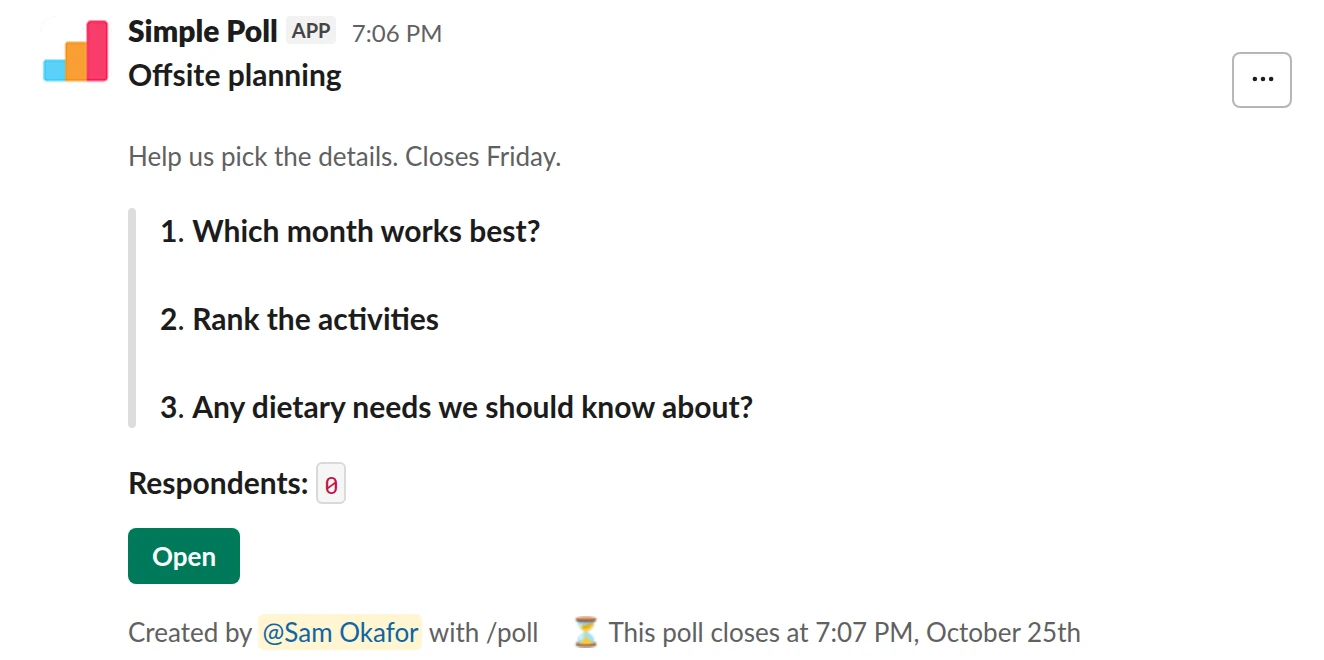
Survey (3 questions). Mixed question types for event planning, with a reminder before it closes (Premium).
/poll "Offsite planning" "Help us pick the details. Closes Friday." close after 3 days remind 1 day before closing --- "Which month works best?" "March" "April" "May" limit 1 --- "Rank the activities" "Hiking" "Cooking class" "Escape room" "Just good dinners" ranked --- "Any dietary needs we should know about?" short text optional
Premium: surveys (several questions), closing automatically, reminders
Close automatically: after 3 daysReminder: 24 hours before closing
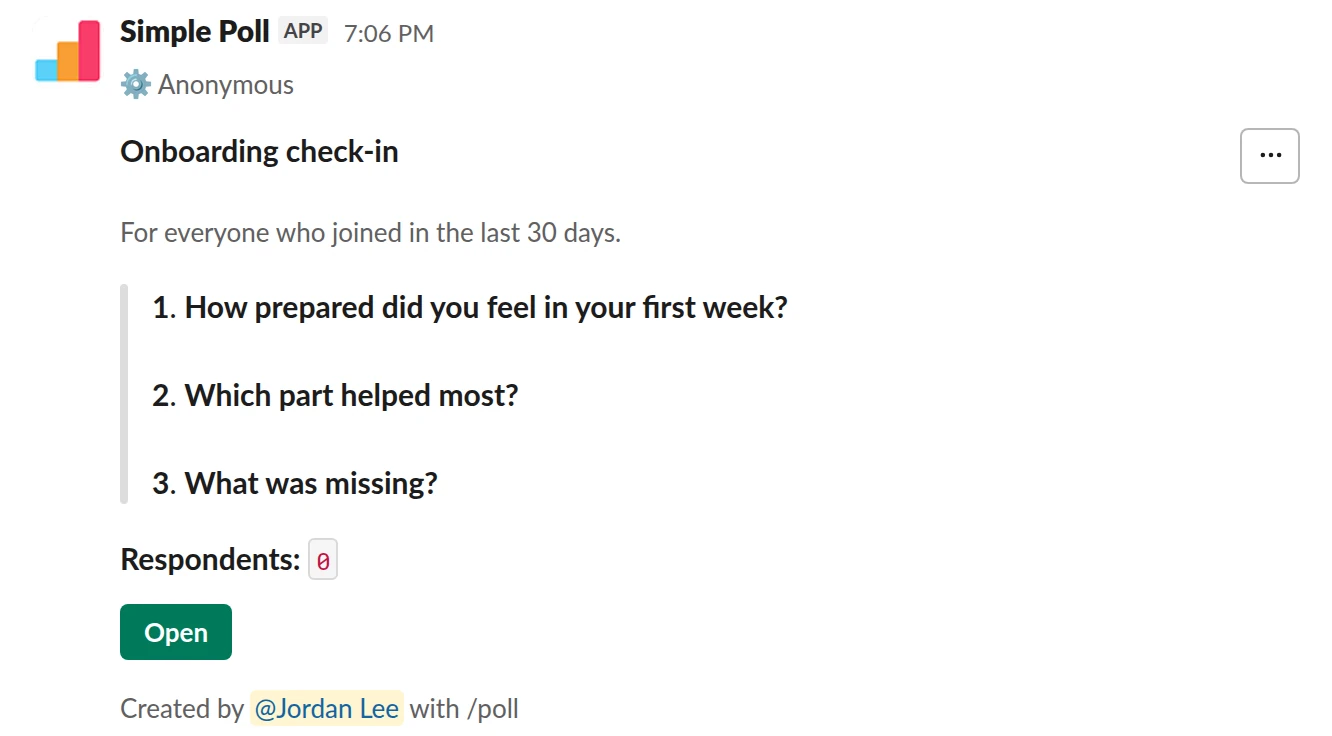
Survey (3 questions). A new-hire survey with a labelled 1 to 5 scale (Premium).
/poll "Onboarding check-in" "For everyone who joined in the last 30 days." anonymous --- "How prepared did you feel in your first week?" "Not at all" "A little" "Somewhat" "Mostly" "Completely" scale --- "Which part helped most?" "Buddy" "Docs" "Intro meetings" "Shadowing" limit 1 --- "What was missing?" short text optional
Premium: surveys (several questions)
Anonymous
Or type the whole survey in one line
Separate the questions with ---. The first part is the header: a title, an optional description, and the settings that apply to the whole survey (anonymous, hide results, close after, reminders, mentions, schedule). Each part after that is one question with its own type.
- Choice: give options. Add
limit 1for single choice; otherwise people can pick several. scale: a 1 to 5 rating. Give no options, or exactly five labels from worst to best.short text: a free-text answer.ranked: people put the options in order.optional: the question can be skipped. Ranked questions can't be optional.
In a survey, q&a, allow-options and order-results-by-votes aren't available, and option emoji are ignored.
Keep it short enough to finish
Every question costs you responses. Three to five questions that take under two minutes will beat a fifteen-question survey nobody finishes. Say how long it takes in the description, and lead with the easiest question, usually a rating.
Make the open text questions optional. Required free-text boxes are where people quit.
Anonymous by default for feedback
If the survey asks how people feel about their work, their manager or a decision, put anonymous in the header. It covers every question, and nobody, including you, sees who answered what. Add hide results when you don't want the first answers to steer everyone else.
Give it a deadline and follow up
Add close after 3 days or similar so the survey ends while it's still fresh, and remind 1 day before closing to catch late responders. When it closes, export the results to CSV from Poll settings (Premium, creator only).
Then post what you heard and what you'll do about it. A survey with no visible follow-up gets fewer answers next time.
Questions
Is there a free way to run a survey in Slack?
Surveys with several questions are Premium in Simple Poll. On Free you can post several single-question polls instead, or start a 14-day trial with /simplepoll trial.
How many questions can a survey have?
Up to 20, each with up to 45 options.
Can people see results while the survey is open?
Yes, unless you hide them. Respondents can click View results in the survey pop-up. Add hide results to the header to keep them hidden until you close it.
Can I send a survey on a schedule?
Yes. Add schedule tomorrow 9am at the end of the text to post it once later, or use the Schedule button in the poll form to make it recurring.
What happened to the old Surveys tab?
Simple Poll retired its legacy Surveys feature in the app home in 2024. Surveys now live in the poll form that /poll opens.
Related
- How to create a poll in Slack
Slack has no poll button of its own. Its help centre suggests two routes: install a polling app, or post a message and ask people to vote with emoji reactions. This guide covers the app route with Simple Poll, used by 945,000+ teams, because it gives you a real poll: counted votes, anonymous voting, one-vote limits and a clean result.
- How to create an anonymous poll in Slack
An anonymous poll in Simple Poll hides who voted for what from everyone, including the person who created it. The poll still counts every vote and shows the totals. It's free on every plan.
- How to create a recurring poll in Slack
A recurring poll posts itself on a schedule you set, such as every Monday at 10am. You write it once and Simple Poll reposts it, so your weekly pulse or standup check-in never depends on someone remembering. Recurring polls are a Premium feature.
- Weekly pulse survey for Slack
When an annual engagement survey is too slow to catch problems and you want a light, regular read on how the team is doing.
- eNPS survey for Slack
When you want one comparable number for how likely people are to recommend working here, tracked quarter to quarter.
- Sprint retrospective poll for Slack
At the end of every sprint, before the retro meeting, so people can answer honestly and you walk in with the themes already on the table.
- What is survey fatigue?
Survey fatigue is when people are asked for feedback so often, or at such length, that they stop answering or start answering carelessly.