Step by step
-
Open the channel
Go to the channel you want to poll. For a private channel, add Simple Poll first with
/invite @Simple Poll. -
Type your poll and add the word anonymous
Write the question and options in double quotes, then add
anonymousafter the last quote:/poll "How are you doing for time?" "Ready now" "5 more minutes" "10 more minutes" anonymous. -
Or tick Make responses anonymous in the form
Type
/pollon its own and press Enter (or use the Run shortcut button and pick Create poll with Simple Poll). Fill in the poll, and under Settings tick Make responses anonymous. -
Preview and post
Check the preview, then click Create Poll. Voters see the vote count on each option, but no names.
Example polls
Paste any of these into the message box in Slack.
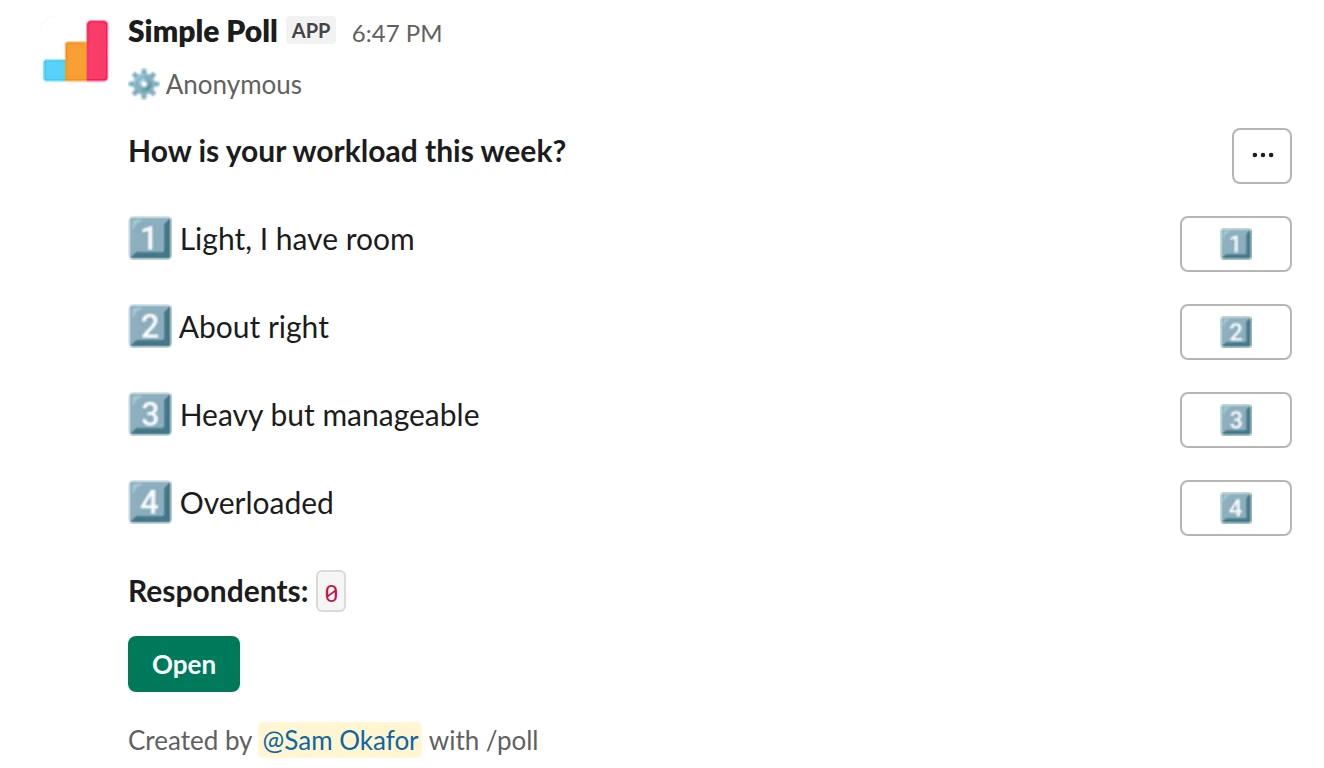
Choice poll. A workload check people will answer honestly. Free.
/poll "How is your workload this week?" "Light, I have room" "About right" "Heavy but manageable" "Overloaded" anonymous
Free
Anonymous
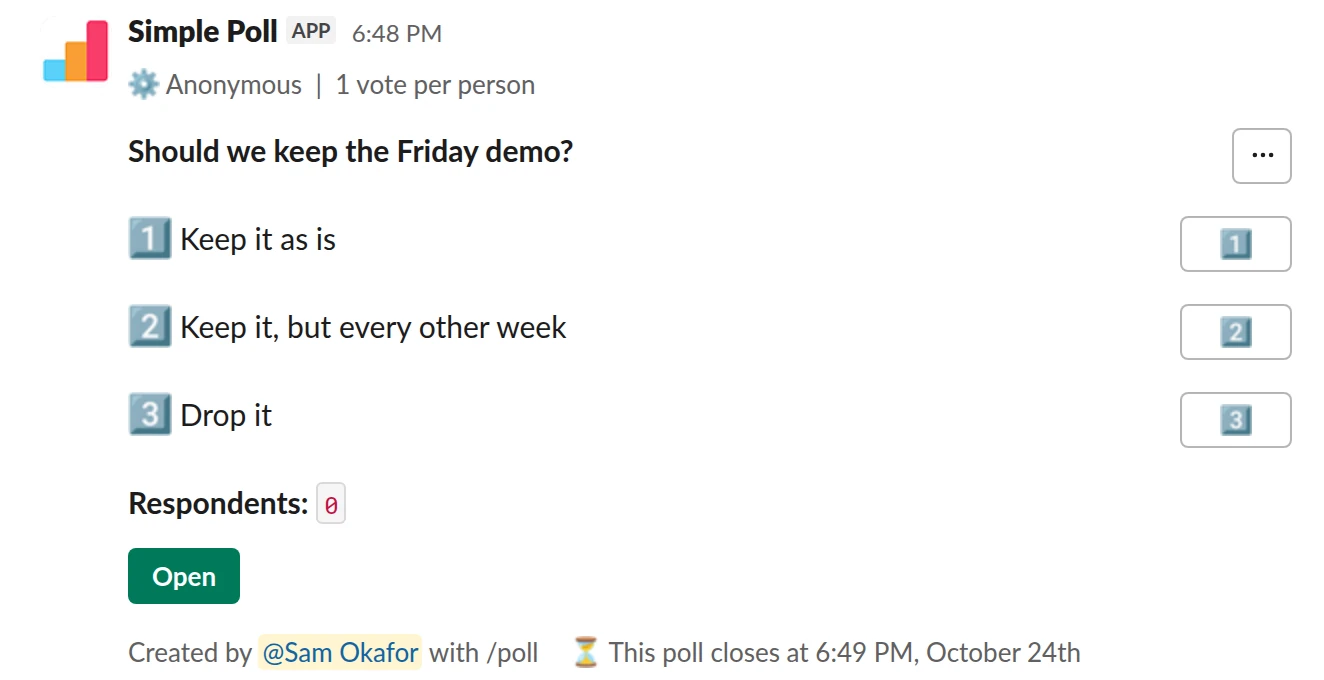
Choice poll. One anonymous vote per person, closing in two days (Premium).
/poll "Should we keep the Friday demo?" "Keep it as is" "Keep it, but every other week" "Drop it" anonymous limit 1 close after 2 days
Premium: vote limits, closing automatically
AnonymousLimit votes: 1 per personClose automatically: after 2 days
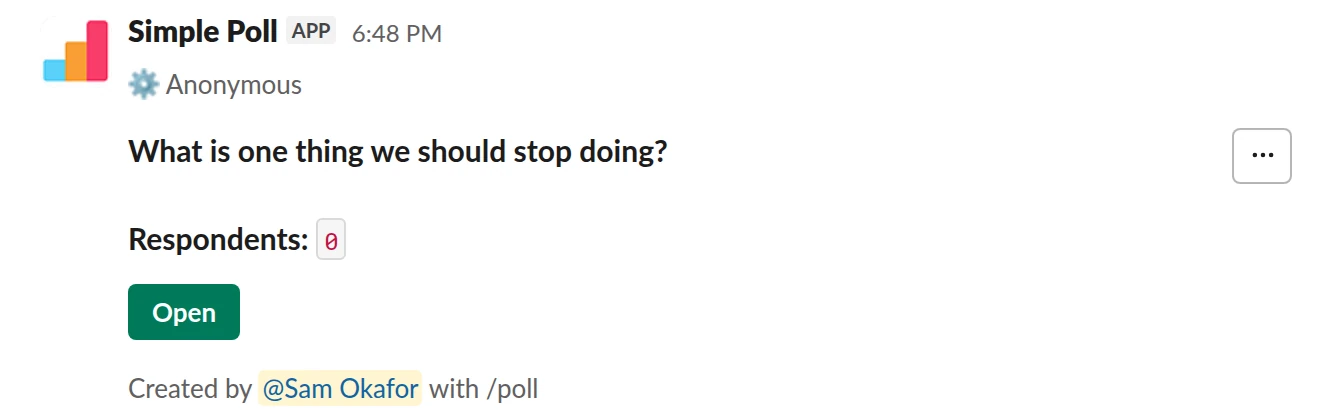
Short text. Free-text answers with no names attached.
/poll "What is one thing we should stop doing?" short text anonymous
Free
Anonymous
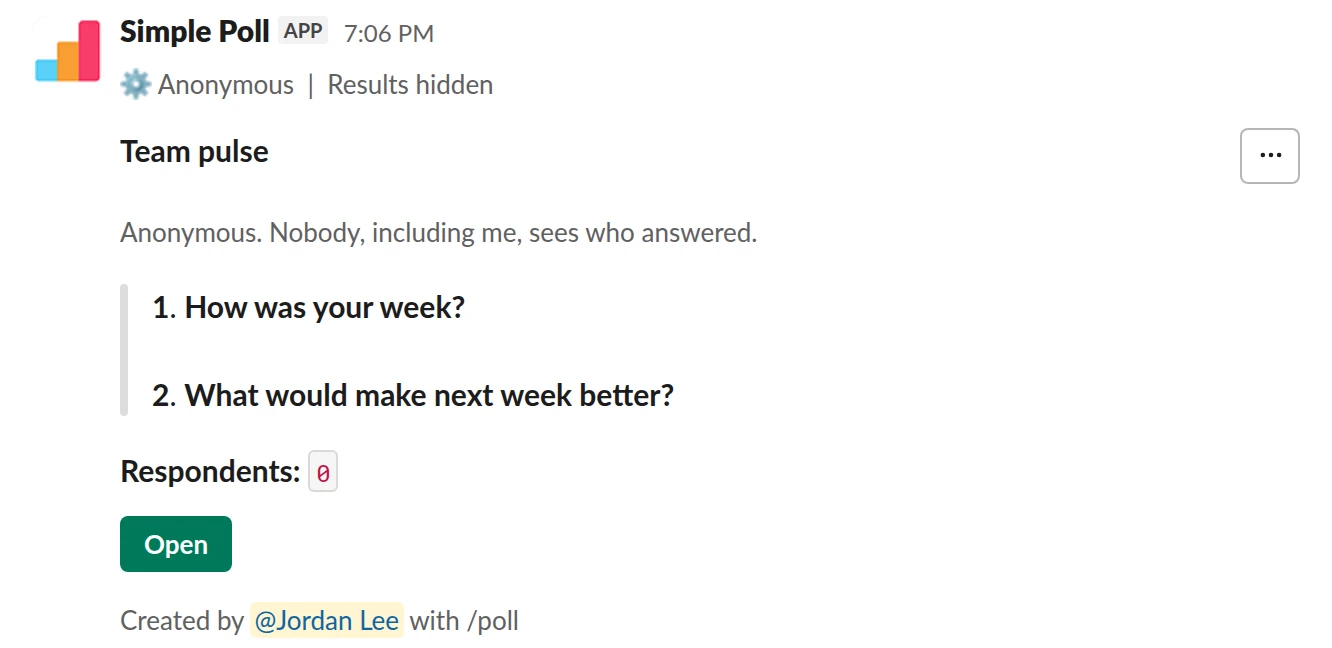
Survey (2 questions). A two-question anonymous pulse with results hidden until it closes (Premium).
/poll "Team pulse" "Anonymous. Nobody, including me, sees who answered." anonymous hide results --- "How was your week?" scale --- "What would make next week better?" short text optional
Premium: surveys (several questions)
AnonymousShow results: hidden until poll closes
What anonymous means here
Nobody sees who voted for what: not the channel, and not you as the creator. Each option shows how many votes it has, with a check mark or emoji per vote instead of a name. The same holds for free-text answers on a short text poll and for questions on a q&a poll: the words show, the author doesn't.
Because you can't see voters, you also can't see who hasn't answered. Use a reminder (Premium) to bring the poll back to the bottom of the channel instead.
When to make a poll anonymous
Make it anonymous whenever an honest answer could cost someone something: how a project is going, how a manager is doing, workload, morale, whether a meeting is worth keeping. Named votes on those questions mostly measure what people think you want to hear.
Leave it named when you need to act on individual answers: who is coming to dinner, who can cover on-call, which time works for each attendee. An anonymous lunch poll gives you a headcount you can't use.
Make people believe it
Say it in the question or the description: "Anonymous. Nobody, including me, sees who voted." People who have seen named polls before will assume this one is named too unless told.
Small teams need extra care. In a channel of four, a lone "Overloaded" vote is easy to attribute even when it's anonymous. Wait until most people have voted before you share the results, and talk about patterns, never about the one outlier.
Anonymous surveys and feedback
For more than one question, put anonymous in the header of a survey (Premium) and it applies to every question. Combine it with hide results when you don't want early answers to sway later ones. The team mood check-in and weekly pulse templates are built this way.
Questions
Can the poll creator see who voted on an anonymous poll?
No. Anonymous means anonymous to everyone, the creator included.
Is anonymous voting free?
Yes. anonymous works on every plan, including Free.
Can I use my own emoji on an anonymous poll?
Yes. Put the emoji code right after each option, the same as on a named poll: "Beach" :beach_with_umbrella: "Mountain" :mountain:.
Can I make a survey anonymous?
Yes. Put anonymous in the survey header, after the title and description, and it covers every question. Surveys are a Premium feature.
Related
- How to create a poll in Slack
Slack has no poll button of its own. Its help centre suggests two routes: install a polling app, or post a message and ask people to vote with emoji reactions. This guide covers the app route with Simple Poll, used by 945,000+ teams, because it gives you a real poll: counted votes, anonymous voting, one-vote limits and a clean result.
- How to hide poll results until the poll closes
When people can see a running tally, they tend to pile onto the leading option or skip voting once the result looks settled. Hiding the results until the poll closes gets you each person's own answer. In Simple Poll it's one keyword, and it works on every plan.
- How to create a survey in Slack
A survey in Simple Poll is one Slack message with several questions behind it. People click the survey's Open button, answer in a pop-up without leaving Slack, and you get the results in the same place. Surveys are a Premium feature, with up to 20 questions each.
- What is an anonymous poll?
An anonymous poll records votes without showing who cast them: everyone sees the totals, and nobody can see which person picked which answer. In Simple Poll that includes the person who created the poll.
- Team mood check-in poll for Slack
When you want an early, honest signal on how the team is feeling, before it shows up as missed deadlines or resignations.
- Workload check poll for Slack
Before planning the next sprint or quarter, during a crunch, or any time you suspect some of the team is carrying more than they say.