Example polls
Paste any of these into the message box in Slack.
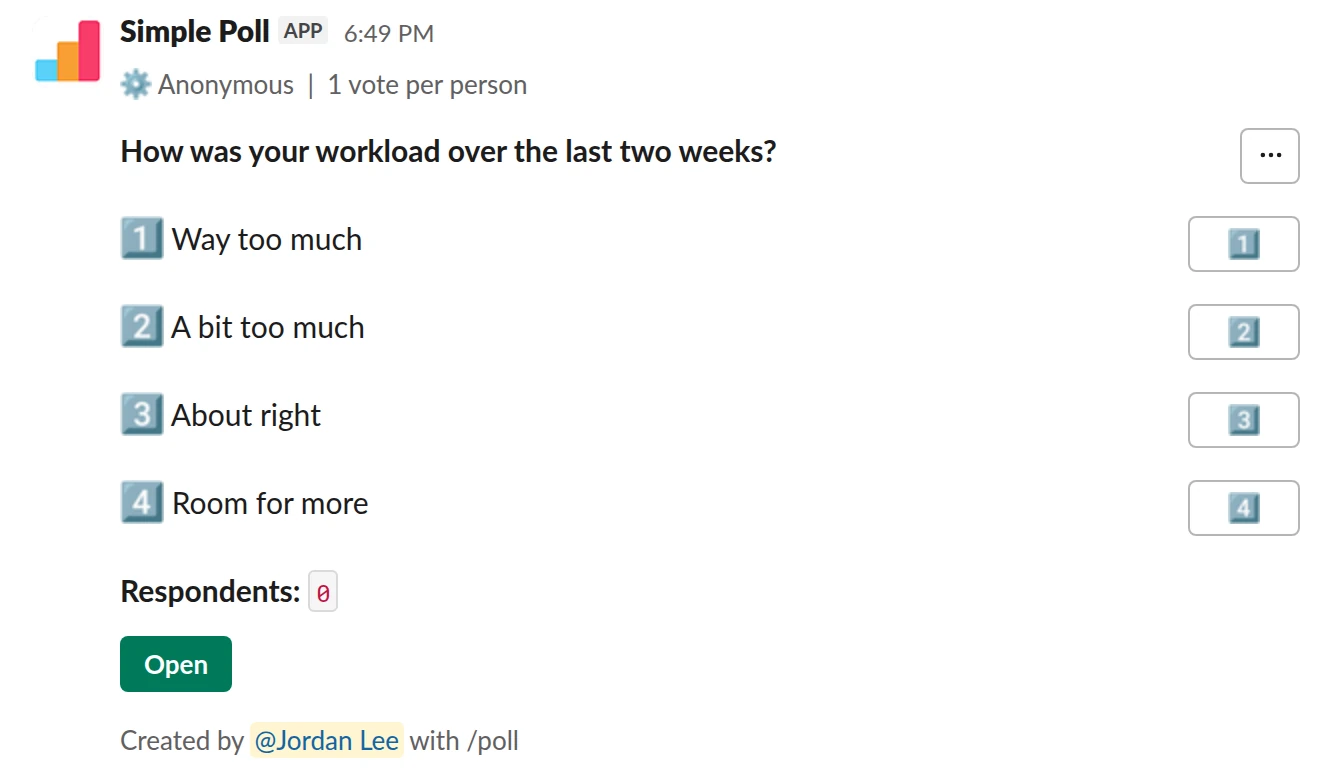
Choice poll. The anonymous check. One answer per person, nobody named.
/poll "How was your workload over the last two weeks?" "Way too much" "A bit too much" "About right" "Room for more" anonymous limit 1
Premium: vote limits
AnonymousLimit votes: 1 per person
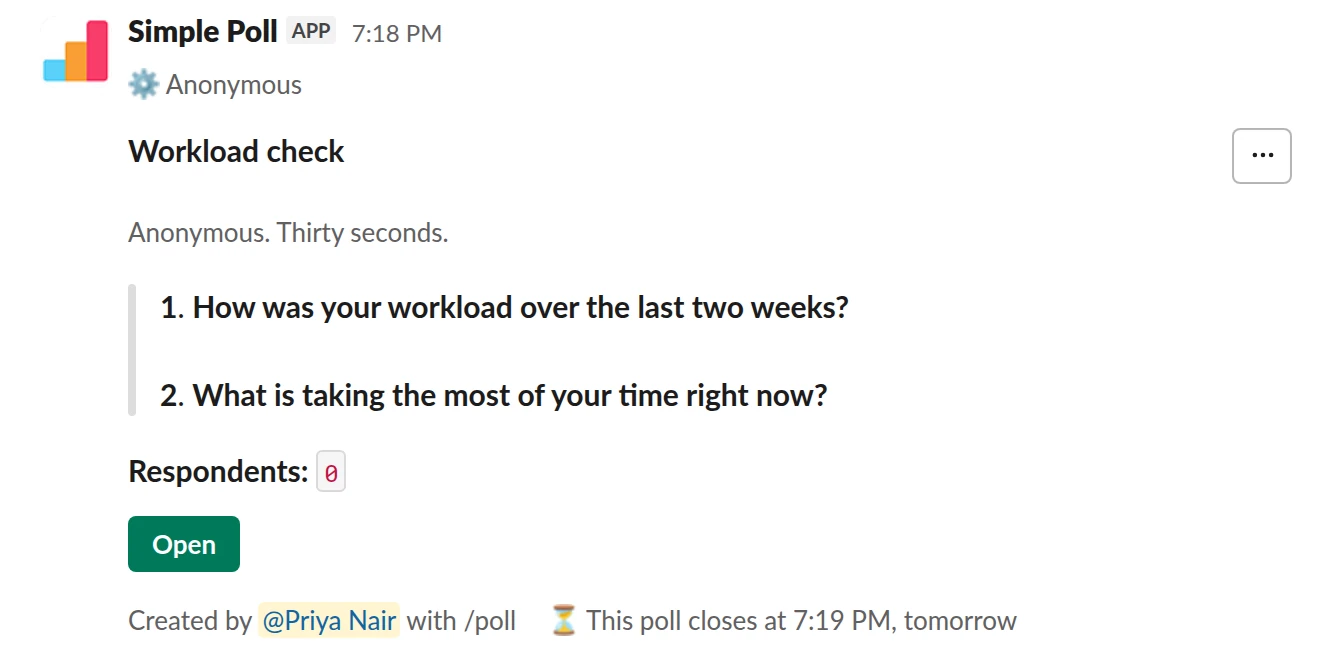
Survey (2 questions). The rating plus the reason, as a short survey that closes before planning.
/poll "Workload check" "Anonymous. Thirty seconds." anonymous close after 1 day --- "How was your workload over the last two weeks?" "Way too much" "A bit too much" "About right" "Room for more" limit 1 --- "What is taking the most of your time right now?" short text optional
Premium: surveys (several questions), closing automatically
AnonymousClose automatically: after 1 day
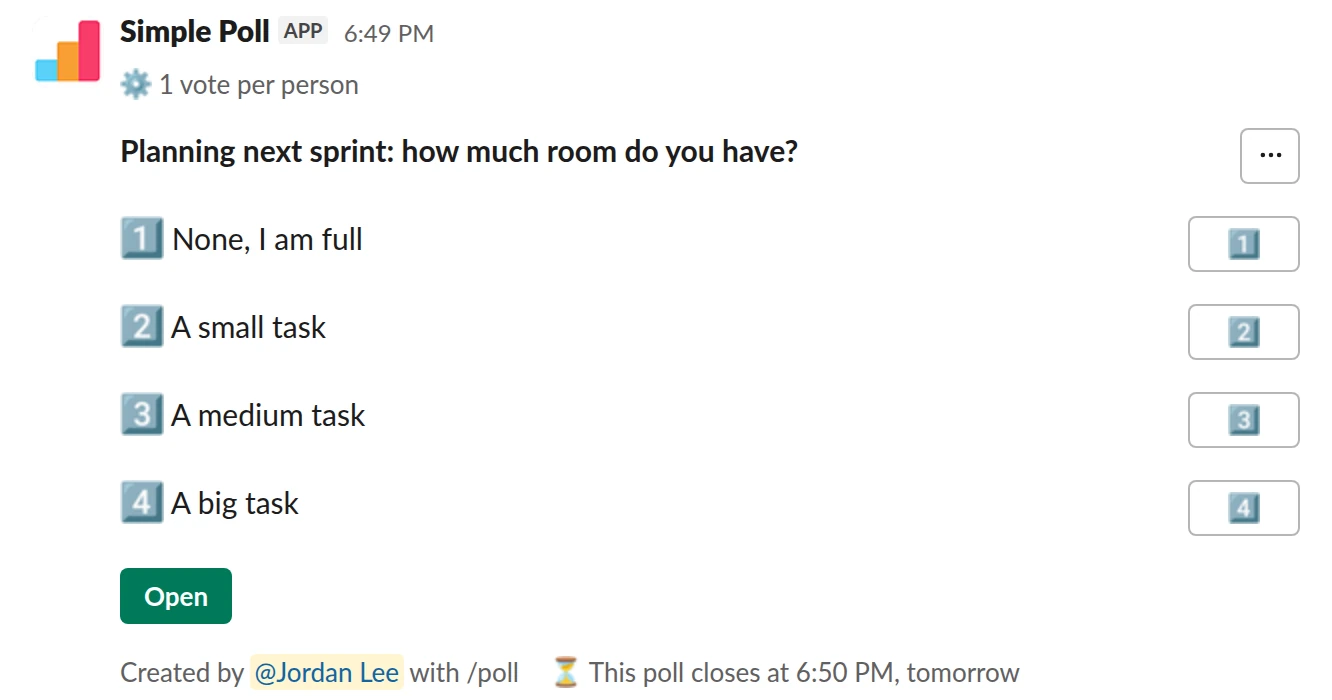
Choice poll. The named capacity check, for assigning work. Not anonymous on purpose.
/poll "Planning next sprint: how much room do you have?" "None, I am full" "A small task" "A medium task" "A big task" limit 1 close after 1 day
Premium: vote limits, closing automatically
Limit votes: 1 per personClose automatically: after 1 day
How to word it
Ask about a specific period, "the last two weeks" or "this sprint", not workload in general. Use options that run from too little to too much, with "about right" in the middle, so both ends are visible: people with no slack and people with spare capacity.
Add limit 1 (Premium) so everyone gives one answer. For the anonymous version, add one
optional free-text question asking what's taking the most time. That answer is usually
more useful than the rating.
Anonymous or named
Use anonymous when you want honesty about strain. People under-report overload when
their name is attached.
Use a named poll when you're about to assign work and need to know who has room. Say why in the description, so nobody reads "I have room" as a confession.
Don't mix them. An anonymous poll can't tell you who to give the next project to.
When to send it
Every two weeks, or before each planning session. During a crunch, weekly. Give it
close after 1 day (Premium) so you have the answer before the planning meeting.
What to do with the results
If most of the team says "Too much", the plan is the problem, not the people: cut scope and say what you cut. If one or two say it, the work is unevenly spread, so look at assignments. If the free-text answers keep naming the same thing, like meetings or support rotation, that's the fix to make first.
Questions
Should a workload poll be anonymous?
For how people feel, yes. For planning who takes what, no. Run the one that matches the decision you need to make.
How often should I ask?
Every two weeks is enough for most teams. Weekly during a crunch. More often than that and it becomes noise. See survey fatigue.
Can people pick more than one option?
By default, yes. Add limit 1 (Premium) for one answer each. Try it with the 14-day
free trial: /simplepoll trial.
Used by
Related
- Weekly pulse survey for Slack
When an annual engagement survey is too slow to catch problems and you want a light, regular read on how the team is doing.
- Team mood check-in poll for Slack
When you want an early, honest signal on how the team is feeling, before it shows up as missed deadlines or resignations.
- Daily standup check-in poll for Slack
When your team is spread across time zones or calendars and a live standup costs more than it returns, but you still want a daily read on progress and blockers.
- Slack polls for managers and team leads
A team lead's job is mostly two things: deciding, and finding out what you do not know. Both get easier with a handful of well-timed polls. The point is not to vote on everything. It is to stop spending a meeting on questions a poll answers in an hour, and to hear the things your team would not say to your face.
- What is survey fatigue?
Survey fatigue is when people are asked for feedback so often, or at such length, that they stop answering or start answering carelessly.