Example polls
Paste any of these into the message box in Slack.
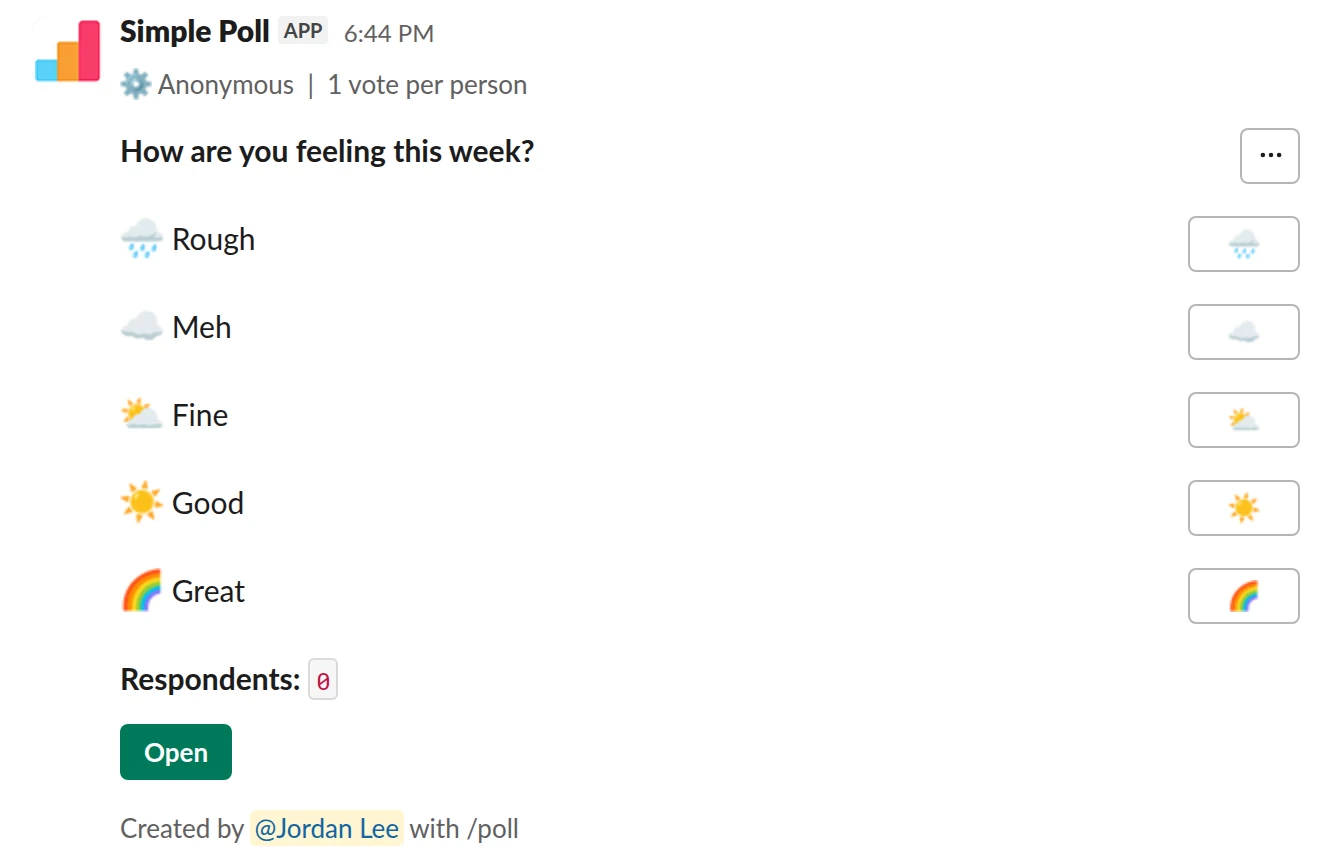
Choice poll. The weather check-in. One anonymous tap, five emoji from bad to good.
/poll "How are you feeling this week?" "Rough" :rain_cloud: "Meh" :cloud: "Fine" :partly_sunny: "Good" :sunny: "Great" :rainbow: anonymous limit 1
Premium: vote limits
AnonymousLimit votes: 1 per person
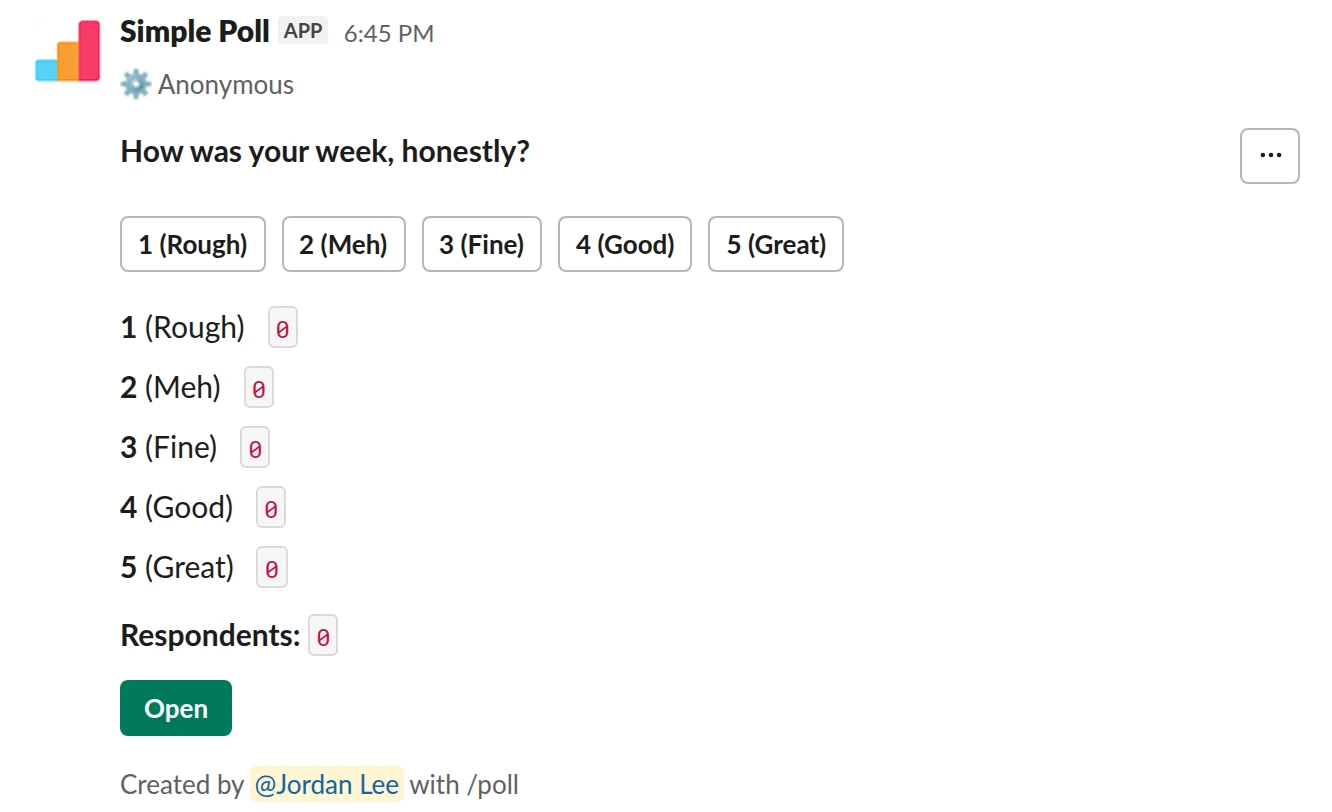
Scale from 1 to 5. The same question as a 1 to 5 rating, so you get an average to track.
/poll "How was your week, honestly?" "Rough" "Meh" "Fine" "Good" "Great" scale anonymous
Free
Anonymous
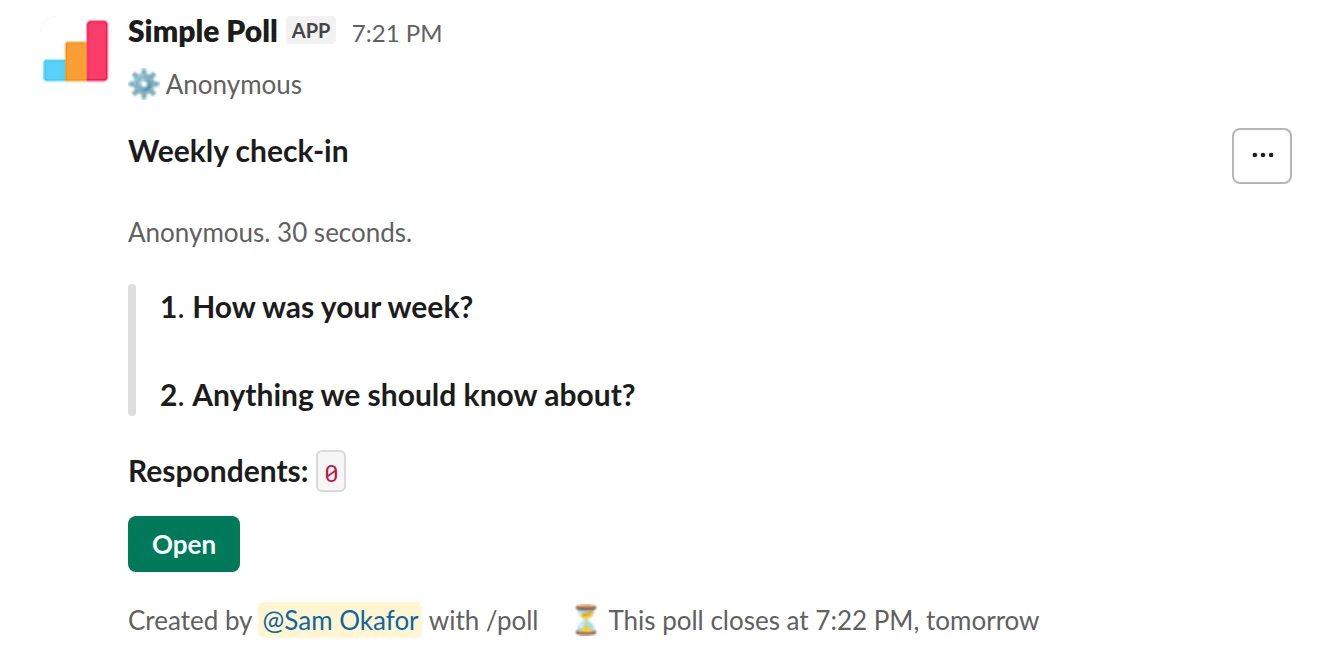
Survey (2 questions). A number plus an optional reason, as a short survey that closes itself.
/poll "Weekly check-in" "Anonymous. 30 seconds." anonymous close after 1 day --- "How was your week?" scale --- "Anything we should know about?" short text optional
Premium: surveys (several questions), closing automatically
AnonymousClose automatically: after 1 day
How to word it
Ask about this week, not in general. "How are you feeling this week?" gets a real answer. "How happy are you at work?" gets a guarded one.
Use five options that run from bad to good, so the results read like a scale. Emoji work well here: they are quick to tap and read at a glance. Add a description that says the poll is anonymous, because people answer differently when they know.
If you want a reason as well as a number, add one optional free-text question. Make it optional: a required "why" turns a 5-second check-in into a chore.
When to send it
Friday afternoon or Monday morning, same time every week. Friday catches the week while it is fresh. Monday catches how people start the week. Pick one and stick with it.
Set it up once as a recurring poll (Premium) from the Simple Poll modal. Give it a close,
like close after 1 day (Premium), so each week's results stand on their own.
What to do with the results
Watch the trend, not the single week. A team that averages "Good" and dips to "Meh" for one week after a launch is fine. Three weeks of slide is a conversation.
Say out loud what you saw and what you'll do about it, in the channel, in a sentence or two. People keep answering a check-in when they see it gets read.
The mistake people make
Trying to find out who answered "Rough". With anonymous, you can't, and you shouldn't
try by other means. Ask the whole team instead: "A few people had a rough week. Anything
we should change?"
Questions
Is the mood poll really anonymous?
With anonymous, nobody sees who answered what, including you as the creator. Say so in
the description.
Can people pick more than one mood?
By default, yes. Add limit 1 (Premium) so everyone gives one answer. A scale poll is
one rating per person on every plan.
Is there a built-in template?
Yes. The Template gallery in the Simple Poll modal has a "Check in on your team's mood" template.
How is this different from a pulse survey?
A mood check-in is one question about feelings. A weekly pulse survey asks a few questions about work itself, like workload and clarity.
Used by
Related
- Weekly pulse survey for Slack
When an annual engagement survey is too slow to catch problems and you want a light, regular read on how the team is doing.
- Workload check poll for Slack
Before planning the next sprint or quarter, during a crunch, or any time you suspect some of the team is carrying more than they say.
- What is a pulse survey?
A pulse survey is a short survey, usually one to five questions, sent to the same group on a regular schedule so you can see how things change over time. Common topics are workload, morale and engagement.
- How to make an emoji poll in Slack
"Emoji poll" means two things in Slack. One is a message where people vote by reacting with an emoji, which needs no app. The other is a proper poll where each option carries an emoji, which reads faster and still counts votes properly. This page covers both, plus the poll emoji themselves.
- How to create an anonymous poll in Slack
An anonymous poll in Simple Poll hides who voted for what from everyone, including the person who created it. The poll still counts every vote and shows the totals. It's free on every plan.