Step by step
-
Pick an emoji code for each option
Use Slack emoji codes, the words between colons:
:pizza:,:taco:,:beach_with_umbrella:. Type a colon in Slack's message box to search for one. -
Put each code right after its option
/poll "Where should the offsite be?" "Beach" :beach_with_umbrella: "Mountains" :mountain: "City" :cityscape:. The code goes after the closing quote, not inside it. -
Add any settings
Settings go after the last emoji:
anonymous,limit 1(Premium),close after 1 day(Premium). -
Preview and post
Press Enter, check that each option shows its emoji, and click Create Poll.
Example polls
Paste any of these into the message box in Slack.
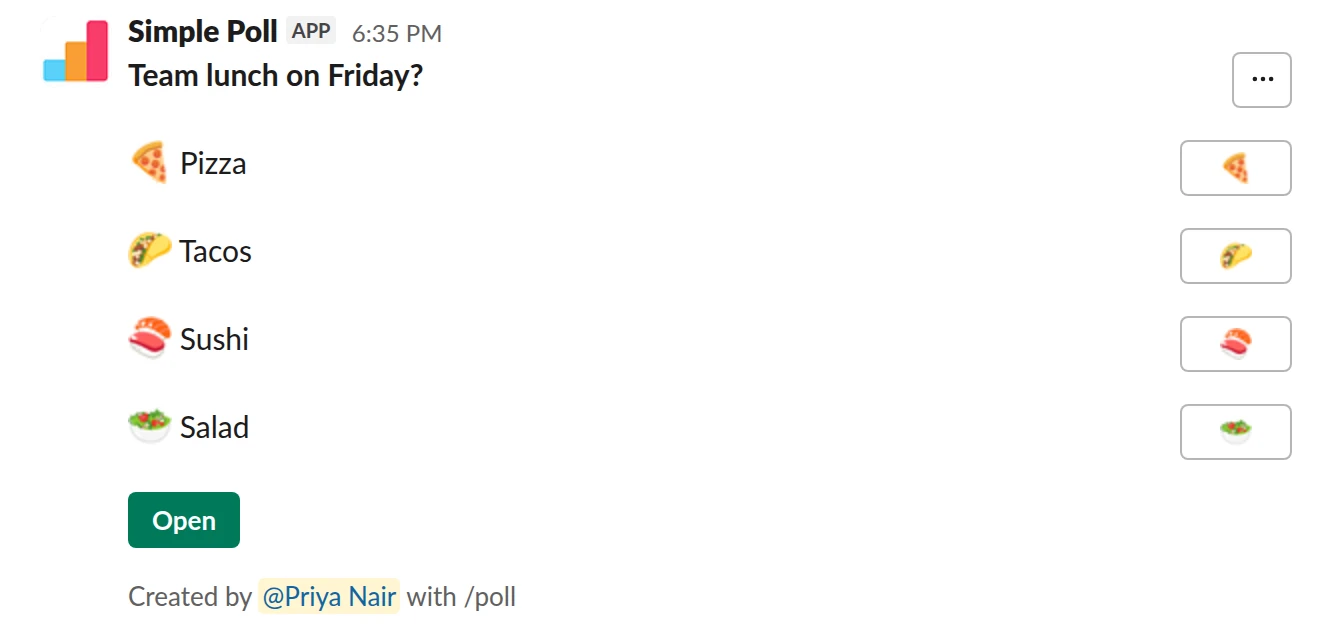
Choice poll. Each option with its own emoji. Free.
/poll "Team lunch on Friday?" "Pizza" :pizza: "Tacos" :taco: "Sushi" :sushi: "Salad" :green_salad:
Free
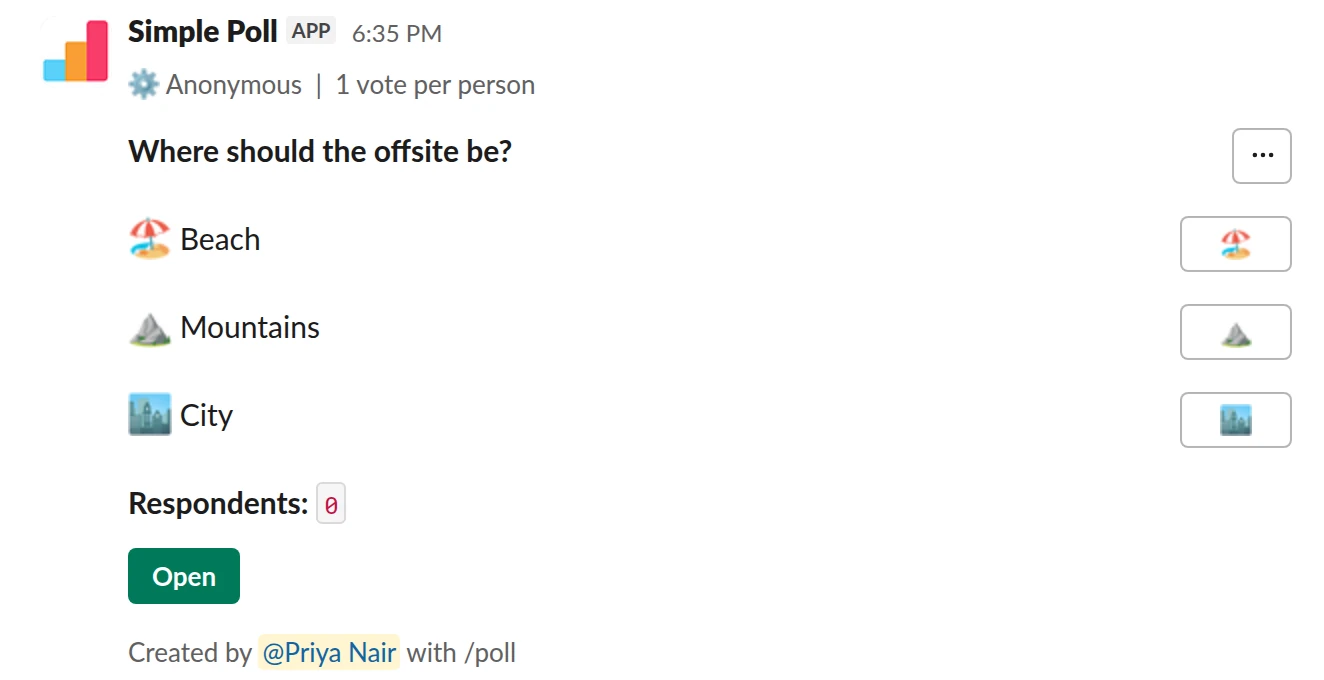
Choice poll. Emoji options on an anonymous, one-vote poll (Premium).
/poll "Where should the offsite be?" "Beach" :beach_with_umbrella: "Mountains" :mountain: "City" :cityscape: anonymous limit 1
Premium: vote limits
AnonymousLimit votes: 1 per person
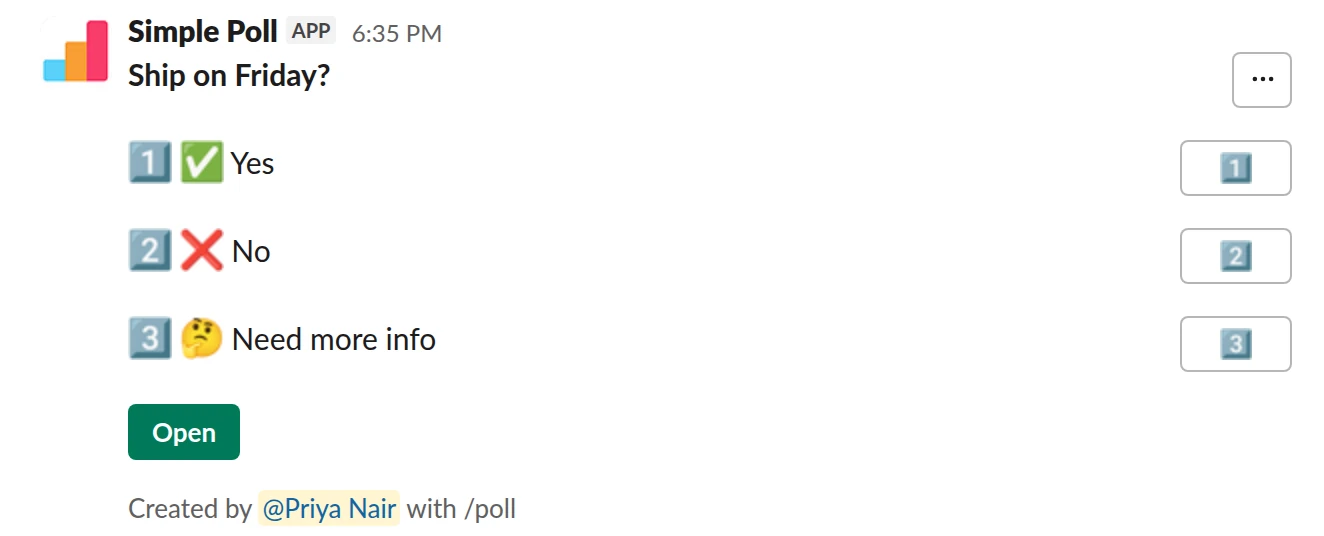
Choice poll. Emoji inside the option text. Free.
/poll "Ship on Friday?" ":white_check_mark: Yes" ":x: No" ":thinking_face: Need more info"
Free
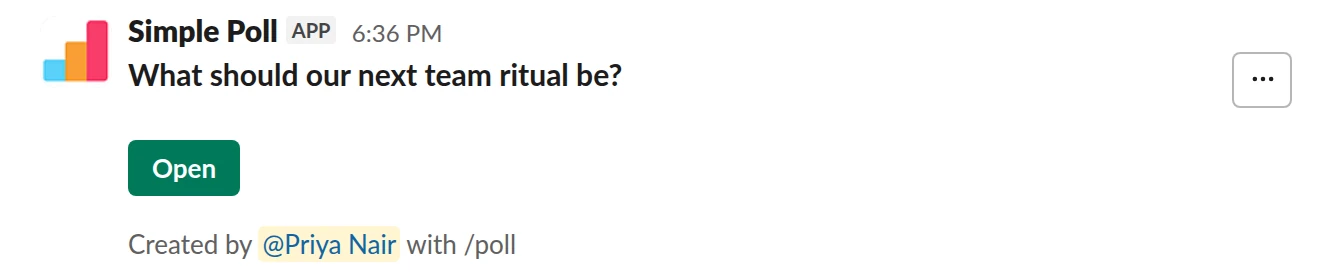
Short text with voting. Ideas people can vote on with a party popper. Free.
/poll "What should our next team ritual be?" short text :tada:
Free
Poll emoji to copy and paste
For the message that announces a poll, or a channel name or canvas:
- 📊
:bar_chart:, the usual poll emoji - 🗳️
:ballot_box_with_ballot:, for a vote - ✅
:white_check_mark:and ❌:x:, for yes and no - 👍
:thumbsup:and 👎:thumbsdown: - 🤔
:thinking_face:, for "need more info"
Type the code in Slack and it turns into the emoji. Outside Slack, copy the emoji itself.
The reaction-vote poll, and its limits
Slack's own help centre describes a quick, informal poll: write a message listing the options with an emoji for each, send it, add one reaction per option yourself, and let people vote by reacting. Each reaction shows its count on the message.
It's fine for "pizza or tacos". It breaks down for anything that matters:
- Not anonymous. Anyone can hover over a reaction to see who added it.
- No one-vote rule. People can react with every option.
- No deadline. Reactions keep changing after you've read the result.
- Stray reactions. Someone adds
:joy:and now there's a fourth option.
More on this in polling Slack without an app.
Emoji on a real poll
In Simple Poll, an emoji after each option makes the poll scannable, especially on mobile and for options with long names. The votes are still counted by the poll, so you keep anonymous, limit 1, close after and hidden results. Option emoji work on anonymous polls too.
In a survey, emoji after an option are ignored. You can also put an emoji inside an option's quotes, such as ":white_check_mark: Yes", and it shows as part of the option text.
Let people vote on ideas with a reaction
For brainstorms, short text :bulb: collects free-text ideas and lets people vote on each idea with that reaction. The reactions you can use are :thumbsup: :bulb: :heart: :joy: :tada: :rocket: :fire: and :small_red_triangle:.
Questions
What is the poll emoji in Slack?
There's no single official one. :bar_chart: (📊) is the common choice, and :ballot_box_with_ballot: (🗳️) is used for votes.
Are emoji reaction polls anonymous?
No. In Slack, anyone can hover over or tap and hold a reaction to see who added it. Use a poll with anonymous when names matter.
Can I stop people voting for more than one emoji?
Not with reactions. With Simple Poll, add limit 1 (Premium) and each person gets one vote.
Do option emoji work on anonymous polls?
Yes. Add anonymous after the last emoji.
Related
- How to poll in Slack without an app
Slack doesn't have a poll feature of its own. Its help centre gives two options: install a polling app from the Slack Marketplace, or run a quick, informal poll in a message where people vote with emoji reactions. On paid Slack plans there's a third route, a Workflow Builder form.
- How to use the /poll command in Slack
/poll is Simple Poll's slash command. Typed on its own, it opens the poll form. Typed with a question, options and a few keywords, it builds the whole poll in one line, shows you a preview, and posts it. This page is the reference for the one-line version.
- How to limit votes in a Slack poll
By default, a Simple Poll lets each person pick as many options as they like. That's right for "which days can you make?" and wrong for "which date should we pick?". A vote limit caps how many options each person can choose: limit 1 for single choice, limit 2 or more for "pick your top two". Vote limits are a Premium feature.
- Team lunch poll for Slack
When you are organising a team lunch or a food order and need a decision before someone has to book or order.
- What is a straw poll?
A straw poll is an informal, non-binding vote that shows which way a group is leaning before a real decision is made.