Step by step
-
Write the poll
Put the question and options in double quotes:
/poll "Which date should we launch?" "Monday" "Wednesday" "Next Monday". -
Add limit and a number
Add
limit 1after the last option for one vote per person, orlimit 2,limit 3and so on to allow that many picks. -
Or choose Select one option in the form
Type
/pollon its own and press Enter, and set the response type to Select one option. -
Post it
Check the preview and click Create Poll. With
limit 1, clicking a different option moves the vote. With a higher limit, a voter who has used up their picks clicks one again to remove it, then picks another.
Example polls
Paste any of these into the message box in Slack.
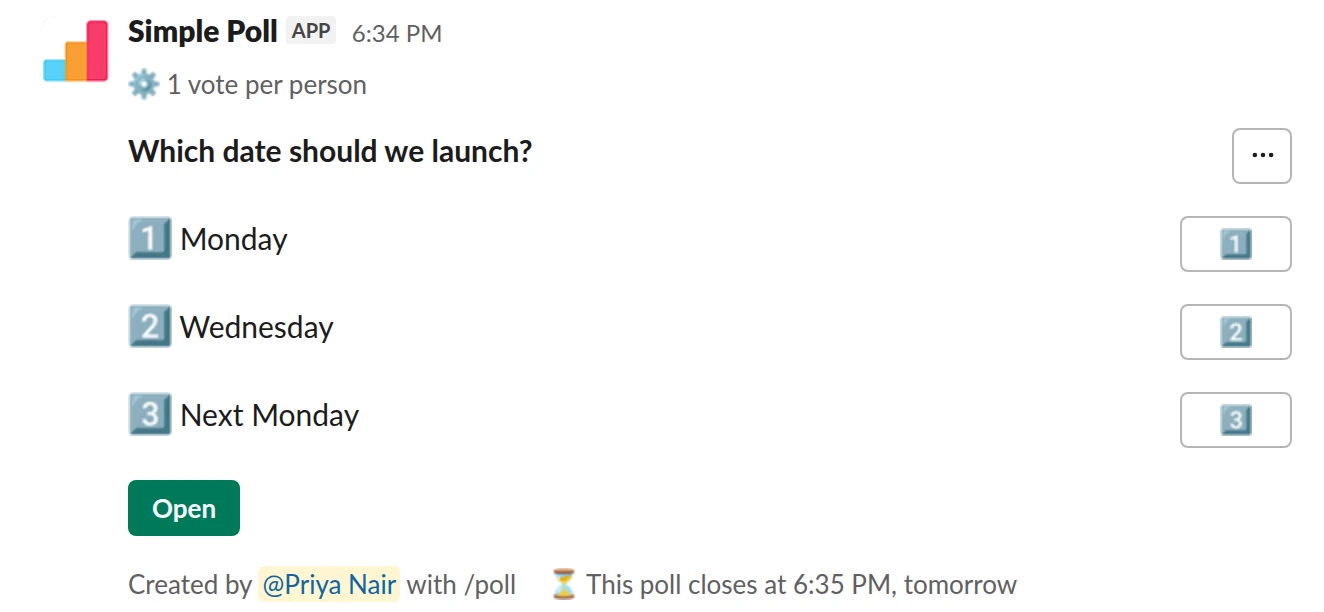
Choice poll. One vote each, decided within a day (Premium).
/poll "Which date should we launch?" "Monday" "Wednesday" "Next Monday" limit 1 close after 1 day
Premium: vote limits, closing automatically
Limit votes: 1 per personClose automatically: after 1 day
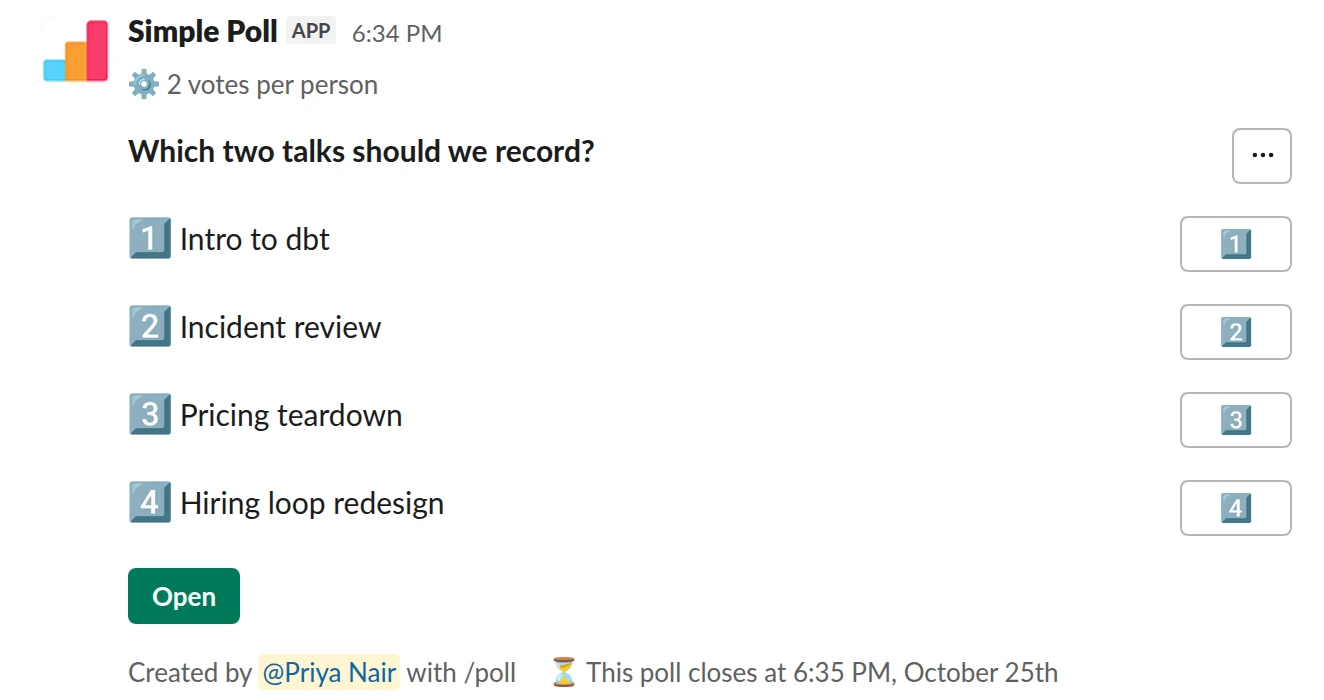
Choice poll. Everyone picks their top two (Premium).
/poll "Which two talks should we record?" "Intro to dbt" "Incident review" "Pricing teardown" "Hiring loop redesign" limit 2 close after 3 days
Premium: vote limits, closing automatically
Limit votes: 2 per personClose automatically: after 3 days
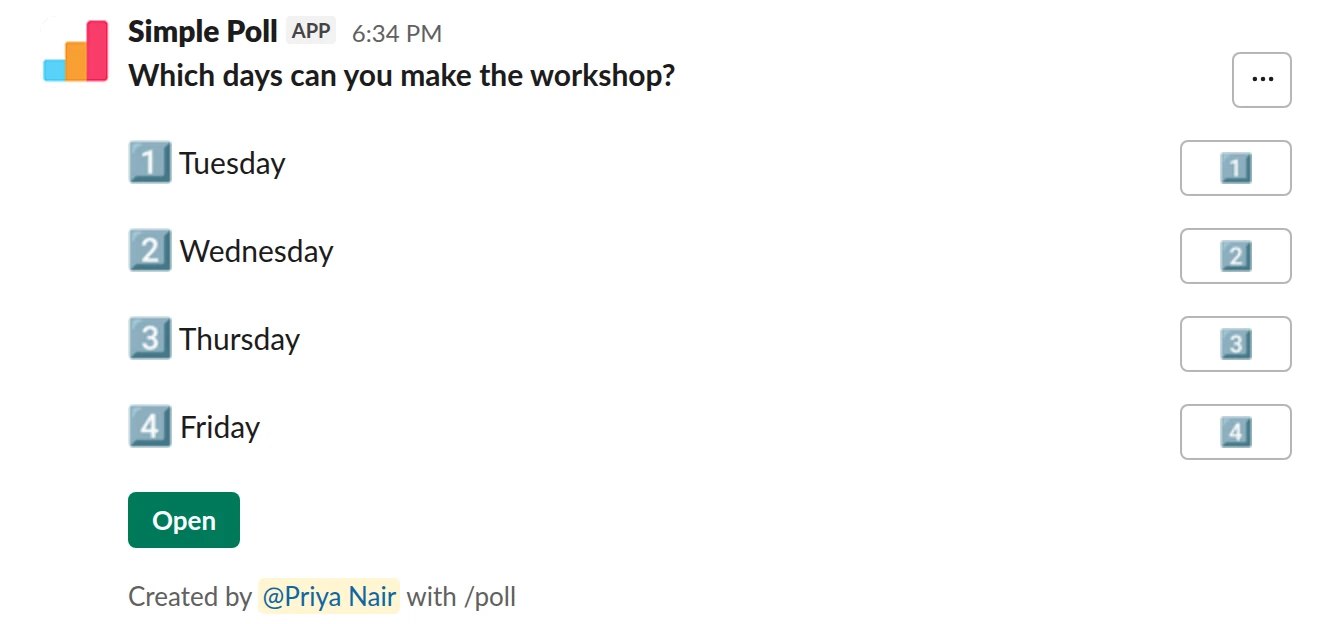
Choice poll. Availability, so no limit. Free.
/poll "Which days can you make the workshop?" "Tuesday" "Wednesday" "Thursday" "Friday"
Free
Single choice or multiple choice
Use limit 1 when the poll decides one thing: a date, a winner, a yes or no. Without it, people hedge by voting for everything acceptable, and the result stops telling you anything.
Leave the limit off when you're collecting availability or interest: which days people can make, which sessions they'd attend, which snacks they like. There, every honest answer can be several options.
Limits above one
limit 2 or limit 3 is a lightweight shortlist. Use it when you'll act on more than one option, such as picking three talks to record from ten pitches, and a full ranked choice poll is more than you need.
The limit can't be higher than the number of options, unless allow-options is on and people can add more. A limit equal to the number of options does nothing.
Limits in surveys
In a survey, each choice question is either single choice (limit 1) or unlimited. limit 2 and above aren't available inside surveys.
If people need to change their vote
A limit doesn't lock anyone in. Voters can remove a vote by clicking the same option again, and pick a different one, until the poll closes. If you want the result to settle, add close after 1 day (Premium) so voting stops at a known time.
Questions
Is a one-vote limit free?
No, limit is Premium. Start a 14-day trial with /simplepoll trial, or see pricing.
What does limit with no number do?
limit on its own means limit 1.
Can people still change their vote?
Yes, while the poll is open they can remove a vote and pick another option.
Can I use a limit with allow-options?
Yes. People can add options and still pick only as many as the limit allows.
Related
- How to create a poll in Slack
Slack has no poll button of its own. Its help centre suggests two routes: install a polling app, or post a message and ask people to vote with emoji reactions. This guide covers the app route with Simple Poll, used by 945,000+ teams, because it gives you a real poll: counted votes, anonymous voting, one-vote limits and a clean result.
- How to create a ranked choice poll in Slack
In a ranked choice poll, each person puts the options in order of preference instead of picking one. Simple Poll counts the result with instant-runoff voting, so the winner is the option with the broadest support, not just the most first choices. Ranked polls work on every plan.
- How to let people add options to a Slack poll
Sometimes you don't know all the options yet: the best venue, a name for the new team, the topic everyone actually wants. Turn on adding options and voters get an Add option button. Anything they add becomes an option everyone can vote on. It's free on every plan.
- What is a single-choice poll?
A single-choice poll lets each voter pick exactly one option. The result shows how a group splits when everyone has to commit to a single answer.
- What is a multiple-choice poll?
A multiple-choice poll gives voters a fixed list of options to choose from. Depending on the settings, each person can pick one option or several.
- What is approval voting?
Approval voting lets each voter pick every option they find acceptable, as many as they like. The option with the most approvals wins.