Step by step
-
Write the poll with the options you have
/poll "What should we cover at the next team meeting?" "Q3 roadmap" "Hiring plan" -
Add allow-options
Add
allow-optionsafter the last option. In the poll form, tick Allow others to add options under Settings instead. -
Or start with no options at all
Leave the options out and voters fill the poll themselves:
/poll "Which shows are people watching?" allow-options. -
Post it
Check the preview and click Create Poll. The poll shows an Add option button, and new options appear for everyone to vote on.
Example polls
Paste any of these into the message box in Slack.
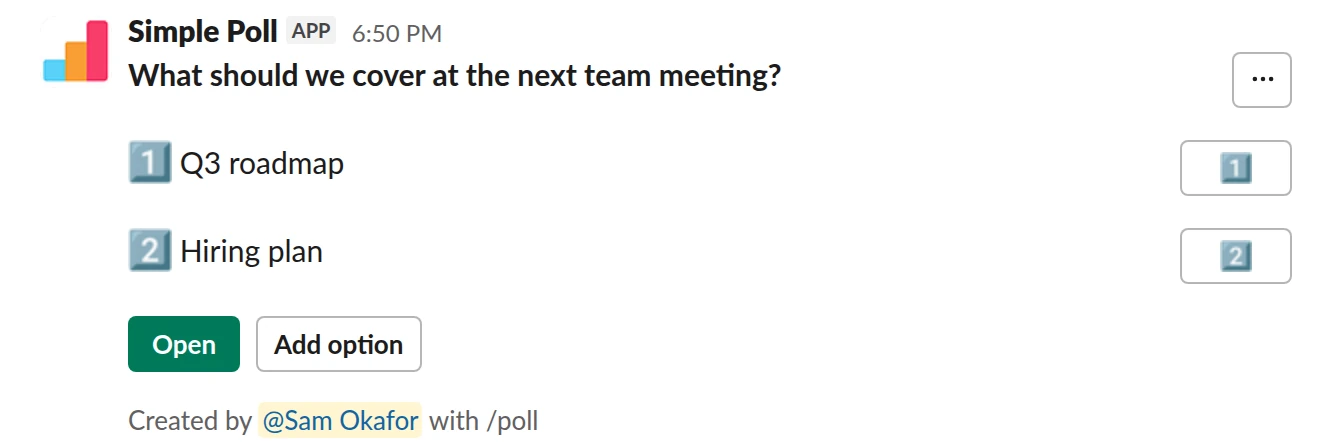
Choice poll. Two starter topics, room for more, most popular first. Free.
/poll "What should we cover at the next team meeting?" "Q3 roadmap" "Hiring plan" allow-options order-results-by-votes
Free
Allow optionsOrder results: by most votes
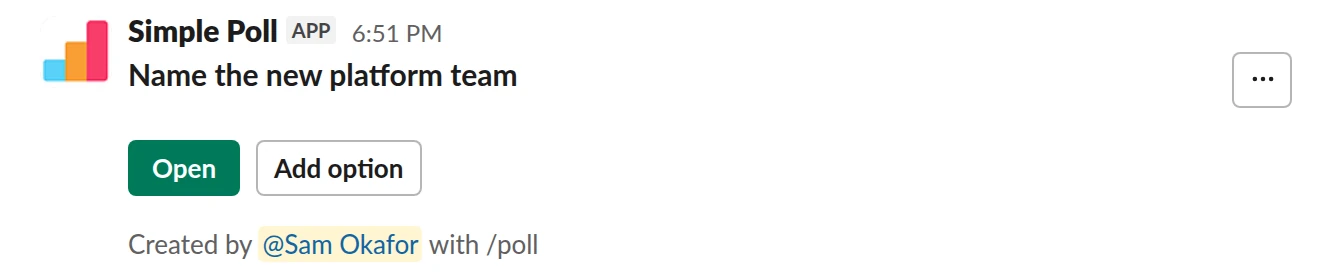
Choice poll. An empty poll people fill with suggestions. Free.
/poll "Name the new platform team" allow-options
Free
Allow options
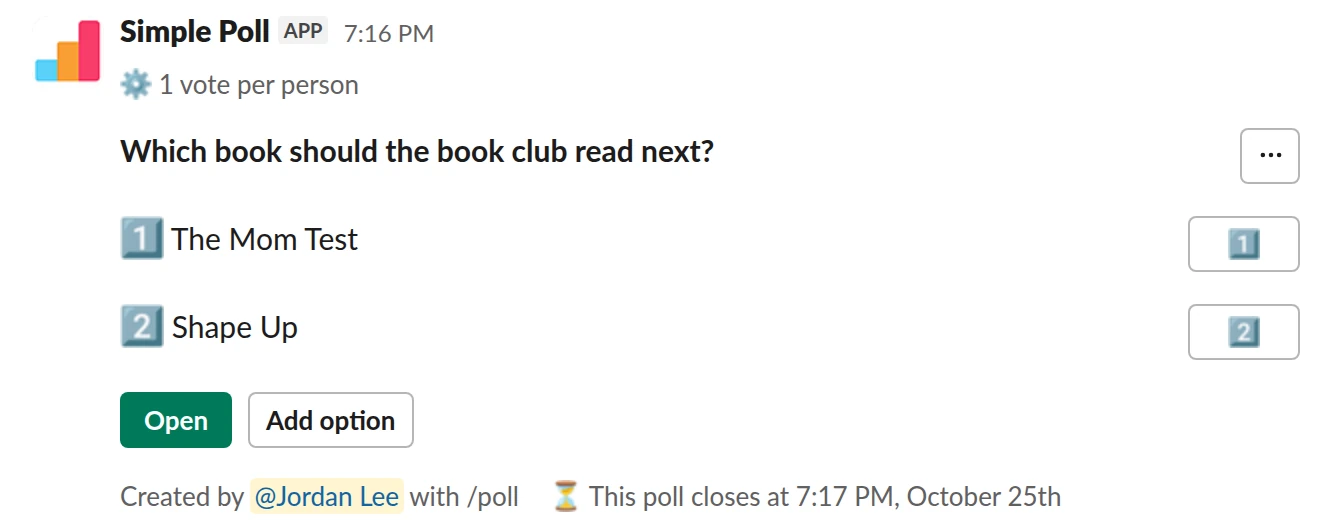
Choice poll. Suggestions welcome, one vote each, decided in three days (Premium).
/poll "Which book should the book club read next?" "The Mom Test" "Shape Up" allow-options limit 1 close after 3 days
Premium: vote limits, closing automatically
Limit votes: 1 per personAllow optionsClose automatically: after 3 days
When to open the poll up
- You might have missed an option. Add a couple of your own and let people fill the gaps. This is the safest default for any poll about places, tools or topics.
- The ideas are the point. Agenda topics, team names, book club picks, things to stop doing. Start empty or with one example to show the kind of answer you want.
- You want buy-in. People back a choice they had a hand in proposing.
Keep it closed for yes or no decisions and for anything where the options are fixed, such as dates the venue has available.
Keep the list usable
Open polls can sprawl. Say what a good option looks like in the question ("one topic per option, under ten words"), and add order-results-by-votes so the popular options float to the top. If you'll pick one winner, add limit 1 (Premium).
As the creator, you can delete options that are duplicates or off-topic: open the poll from its green Open button, choose Poll settings, then Edit (Premium). Deleting an option deletes its votes too.
Collect, then decide
For bigger decisions, run two rounds. First an open poll with allow-options to gather ideas. Then take the top four or five into a fresh poll with limit 1 or a ranked choice poll, so people choose from a clean list.
Turn it on for a poll already posted
If you forgot, edit the poll (Premium): click its green Open button, then Poll settings, then Edit, and tick Allow options from others. The Add option button appears on the posted poll.
Questions
Is adding options free?
Yes. allow-options works on every plan.
Can I allow added options in a survey?
No. Questions in a multi-question survey can't take options from others.
Can I remove an option someone added?
Yes, as the poll's creator, by editing the poll (Premium). Its votes are deleted with it.
What if I post a poll with no options?
Simple Poll treats it as an open poll, and voters add the options.
Related
- How to create a poll in Slack
Slack has no poll button of its own. Its help centre suggests two routes: install a polling app, or post a message and ask people to vote with emoji reactions. This guide covers the app route with Simple Poll, used by 945,000+ teams, because it gives you a real poll: counted votes, anonymous voting, one-vote limits and a clean result.
- How to limit votes in a Slack poll
By default, a Simple Poll lets each person pick as many options as they like. That's right for "which days can you make?" and wrong for "which date should we pick?". A vote limit caps how many options each person can choose: limit 1 for single choice, limit 2 or more for "pick your top two". Vote limits are a Premium feature.
- How to create a ranked choice poll in Slack
In a ranked choice poll, each person puts the options in order of preference instead of picking one. Simple Poll counts the result with instant-runoff voting, so the winner is the option with the broadest support, not just the most first choices. Ranked polls work on every plan.
- Meeting agenda topics poll for Slack
A day or two before a team meeting, planning session or one-to-one series, so the agenda reflects what people need to discuss rather than what the organiser remembered.
- Project name poll for Slack
When a project, team, channel or internal tool needs a name and you want ideas from more people than the ones in the room.
- Book club pick poll for Slack
When your book club needs to choose its next read and wants everyone to have a say, not just the person who always suggests first.