Step by step
-
Add Simple Poll to Slack
Install Simple Poll from simplepoll.rocks once per workspace. If your workspace restricts app installs, ask an admin to approve it. After that, anyone in the workspace can create polls.
-
Open the channel you want to poll
Go to the channel where the people you want answers from already are. In a private channel, add Simple Poll first with
/invite @Simple Poll. -
Type /poll with your question and options
Put the question and each option in double quotes, for example
/poll "Which day works for the team lunch?" "Tuesday" "Wednesday" "Thursday". Add settings such asanonymousafter the last quote, without quotes. -
Check the preview and post
Press Enter. Simple Poll shows you a preview that only you can see. If it looks right, click Create Poll and it posts in the channel.
-
Or build it in the form instead
Type
/pollon its own and press Enter, or click the Run shortcut button (the / symbol at the bottom left of the message box) and pick Create poll with Simple Poll. Fill in the question, options and settings, click Preview, then Create Poll.
Example polls
Paste any of these into the message box in Slack.
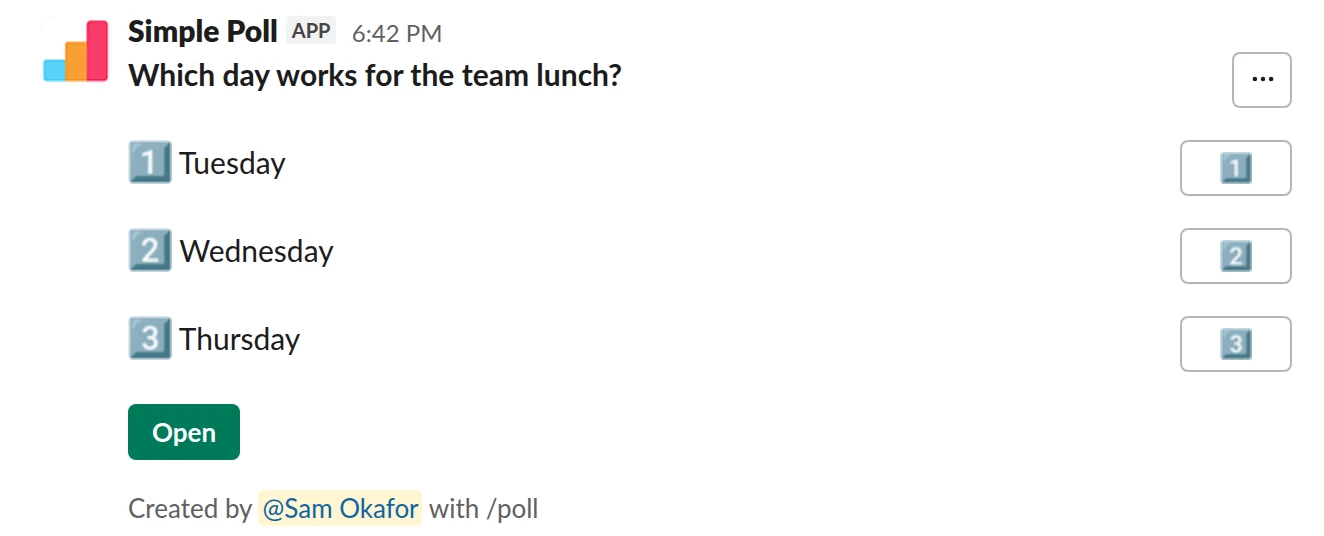
Choice poll. The simplest poll. Works on every plan.
/poll "Which day works for the team lunch?" "Tuesday" "Wednesday" "Thursday"
Free
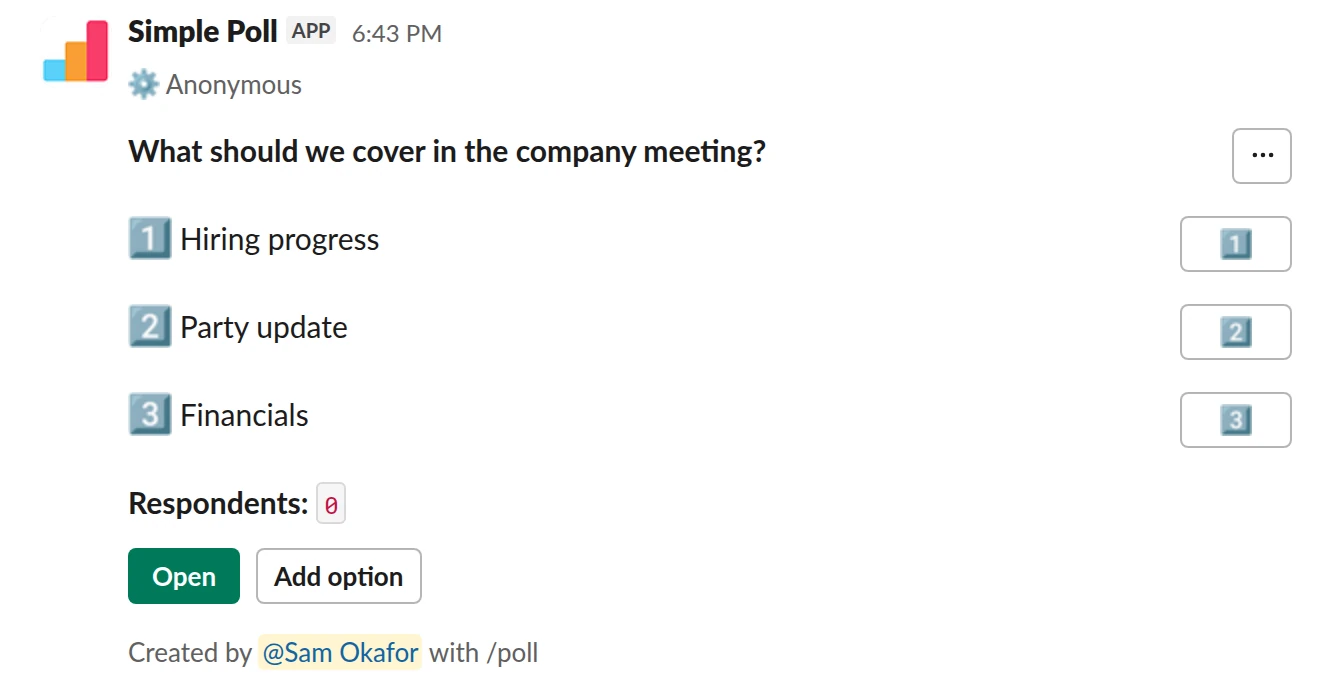
Choice poll. Anonymous, and people can add topics you missed.
/poll "What should we cover in the company meeting?" "Hiring progress" "Party update" "Financials" allow-options anonymous
Free
AnonymousAllow options
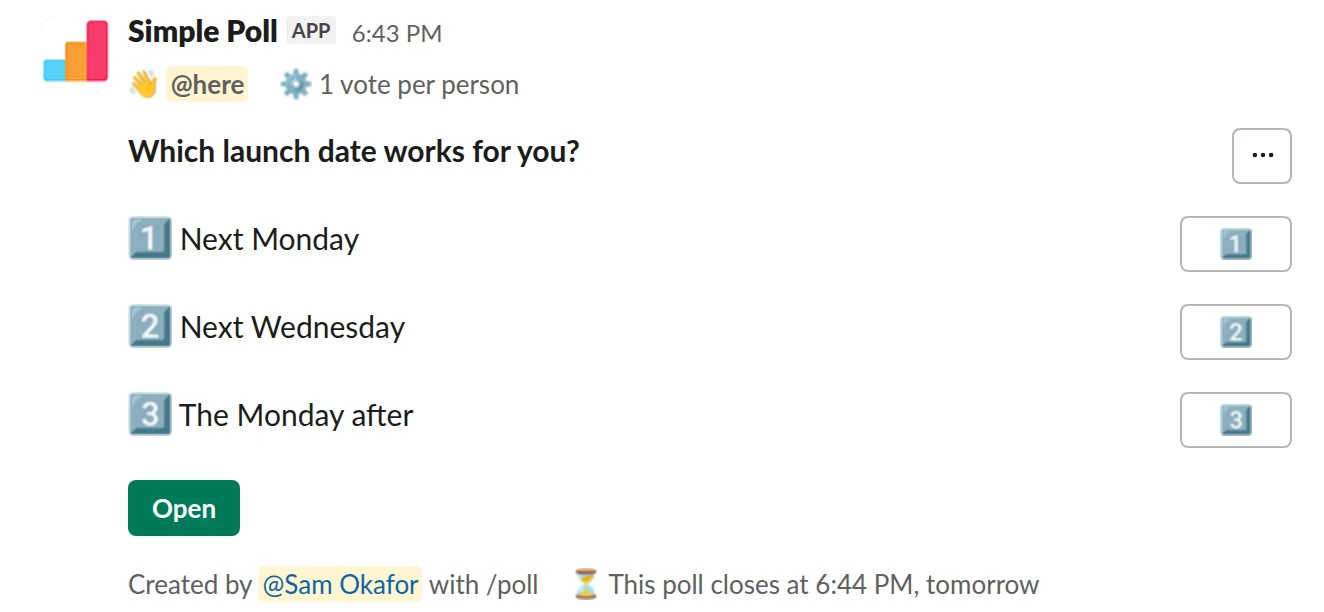
Choice poll. A decision with one vote each and a 24-hour deadline (Premium).
/poll "Which launch date works for you?" "Next Monday" "Next Wednesday" "The Monday after" limit 1 close after 1 day @here
Premium: vote limits, closing automatically
Limit votes: 1 per personClose automatically: after 1 dayMentions: @here
Three ways to start a poll
- The /poll command with text. Fastest when you know what you want to ask. Everything fits on one line, and you see a preview before it posts.
- The /poll command on its own, or the shortcut. Opens the poll form, where every setting is a checkbox or a dropdown. Best for your first few polls, for surveys, and for recurring polls, which you set up with the form's Schedule button.
- The Simple Poll app. Click Simple Poll in the Apps section of your Slack sidebar, then Create a poll on its Home tab to open the same form.
The form also has a Template gallery with ready-made polls such as a meeting-time finder and a mood check-in.
Write the question so nobody has to ask what you meant
Put the decision in the question. "Which launch date works for you?" gets better answers than "Launch date". Give two to five short options that don't overlap, and if you might have missed one, add allow-options so voters can add their own.
By default people can pick as many options as they like. When you need one answer per person, add limit 1 (Premium). When you need the answer by a deadline, add close after 1 day (Premium) so the result settles on its own.
Settings worth knowing on day one
anonymous: nobody, you included, sees who voted for what. Use it for anything about feelings or feedback. See anonymous polls.allow-options: voters can add options.hide results: voters don't see the tally until the poll is closed. See hiding results.ranked,scale,short textandq&achange the poll type: ranked choice, a 1 to 5 rating, free-text answers, or an upvoted question queue.@herenotifies the channel when the poll posts. Use it for polls with a deadline, not for every lunch vote.
The full list is in the /poll command guide.
The mistakes that waste a poll
Posting in the wrong channel is the big one: test a new poll in a direct message to yourself first. The other two are leaving it open forever, so the result never feels final, and asking two questions in one poll. If you have several questions, make it a survey instead.
When the vote is done, click the poll's Open button, then Poll settings, then Close. You can reopen it later from the same place.
Questions
Does Slack have a built-in poll feature?
No. Slack's own help centre points you to a polling app from the Slack Marketplace, or to an informal poll where people vote with emoji reactions on a message. See polling in Slack without an app for the trade-offs.
Is Simple Poll free?
Yes. The Free plan covers polls with up to 5 options, anonymous voting, adding options and hidden results. Premium adds vote limits, automatic closing, reminders, scheduling, surveys and up to 45 options. See pricing, or start a 14-day trial with /simplepoll trial.
Who can create polls?
Once Simple Poll is installed, any member of the workspace can create a poll in a channel they're in.
Can I edit a poll after posting it?
On Premium you can edit a poll you created: click its Open button, then Poll settings, then Edit. You can't rewrite an option in place: delete it and add a new one, which also deletes any votes on it.
Can I try a poll without anyone seeing it?
Yes. Post it in a direct message to yourself, or in a private channel with only you in it.
Related
- How to use the /poll command in Slack
/poll is Simple Poll's slash command. Typed on its own, it opens the poll form. Typed with a question, options and a few keywords, it builds the whole poll in one line, shows you a preview, and posts it. This page is the reference for the one-line version.
- How to create an anonymous poll in Slack
An anonymous poll in Simple Poll hides who voted for what from everyone, including the person who created it. The poll still counts every vote and shows the totals. It's free on every plan.
- How to create a survey in Slack
A survey in Simple Poll is one Slack message with several questions behind it. People click the survey's Open button, answer in a pop-up without leaving Slack, and you get the results in the same place. Surveys are a Premium feature, with up to 20 questions each.
- How to poll in Slack without an app
Slack doesn't have a poll feature of its own. Its help centre gives two options: install a polling app from the Slack Marketplace, or run a quick, informal poll in a message where people vote with emoji reactions. On paid Slack plans there's a third route, a Workflow Builder form.
- Team lunch poll for Slack
When you are organising a team lunch or a food order and need a decision before someone has to book or order.
- Meeting time poll for Slack
When you need to find a slot that works for a group and calendars alone don't tell you who can really make it.