Step by step
-
Start with the question in double quotes
/poll "Which day works for the team lunch?" -
Add each option in double quotes
/poll "Which day works for the team lunch?" "Tuesday" "Wednesday" "Thursday". Leave the options out and voters add their own. -
Add settings after the last quote, without quotes
/poll "Which day works for the team lunch?" "Tuesday" "Wednesday" "Thursday" anonymous limit 1 -
Press Enter, check the preview, post
Simple Poll shows a preview only you can see. Click Create Poll to post it.
Example polls
Paste any of these into the message box in Slack.
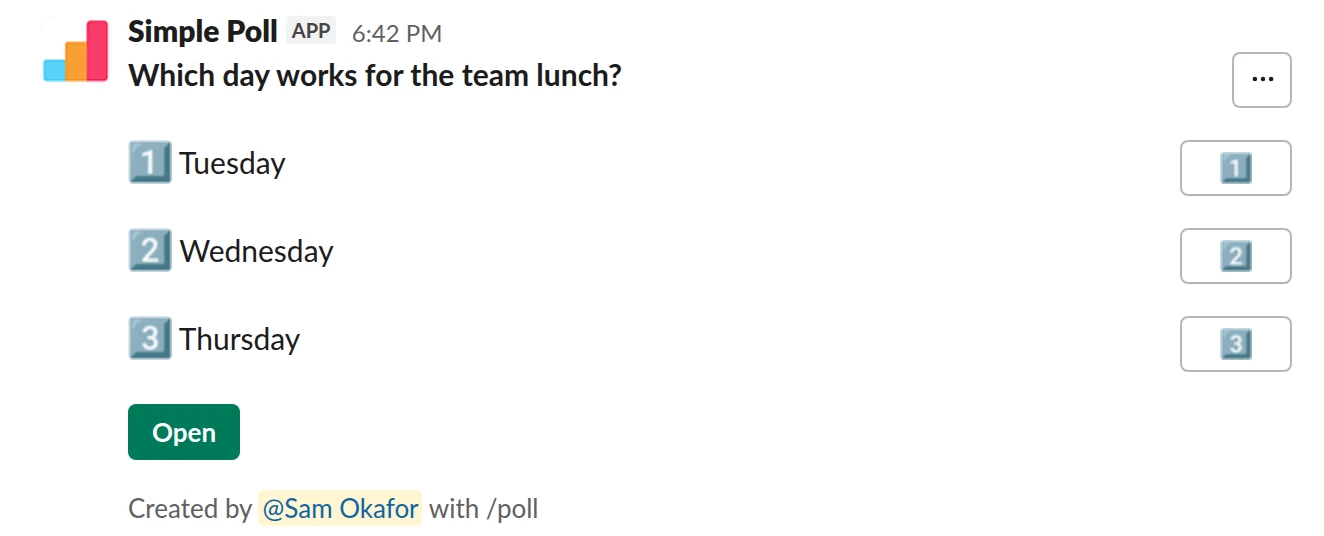
Choice poll. The basic form. Free.
/poll "Which day works for the team lunch?" "Tuesday" "Wednesday" "Thursday"
Free
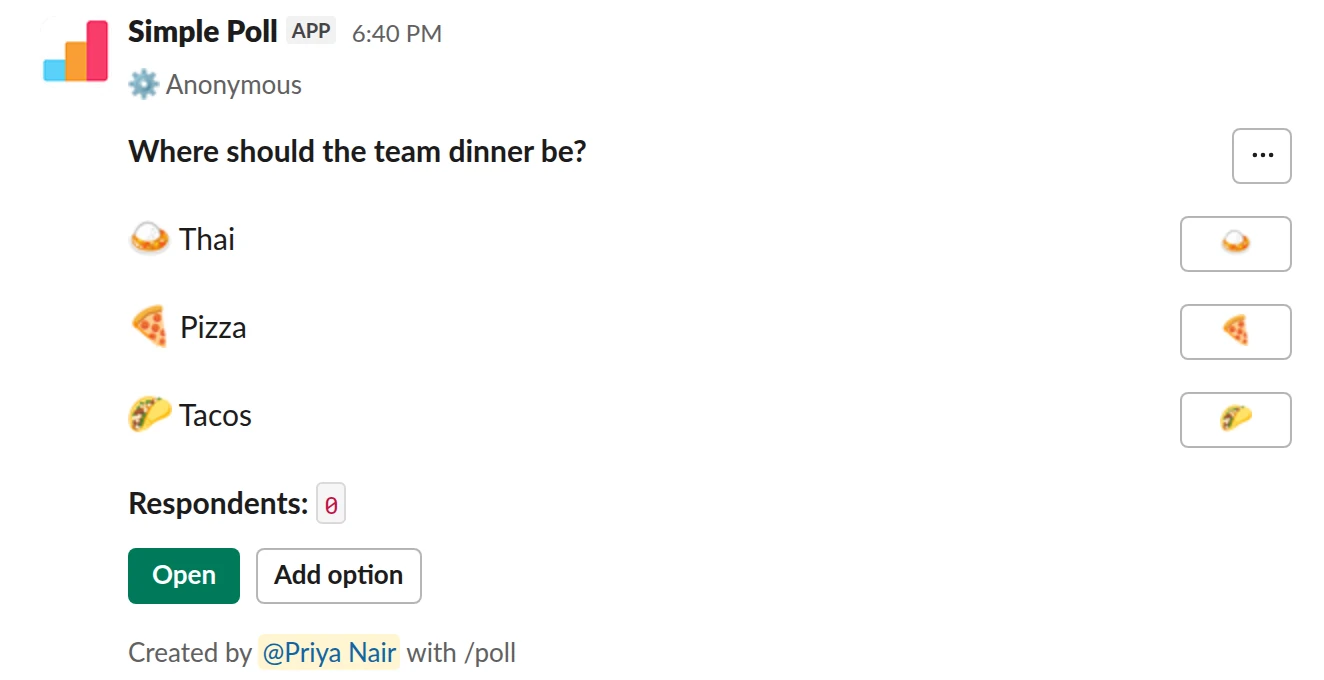
Choice poll. Option emoji, anonymous votes and room for more suggestions. Free.
/poll "Where should the team dinner be?" "Thai" :curry: "Pizza" :pizza: "Tacos" :taco: allow-options anonymous
Free
AnonymousAllow options
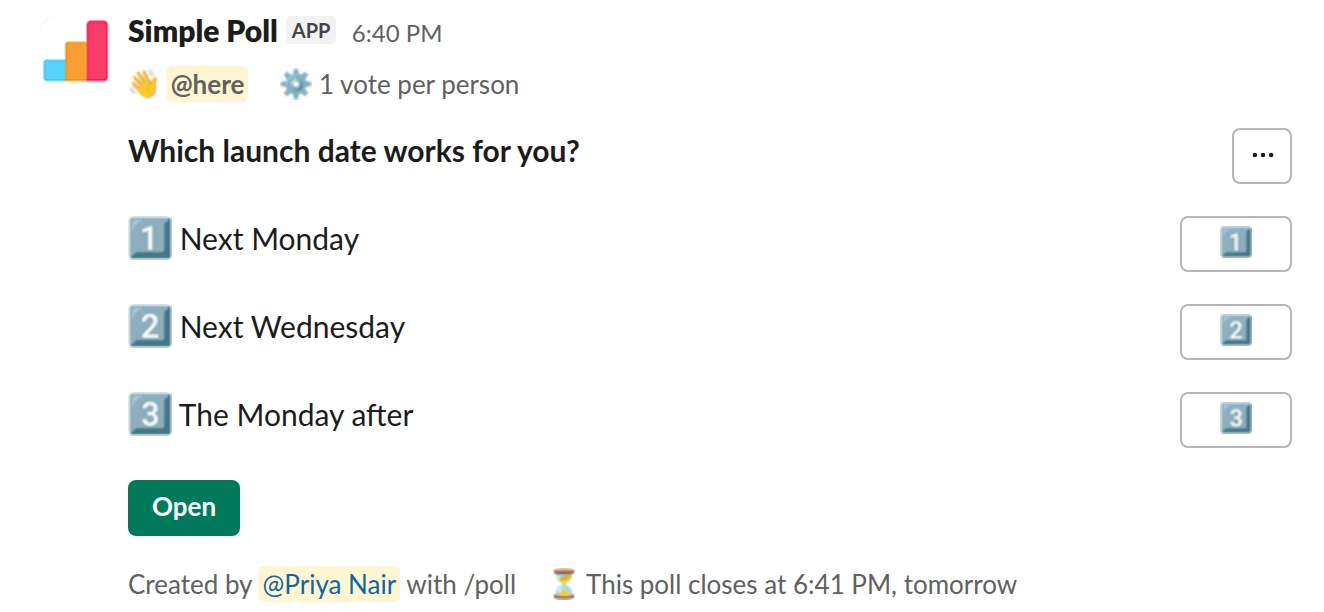
Choice poll. A one-vote decision that closes itself, with a reminder (Premium).
/poll "Which launch date works for you?" "Next Monday" "Next Wednesday" "The Monday after" limit 1 close after 1 day remind 2 hours before closing @here
Premium: vote limits, closing automatically, reminders
Limit votes: 1 per personClose automatically: after 1 dayReminder: 2 hours before closingMentions: @here
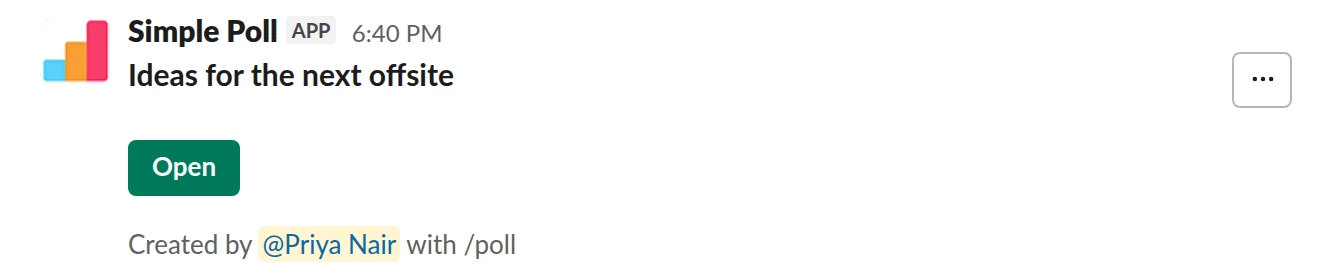
Short text with voting. Free-text ideas that people can upvote with a light bulb. Free.
/poll "Ideas for the next offsite" short text :bulb:
Free
Quoting rules
- Put the question and every option in straight double quotes. Slack's curly quotes count too.
- There's no escaping, so a question or option can't contain a double quote. Use single quotes or reword.
- Settings go after the last quote, separated by spaces. Words inside quotes are never read as settings, so
"Anonymous or named feedback?"is a safe question. - Give an option its own emoji by putting the code right after its closing quote:
"Pizza" :pizza: "Tacos" :taco:. - Slack formatting works inside quotes:
*bold*,:emoji:, and links. - A misspelt keyword is ignored, so
anonymusmakes a poll that isn't anonymous. Check the preview.
Poll types
Without a type keyword you get a choice poll, where people can pick any number of options. Add one of these to change it:
ranked: voters put the options in order. See ranked choice polls.scale: a 1 to 5 rating. No options, or exactly five labels.short text: free-text answers. No options.short text :bulb:lets people vote on answers with that reaction; the choices are:thumbsup::bulb::heart::joy::tada::rocket::fire::small_red_triangle:.q&a: people post questions and upvote them. No options. See running an AMA.
Settings keywords
Free on every plan:
anonymous: nobody, the creator included, sees who voted for what.allow-options: voters can add options.order-results-by-votes: list options by votes, not in your order.hide results: voters see the results only once you close the poll (on Premium, once you also choose to reveal them).@hereor@channel: notify the channel when it posts.
Premium:
limit 1(orlimit 2, and so on): the most options each person can pick.close after 1 day: close on its own. Allowed: 10, 30 or 60 minutes; 1, 2, 3, 4, 5, 6, 12 or 24 hours; 1, 2, 3 or 7 days.remind 2 hours after postingorremind 1 hour before closing: repost it at the bottom of the channel. Allowed: 5, 10, 15, 30 or 60 minutes; 1, 2, 3, 12 or 24 hours; 1 day. A before-closing reminder needsclose after.show results to creator: only you see the results.schedule tomorrow 9am: post it later. Always put it last.- More than 5 options (up to 45), and surveys with
---between questions.
Case doesn't matter in keywords, and hyphens, underscores or spaces between words all work: allow-options and allow options are the same.
Surveys in one command
Separate questions with ---. The first part is a title, an optional description and the survey-wide settings; each part after it is one question with its own type, plus limit 1 or optional if you need them. See surveys in Slack.
What the command can't do
It can't send a poll to people by DM, close at a set date and time, repeat a poll, or change a poll after it's posted. Repeating polls are set up in the poll form with the Schedule button; edits are made from the posted poll's Open button (Premium).
Questions
How do I open the poll form instead?
Type /poll with nothing after it and press Enter. The form has every setting as a checkbox or dropdown, plus scheduling, templates and drafts.
Can I skip the preview?
Yes. Add no-preview at the end and the poll posts straight away. Only do this once you trust your syntax.
Why did a setting not apply?
Usually a typo or a keyword placed inside quotes. Keywords only count after the last quote, and a misspelt one is ignored. Check the preview before you click Create Poll.
Do I need quotes at all?
Simple Poll understands some unquoted forms, but they're easy to get wrong. Always quote the question and each option.
Is /poll free?
Yes. The command and the free keywords work on every plan. Premium keywords are listed above; start a 14-day trial with /simplepoll trial.
Related
- How to create a poll in Slack
Slack has no poll button of its own. Its help centre suggests two routes: install a polling app, or post a message and ask people to vote with emoji reactions. This guide covers the app route with Simple Poll, used by 945,000+ teams, because it gives you a real poll: counted votes, anonymous voting, one-vote limits and a clean result.
- How to make an emoji poll in Slack
"Emoji poll" means two things in Slack. One is a message where people vote by reacting with an emoji, which needs no app. The other is a proper poll where each option carries an emoji, which reads faster and still counts votes properly. This page covers both, plus the poll emoji themselves.
- How to create a survey in Slack
A survey in Simple Poll is one Slack message with several questions behind it. People click the survey's Open button, answer in a pop-up without leaving Slack, and you get the results in the same place. Surveys are a Premium feature, with up to 20 questions each.
- How to close a Slack poll automatically
A poll that never closes never quite decides anything: votes trickle in, the result shifts, and nobody knows when to act. An automatic close fixes the deadline up front. In Simple Poll you add close after and a duration, and the poll closes on its own. Automatic closing is a Premium feature; anyone can close their own poll by hand.
- What is a slash command?
A slash command is a message that starts with a forward slash, like `/poll`, and runs an app or a built-in Slack action instead of posting text to the channel.