Step by step
-
Open the poll form
In the channel where the poll should post, type
/polland press Enter, or click the Run shortcut button (the / symbol at the bottom left of the message box) and pick Create poll with Simple Poll. -
Write the poll
Fill in the question, the options and any settings, such as Make responses anonymous. For more than one question, add questions to make it a survey.
-
Click Schedule and set the repeat
In the Scheduling section near the bottom of the form, click Schedule. Set the Send time, Send date and Repeat (Daily, Every weekday, Weekly, Every 2 weeks, Monthly or Annually), for example 10:00 AM weekly on Monday from next week, then click Save.
-
Preview and create
Back in the form you'll see the saved schedule. Click Preview, then Create Poll.
-
Check the confirmation
Simple Poll sends you a confirmation message with the schedule's details. Until the first post, its Edit Poll button is where you change the poll, its settings or its schedule.
Example polls
Paste any of these into the message box in Slack.
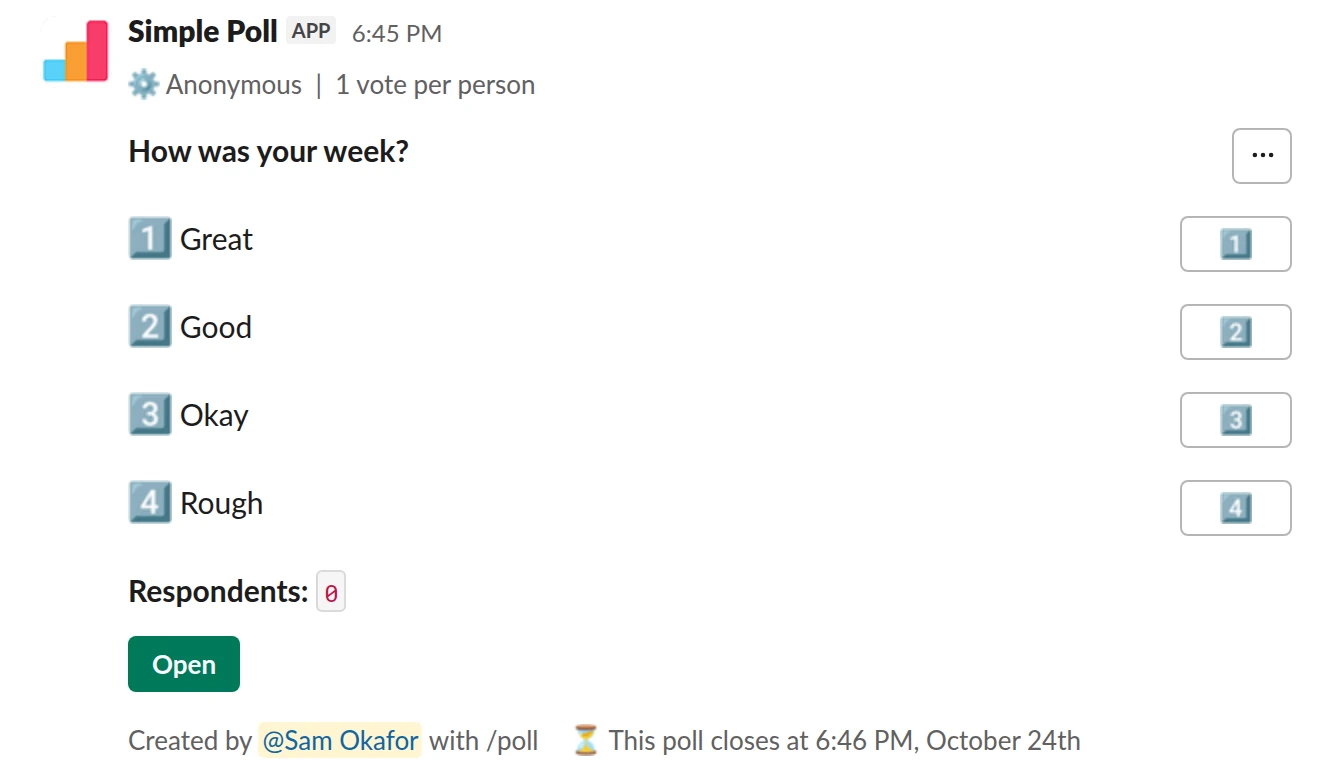
Choice poll. A weekly mood check. Set it to repeat every Friday morning (Premium).
/poll "How was your week?" "Great" "Good" "Okay" "Rough" anonymous limit 1 close after 2 days
Premium: vote limits, closing automatically
AnonymousLimit votes: 1 per personClose automatically: after 2 days
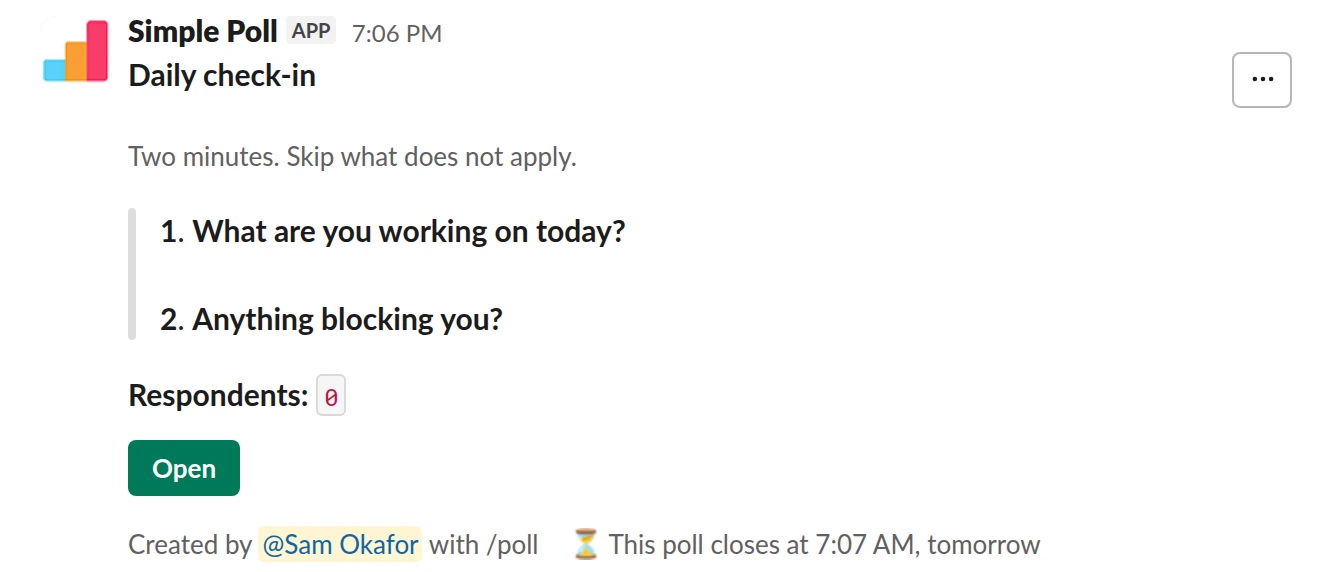
Survey (2 questions). An async standup. Schedule it to repeat on your standup days (Premium).
/poll "Daily check-in" "Two minutes. Skip what does not apply." close after 12 hours --- "What are you working on today?" short text --- "Anything blocking you?" short text optional
Premium: surveys (several questions), closing automatically
Close automatically: after 12 hours
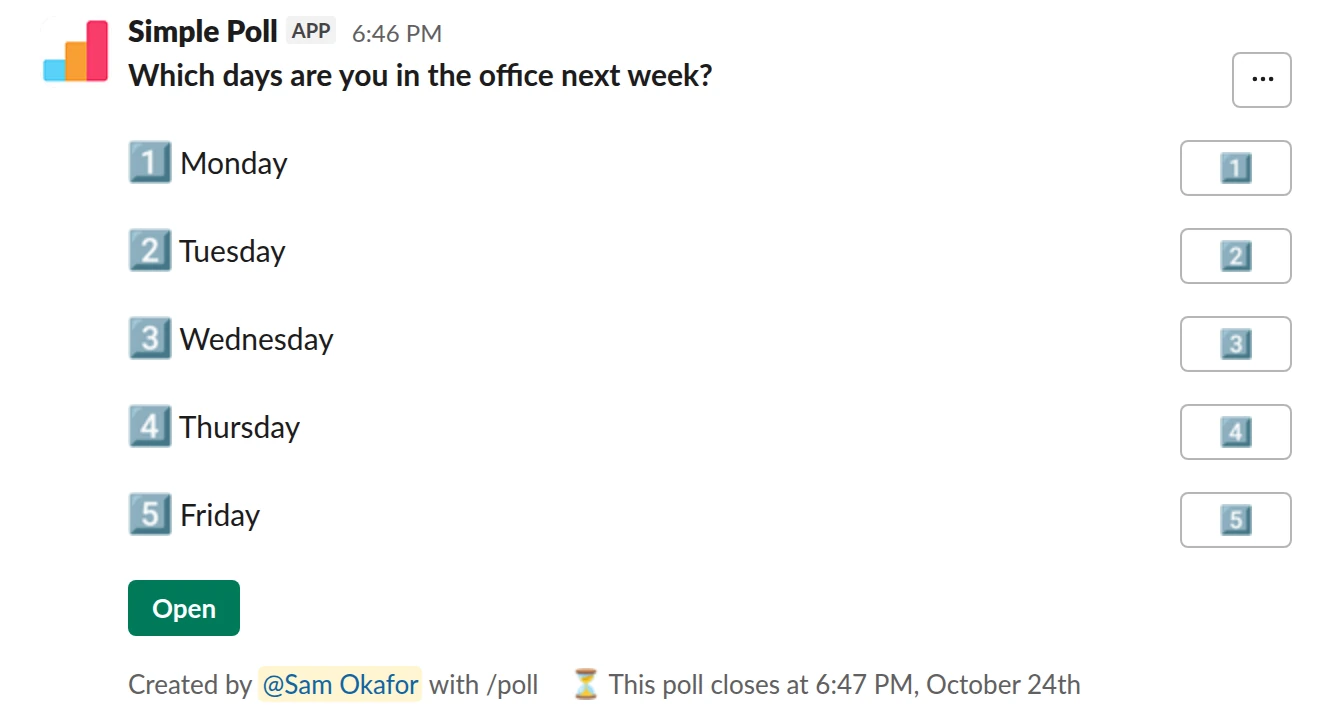
Choice poll. Office days, reposted every Thursday so you can plan desks and lunch (Premium).
/poll "Which days are you in the office next week?" "Monday" "Tuesday" "Wednesday" "Thursday" "Friday" close after 2 days remind 1 day before closing
Premium: closing automatically, reminders
Close automatically: after 2 daysReminder: 24 hours before closing
Pick a cadence people can keep up with
Match the cadence to how fast the answer changes. Mood and workload move week to week, so a weekly pulse works. Engagement and eNPS move slowly, so monthly or quarterly is enough, and asking more often trains people to ignore it. A standup check-in is daily by design, so keep it to one or two questions.
Post at a time people are already in Slack and not in back-to-back meetings. Monday mid-morning suits a question about the week ahead; Friday morning suits a look back.
Make each post close before the next one
Add close after to a recurring poll so each round finishes before the next one arrives: close after 2 days for a weekly poll, close after 12 hours for a daily one (Premium). Otherwise you end up with a channel full of open polls and votes spread across weeks. A remind ... before closing repost catches the people who missed it.
Turn an existing poll into a recurring one
You don't need to start over. Click the posted poll's Open button, then Poll settings, and in the Scheduling section click Schedule poll to add a repeat.
Change or stop the schedule
On a posted recurring poll, click the green Open button, then Poll settings. Under Scheduling, Edit schedule changes the timing (only the person who scheduled it can) and Stop schedule ends the repeats. Deleting a recurring poll also asks whether to stop its future posts.
If it hasn't posted yet, open Simple Poll in your sidebar, go to the Messages tab, find the confirmation and click Edit Poll. After Stop schedule on an unposted poll you can't restart that schedule; create a new poll instead.
Do something with the trend
The value of a recurring poll is the line over time, not any single week. Export each round's results to CSV (Premium, from the poll's Poll settings) and keep them in one sheet. When a number moves two weeks running, raise it with the team and say what you'll change.
Questions
Can I make a poll recurring with the /poll text?
No. The text can post a poll once, later, with schedule ..., but repeating is set up in the poll form with the Schedule button, or from a posted poll's Poll settings.
Is a recurring poll free?
No, recurring polls are a Premium feature. The one exception: every December, scheduling, repeats included, works on Free too. Start a 14-day trial with /simplepoll trial, or see pricing.
Can a survey recur?
Yes. A survey (several questions in one poll) can be scheduled to repeat the same way as a single question.
Do changes apply to future posts?
Yes. Before the first post, use Edit Poll in the confirmation message. After that, open a posted round, go to Poll settings, click Edit and choose Edit all future polls (Premium).
Related
- How to schedule a poll in Slack
A scheduled poll is written now and posted later, at a time when people will see it: Monday at 9am rather than Friday at 6pm. Simple Poll can schedule a poll from the /poll text or from the poll form. Scheduling is a Premium feature, though it also works on Free for the whole of December.
- How to close a Slack poll automatically
A poll that never closes never quite decides anything: votes trickle in, the result shifts, and nobody knows when to act. An automatic close fixes the deadline up front. In Simple Poll you add close after and a duration, and the poll closes on its own. Automatic closing is a Premium feature; anyone can close their own poll by hand.
- How to create a survey in Slack
A survey in Simple Poll is one Slack message with several questions behind it. People click the survey's Open button, answer in a pop-up without leaving Slack, and you get the results in the same place. Surveys are a Premium feature, with up to 20 questions each.
- Weekly pulse survey for Slack
When an annual engagement survey is too slow to catch problems and you want a light, regular read on how the team is doing.
- Daily standup check-in poll for Slack
When your team is spread across time zones or calendars and a live standup costs more than it returns, but you still want a daily read on progress and blockers.
- What is a pulse survey?
A pulse survey is a short survey, usually one to five questions, sent to the same group on a regular schedule so you can see how things change over time. Common topics are workload, morale and engagement.