Step by step
-
Write the poll as usual
In the channel where it should post, write the question and options in double quotes.
-
Add schedule and a time at the very end
Finish the command with
scheduleand when to post:/poll "Lunch on Friday?" "Pizza" "Tacos" "Salads" schedule tomorrow 9am. Keepschedule ...last, after every other setting. -
Or use the Schedule button in the form
Type
/pollon its own and press Enter. Fill in the poll, click Schedule, pick the Send time and Send date, leave Repeat on No, and click Save. Then click Preview and Schedule Poll. -
Check the confirmation
Simple Poll sends you a confirmation message. Find it by clicking Simple Poll in your sidebar and opening the Messages tab.
-
Edit or cancel before it posts
In that confirmation, click Edit Poll. Under Scheduling, Edit schedule changes the time and Stop schedule cancels it. Only you, as the creator, can do this.
Example polls
Paste any of these into the message box in Slack.
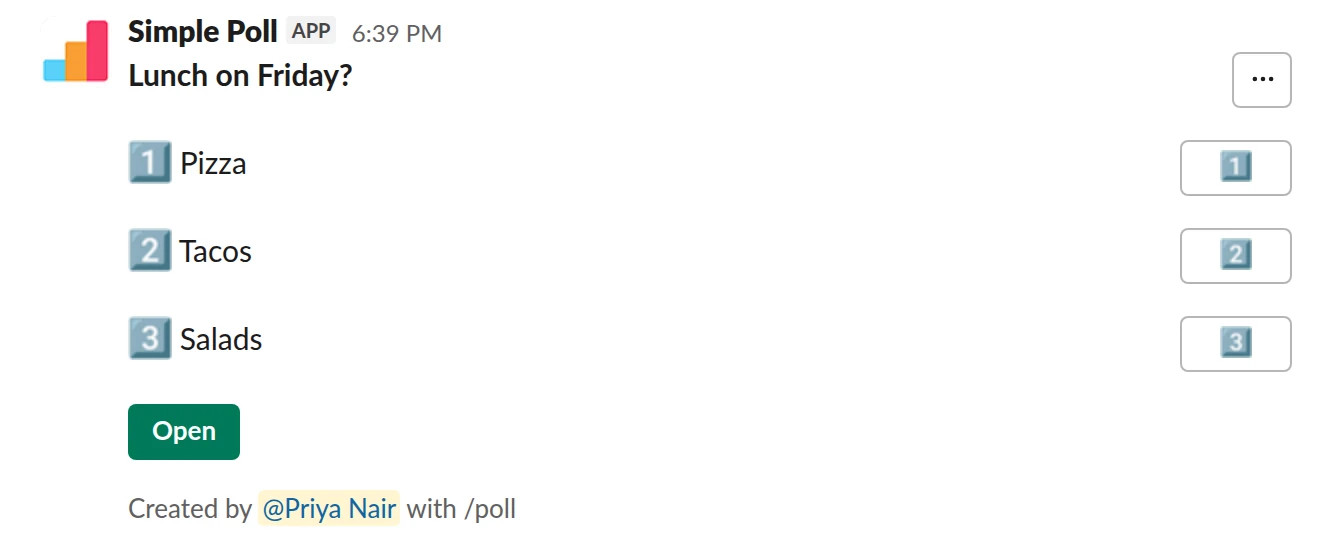
Choice poll. Posts tomorrow at 9am in your Slack timezone (Premium; works on Free in December).
/poll "Lunch on Friday?" "Pizza" "Tacos" "Salads" schedule tomorrow 9am
Premium: scheduled posting
Scheduled: posts tomorrow 9am
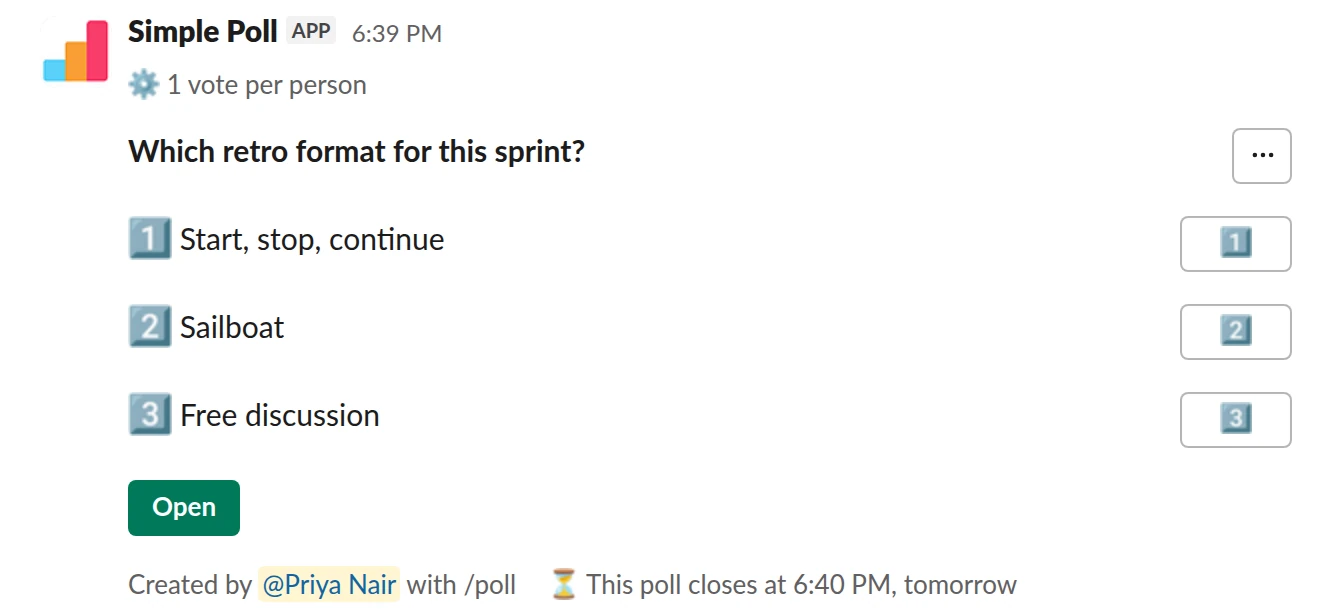
Choice poll. Posts tomorrow morning, closes 24 hours later, with a reminder before it closes (Premium).
/poll "Which retro format for this sprint?" "Start, stop, continue" "Sailboat" "Free discussion" limit 1 close after 1 day remind 2 hours before closing schedule tomorrow 9am
Premium: vote limits, closing automatically, reminders, scheduled posting
Limit votes: 1 per personClose automatically: after 1 dayReminder: 2 hours before closingScheduled: posts tomorrow 9am
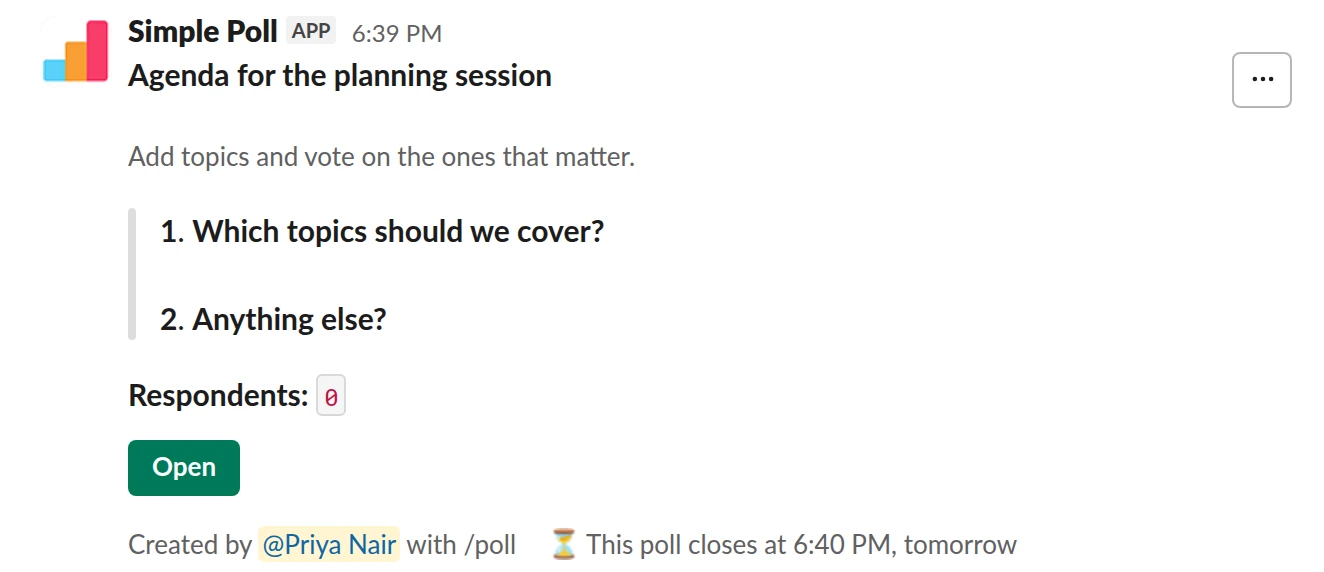
Survey (2 questions). A short agenda survey scheduled for 15:00 (Premium).
/poll "Agenda for the planning session" "Add topics and vote on the ones that matter." close after 1 day schedule 15:00 --- "Which topics should we cover?" "Q3 hiring" "Release cadence" "On-call rota" --- "Anything else?" short text optional
Premium: surveys (several questions), closing automatically, scheduled posting
Close automatically: after 1 dayScheduled: posts 15:00
Times the /poll text understands
- A day and a time:
schedule tomorrow 9am. - Just a time:
schedule 15:00. - A full date and time: write it with the year, month and day, then the time, like
schedule 2030-01-15 14:00, adding a UTC offset such as+01:00when the timezone matters.
A time without an offset uses your Slack timezone, so set one in your Slack profile first. A zone name like PST doesn't change the timezone, so use an offset when you schedule for a team in another zone. A time in the past won't work.
Put schedule ... at the end. A setting written after it can be read as part of the time.
When to post
Post when people are at their desks and before the decision is due. Start of the working day beats end of it, and Monday morning beats Friday afternoon. For a distributed team, pick a time that falls inside working hours for most time zones, and give the poll at least a full day with close after 1 day so everyone gets a turn.
Combine it with a deadline and a reminder
A scheduled poll still needs an end. Add close after 1 day (or whatever fits the decision), and remind 2 hours before closing to repost the poll at the bottom of the channel before it ends.
Questions
Can I schedule a poll for free?
Scheduling is Premium, with one exception: every December, scheduling works on Free too, from the /poll text or the form. Start a 14-day trial with /simplepoll trial, or see pricing.
Which timezone does the scheduled time use?
Your own Slack timezone, unless you give an offset such as +01:00 or a time ending in Z for UTC.
Can I change the time after scheduling?
Yes, until it posts. Open the confirmation in Simple Poll's Messages tab, click Edit Poll, then Edit schedule.
Can I schedule a poll to repeat?
Not from the text. Use the Schedule button in the poll form to set a repeat. See recurring polls.
Related
- How to create a recurring poll in Slack
A recurring poll posts itself on a schedule you set, such as every Monday at 10am. You write it once and Simple Poll reposts it, so your weekly pulse or standup check-in never depends on someone remembering. Recurring polls are a Premium feature.
- How to close a Slack poll automatically
A poll that never closes never quite decides anything: votes trickle in, the result shifts, and nobody knows when to act. An automatic close fixes the deadline up front. In Simple Poll you add close after and a duration, and the poll closes on its own. Automatic closing is a Premium feature; anyone can close their own poll by hand.
- How to use the /poll command in Slack
/poll is Simple Poll's slash command. Typed on its own, it opens the poll form. Typed with a question, options and a few keywords, it builds the whole poll in one line, shows you a preview, and posts it. This page is the reference for the one-line version.
- Team lunch poll for Slack
When you are organising a team lunch or a food order and need a decision before someone has to book or order.
- Meeting agenda topics poll for Slack
A day or two before a team meeting, planning session or one-to-one series, so the agenda reflects what people need to discuss rather than what the organiser remembered.