Example polls
Paste any of these into the message box in Slack.
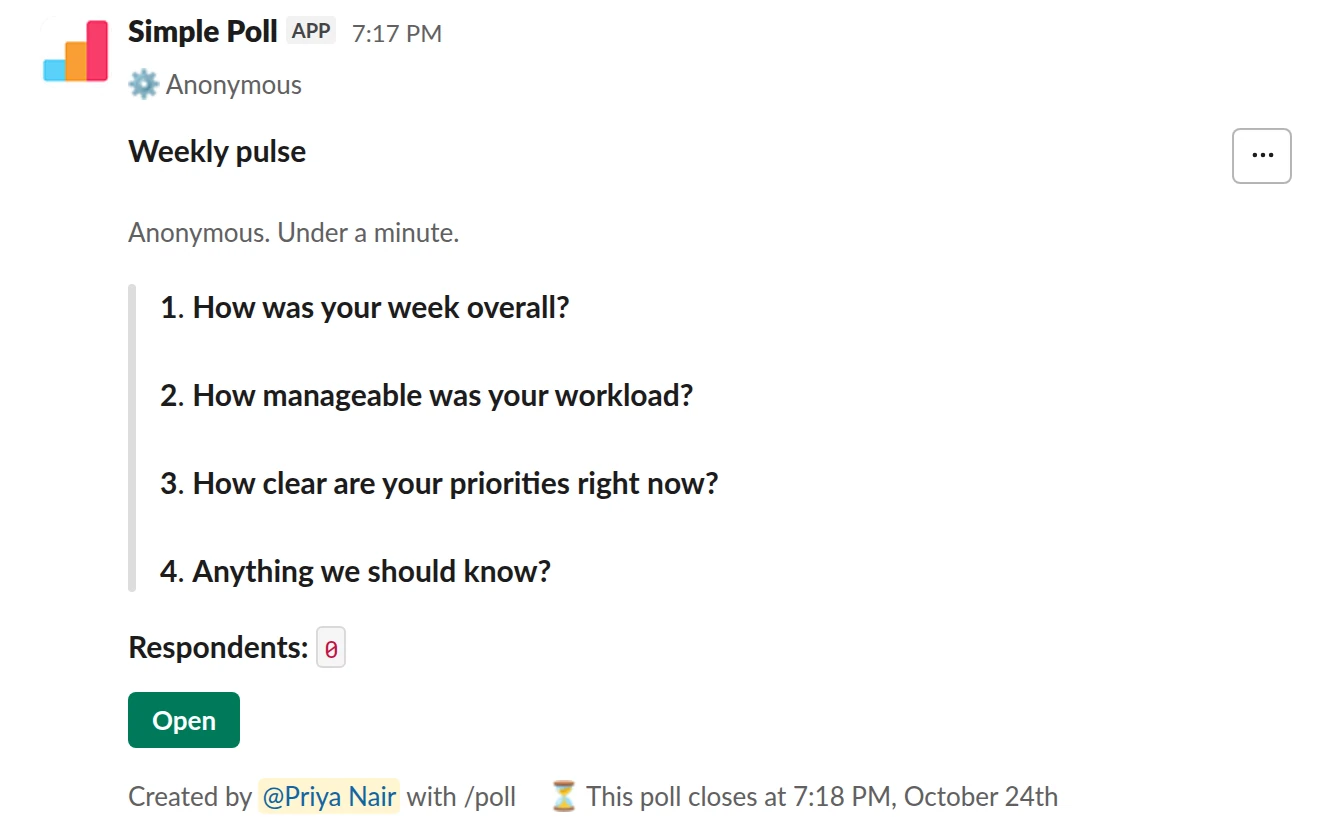
Survey (4 questions). A weekly pulse: anonymous, under a minute, with a reminder (Premium).
/poll "Weekly pulse" "Anonymous. Under a minute." anonymous close after 2 days remind 1 day before closing --- "How was your week overall?" scale --- "How manageable was your workload?" scale --- "How clear are your priorities right now?" scale --- "Anything we should know?" short text optional
Premium: surveys (several questions), closing automatically, reminders
AnonymousClose automatically: after 2 daysReminder: 24 hours before closing
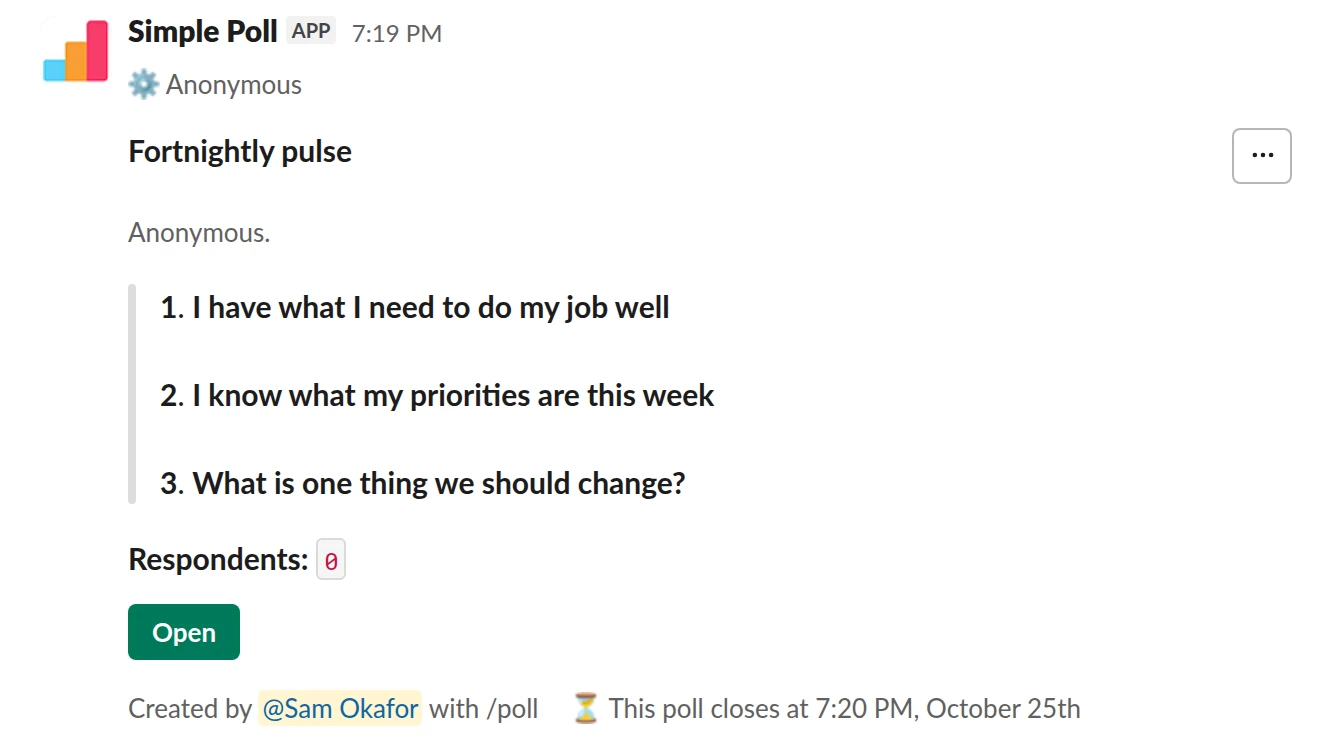
Survey (3 questions). A fortnightly pulse built from agree and disagree statements (Premium).
/poll "Fortnightly pulse" "Anonymous." anonymous close after 3 days --- "I have what I need to do my job well" "Strongly disagree" "Disagree" "Neutral" "Agree" "Strongly agree" scale --- "I know what my priorities are this week" "Strongly disagree" "Disagree" "Neutral" "Agree" "Strongly agree" scale --- "What is one thing we should change?" short text optional
Premium: surveys (several questions), closing automatically
AnonymousClose automatically: after 3 days
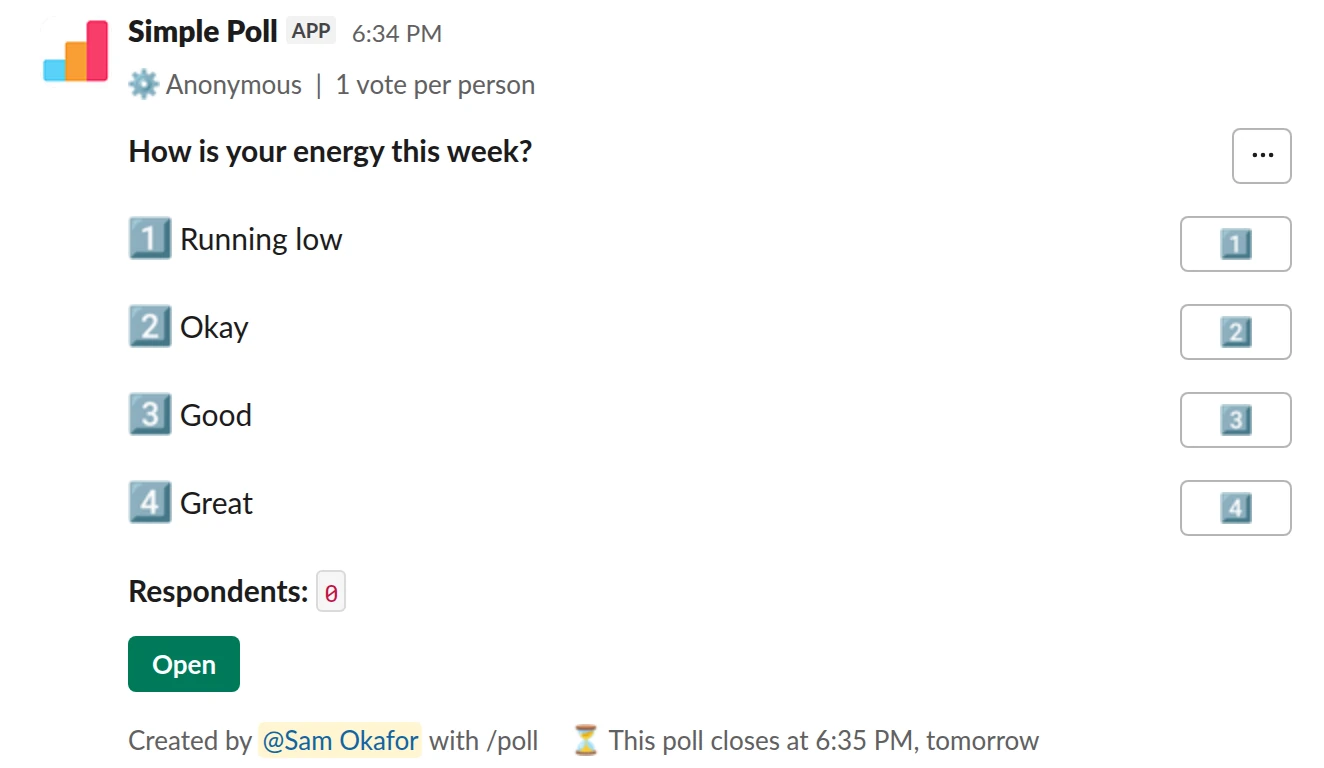
Choice poll. A one-question energy check for the weeks you want something lighter (Premium).
/poll "How is your energy this week?" "Running low" "Okay" "Good" "Great" anonymous limit 1 close after 1 day
Premium: vote limits, closing automatically
AnonymousLimit votes: 1 per personClose automatically: after 1 day
Set up a pulse in ten minutes
- Pick two or three questions you want to track for months. A rating scale for the week and one open question is enough to start.
- Write it as a survey with
anonymousin the header, so people can be honest. - Add
close after 2 daysand a reminder (Premium), so each round ends cleanly and late answers don't blur into the next one. - Post it in a channel everyone is in, then make it recurring in Slack so it repeats on its own (Premium).
The weekly pulse survey template has this ready to paste.
Pick the cadence
Weekly suits teams in a busy stretch: a launch, a reorganisation, a new manager. Every two weeks is a good default. Monthly works for a company-wide pulse alongside a deeper quarterly survey such as eNPS.
Whatever you choose, keep the questions the same from round to round. A pulse is only useful as a trend, and a trend needs the same question asked the same way.
Read the trend, not the week
One bad week is noise. Three weeks of workload scores sliding is a signal. Export each round's results (Premium) and put them side by side, question by question.
Look at the open answers last. They explain the scores, but they're easy to over-read when one strong comment stands out.
Close the loop
People keep answering a pulse when they see something happen because of it. After each round, post a short summary in the same channel: what the scores did, what people said, and one thing you'll change. Skip that, and people stop seeing a reason to answer. More on that in survey fatigue.
One price for every team
A pulse only works if everyone gets it. Simple Poll's Premium is one price per workspace, not per user, so every team can run its own pulse without extra seats. See pricing, or start the 14-day free trial with /simplepoll trial (card required, no charge until it ends).
Questions
How often should we send a pulse survey?
Every two weeks is a good default. Go weekly during a busy period and monthly for a company-wide pulse.
How many questions should a pulse have?
Two to five. Anything longer is a full survey, and people stop answering a long survey that arrives every week.
Can the pulse be anonymous?
Yes. Put anonymous in the survey header and it covers every question. Anonymous voting is free on every plan; surveys are Premium.
Can a pulse repeat automatically?
Yes. Recurring polls are set up in Slack and are a Premium feature. See how to create a recurring poll.
Related
- Weekly pulse survey for Slack
When an annual engagement survey is too slow to catch problems and you want a light, regular read on how the team is doing.
- What is a pulse survey?
A pulse survey is a short survey, usually one to five questions, sent to the same group on a regular schedule so you can see how things change over time. Common topics are workload, morale and engagement.
- How to create a recurring poll in Slack
To create a recurring poll in Slack, type /poll on its own to open Simple Poll's form, write the poll, click Schedule, and pick a repeat: daily, every weekday, weekly, every 2 weeks, monthly or annually. Simple Poll then posts it on that schedule, so your weekly pulse or daily check-in never depends on someone remembering. Recurring polls are a Premium feature.
- Team mood check-in poll for Slack
When you want an early, honest signal on how the team is feeling, before it shows up as missed deadlines or resignations.
- Employee survey software that runs in Slack
Simple Poll runs employee surveys inside Slack. People answer in the channel, or in a direct message on Premium, with no link to open and no other tool to sign in to. Surveys (Premium) can be anonymous, recurring and exported, and one price covers everyone in the workspace.
- What is survey fatigue?
Survey fatigue is when people are asked for feedback so often, or at such length, that they stop answering or start answering carelessly.