Example polls
Paste any of these into the message box in Slack.
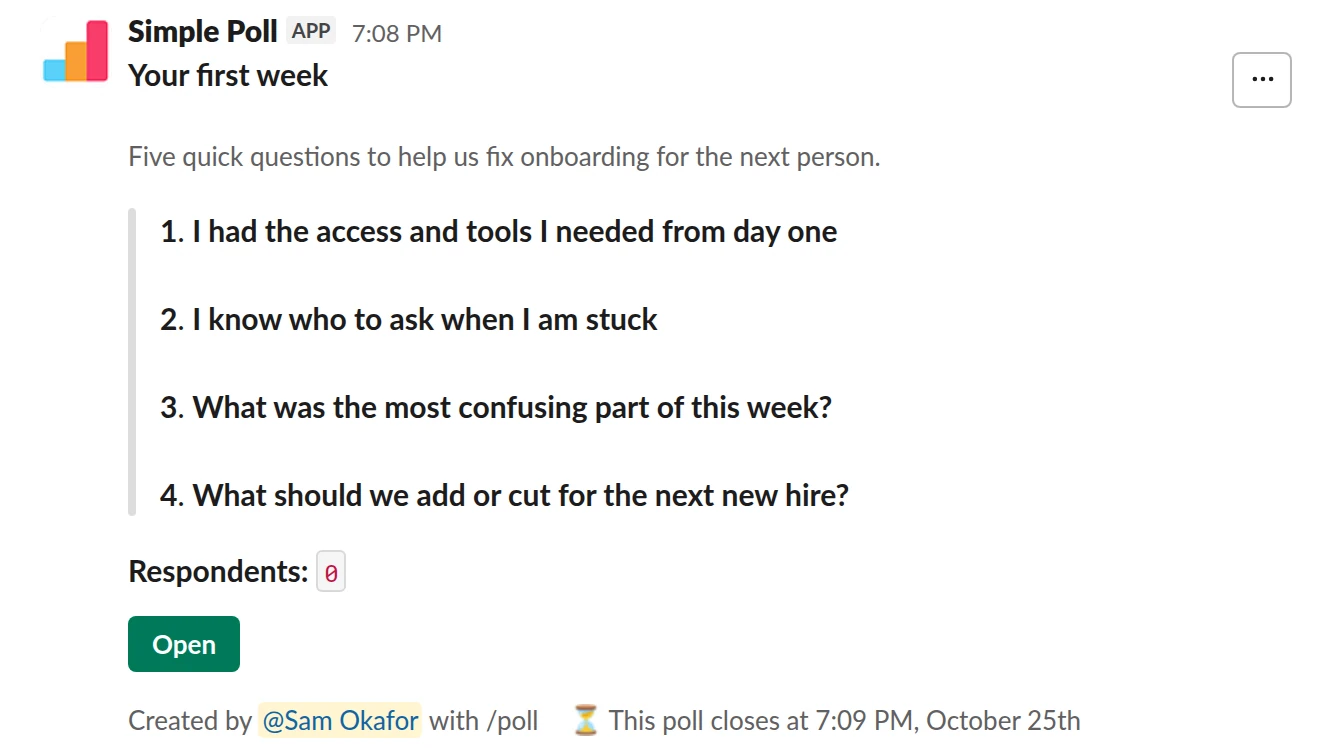
Survey (4 questions). The end-of-week-one check-in, named, for a single new hire.
/poll "Your first week" "Five quick questions to help us fix onboarding for the next person." close after 3 days --- "I had the access and tools I needed from day one" "Strongly disagree" "Disagree" "Neutral" "Agree" "Strongly agree" scale --- "I know who to ask when I am stuck" "Strongly disagree" "Disagree" "Neutral" "Agree" "Strongly agree" scale --- "What was the most confusing part of this week?" short text --- "What should we add or cut for the next new hire?" short text optional
Premium: surveys (several questions), closing automatically
Close automatically: after 3 days
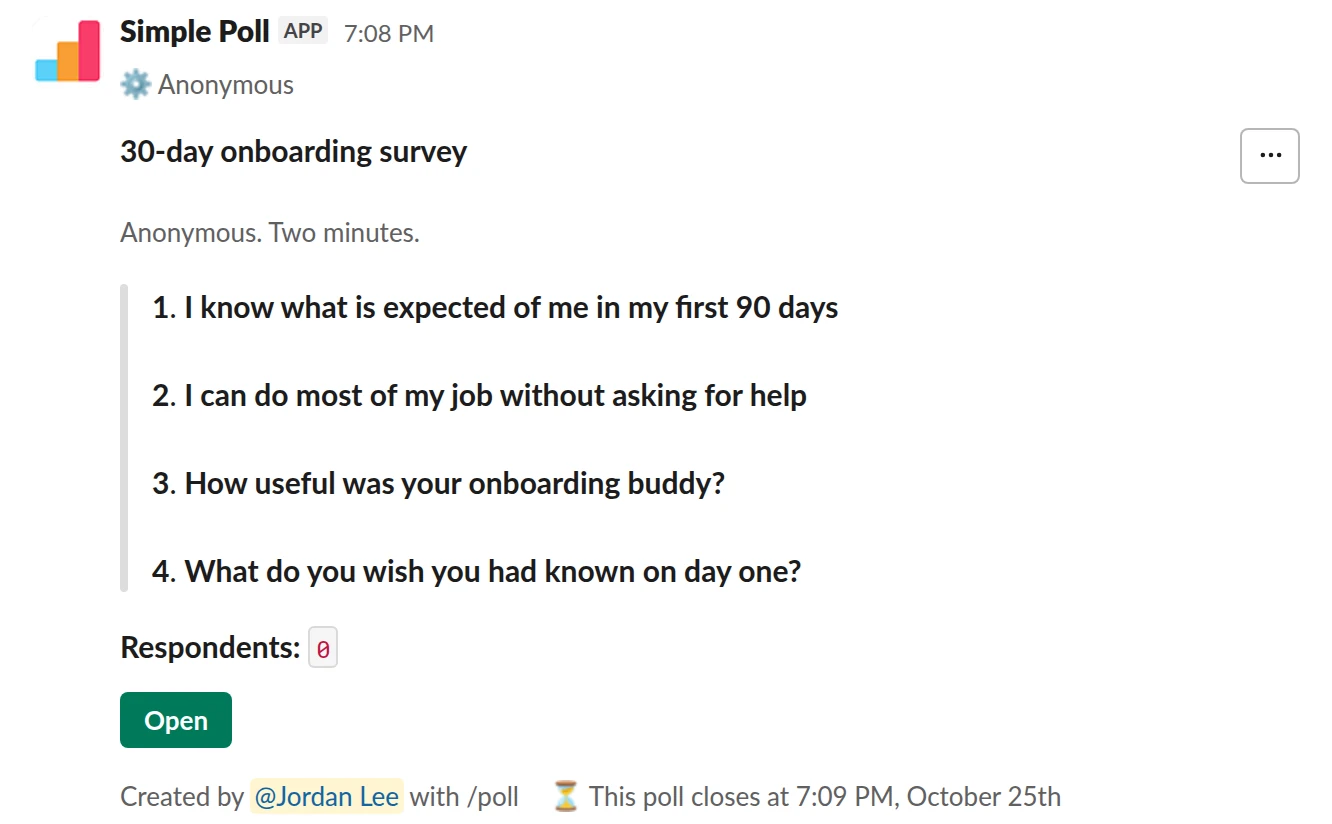
Survey (4 questions). The day-30 survey for a cohort, anonymous.
/poll "30-day onboarding survey" "Anonymous. Two minutes." anonymous close after 3 days --- "I know what is expected of me in my first 90 days" scale --- "I can do most of my job without asking for help" scale --- "How useful was your onboarding buddy?" "Not useful" "Slightly" "Somewhat" "Very" "Essential" scale --- "What do you wish you had known on day one?" short text optional
Premium: surveys (several questions), closing automatically
AnonymousClose automatically: after 3 days
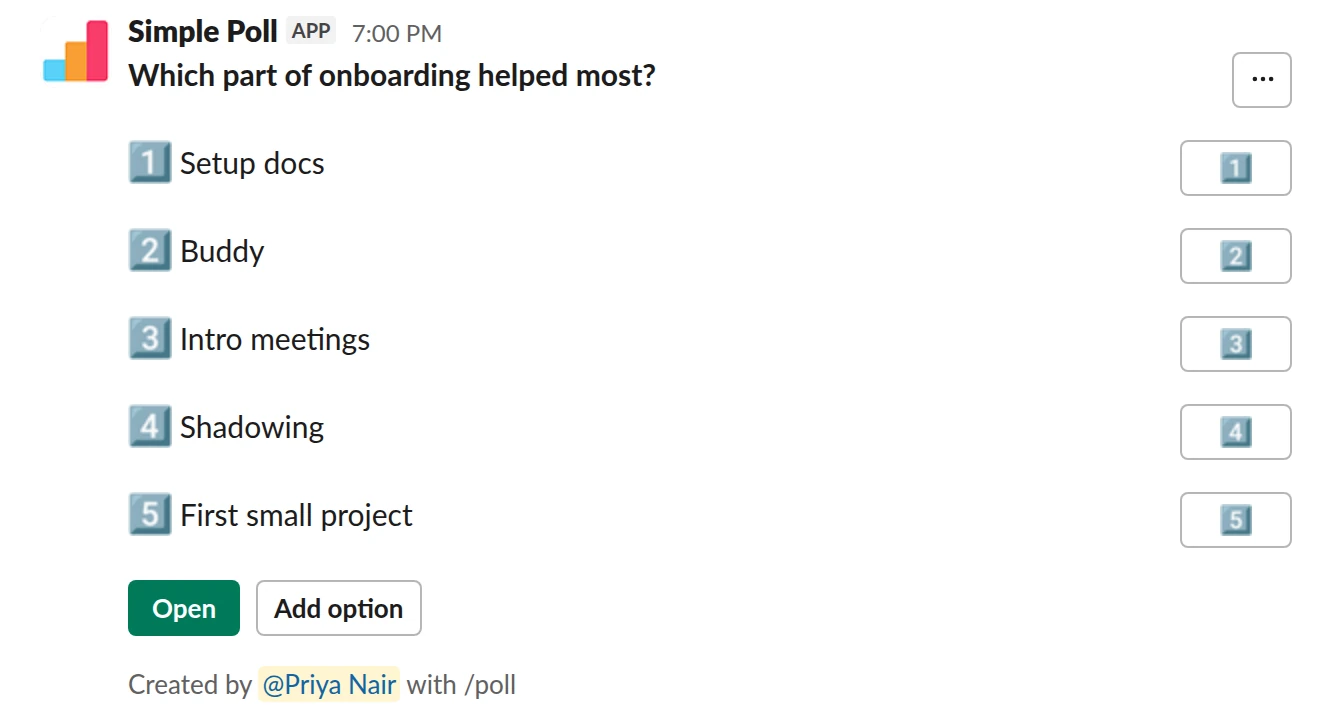
Choice poll. A quick vote on Free. New hires can add an option you missed.
/poll "Which part of onboarding helped most?" "Setup docs" "Buddy" "Intro meetings" "Shadowing" "First small project" allow-options
Free
Allow options
How to word it
Ask about specific things you can fix, not general happiness:
- Did you have the access and tools you needed from day one?
- Do you know what's expected of you in your first 90 days?
- Do you know who to ask when you're stuck?
- What was the most confusing part so far?
Use a 1 to 5 scale for the ratings and keep the open question last and optional.
Anonymous or not
If you run it for one new hire at a time, anonymity is thin: you know who answered. Be honest about that and keep it named, and send it to them by direct message from the Simple Poll modal (Premium) or post it in a small channel.
If you onboard people in cohorts, post one anonymous survey to the cohort's channel.
People are blunter about a messy first week when their name isn't on it.
When to send it
Friday of week one, then around day 30. Use schedule (Premium) when you set up the
start date, so it posts on the right day without you remembering: for example
schedule friday 3pm on their first Monday.
What to do with the results
Fix the thing before the next person starts. If access is the low score, the fix is a checklist for IT before day one, not a better welcome message. Keep the answers from each cohort so you can see if the fix worked.
Questions
Can I send it to a new hire privately?
Yes, on Premium: in the Simple Poll modal (type /poll with no text), choose to send it
to people via direct message. The /poll text can't send a poll to someone else's DM, so
from the text, use a small group DM or channel.
Can I schedule it in advance?
Yes, on Premium. End the poll with schedule and a time, like schedule friday 3pm. It
posts once at that time.
Do I need Premium?
Multi-question surveys, close after and schedule are Premium. A single question works
on Free. Try Premium free for 14 days with /simplepoll trial.
Used by
Related
- Anonymous manager feedback survey for Slack
When a manager wants to know how they're doing from the people who report to them, and wants answers more honest than a one-to-one will get.
- Weekly pulse survey for Slack
When an annual engagement survey is too slow to catch problems and you want a light, regular read on how the team is doing.
- How to schedule a poll in Slack
A scheduled poll is written now and posted later, at a time when people will see it: Monday at 9am rather than Friday at 6pm. Simple Poll can schedule a poll from the /poll text or from the poll form. Scheduling is a Premium feature, though it also works on Free for the whole of December.
- How to create a survey in Slack
A survey in Simple Poll is one Slack message with several questions behind it. People click the survey's Open button, answer in a pop-up without leaving Slack, and you get the results in the same place. Surveys are a Premium feature, with up to 20 questions each.
- Slack polls for HR and People teams
People teams ask the whole company for input more than anyone else, which makes them the first to burn out a channel with surveys. The fix is a small, predictable calendar: a few polls with a clear job each, sent at the same rhythm, with results that go somewhere.