Example polls
Paste any of these into the message box in Slack.
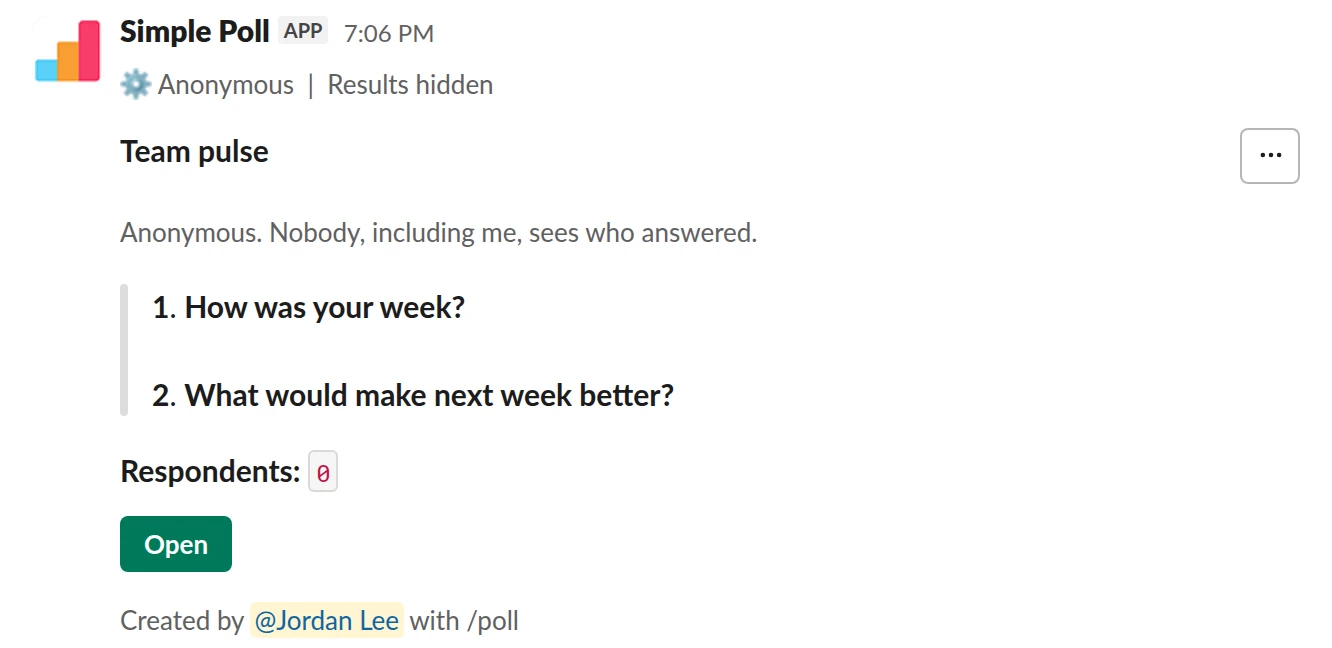
Survey (2 questions). An anonymous two-question pulse with results hidden until it closes (Premium).
/poll "Team pulse" "Anonymous. Nobody, including me, sees who answered." anonymous hide results --- "How was your week?" scale --- "What would make next week better?" short text optional
Premium: surveys (several questions)
AnonymousShow results: hidden until poll closes
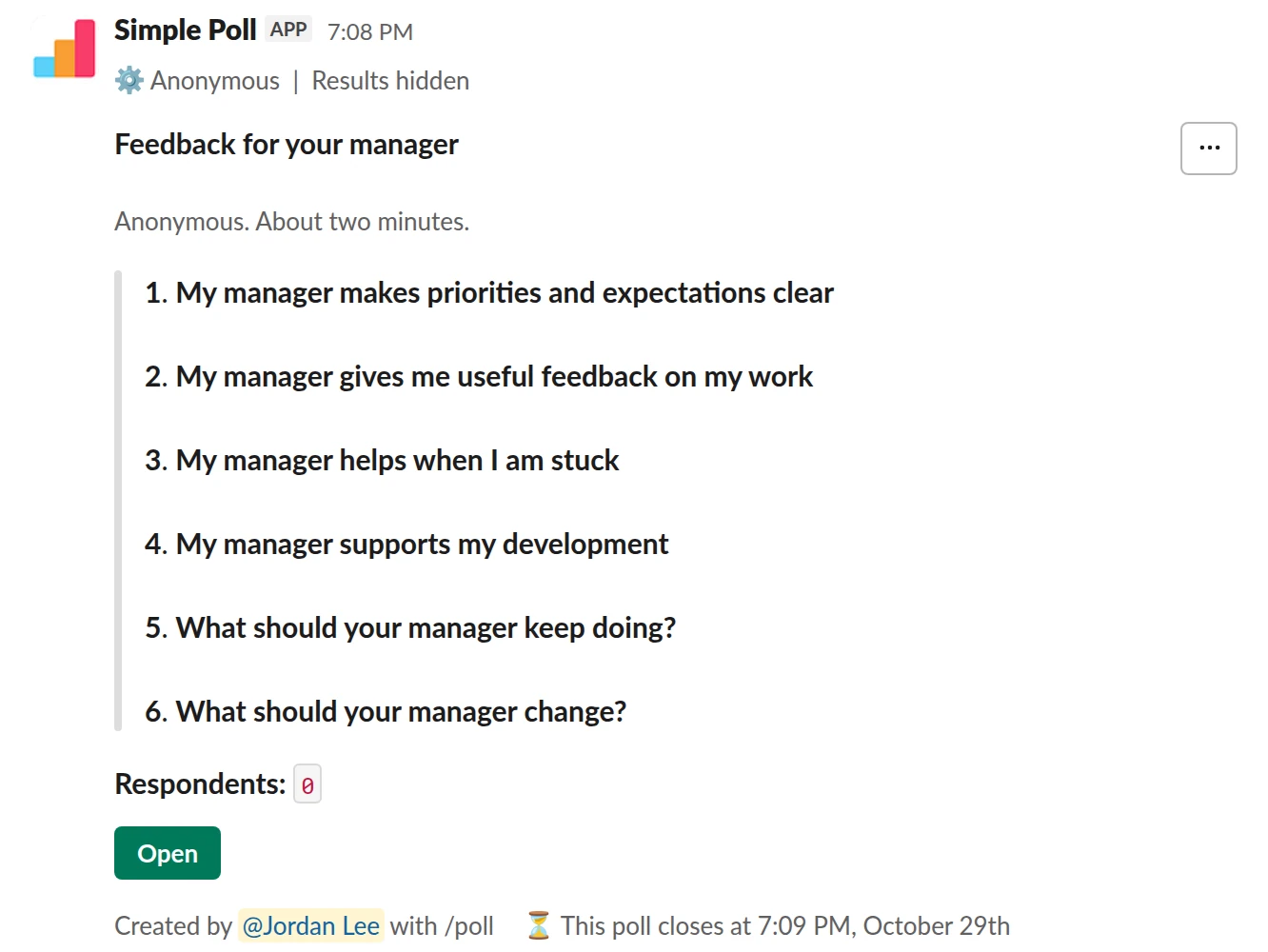
Survey (6 questions). Anonymous feedback for a manager, with a reminder before it closes (Premium).
/poll "Feedback for your manager" "Anonymous. About two minutes." anonymous show results to creator close after 7 days remind 1 day before closing --- "My manager makes priorities and expectations clear" "Strongly disagree" "Disagree" "Neutral" "Agree" "Strongly agree" scale --- "My manager gives me useful feedback on my work" "Strongly disagree" "Disagree" "Neutral" "Agree" "Strongly agree" scale --- "My manager helps when I am stuck" "Strongly disagree" "Disagree" "Neutral" "Agree" "Strongly agree" scale --- "My manager supports my development" "Strongly disagree" "Disagree" "Neutral" "Agree" "Strongly agree" scale --- "What should your manager keep doing?" short text optional --- "What should your manager change?" short text optional
Premium: surveys (several questions), closing automatically, reminders, results for the creator only
AnonymousShow results: only visible to youClose automatically: after 7 daysReminder: 24 hours before closing
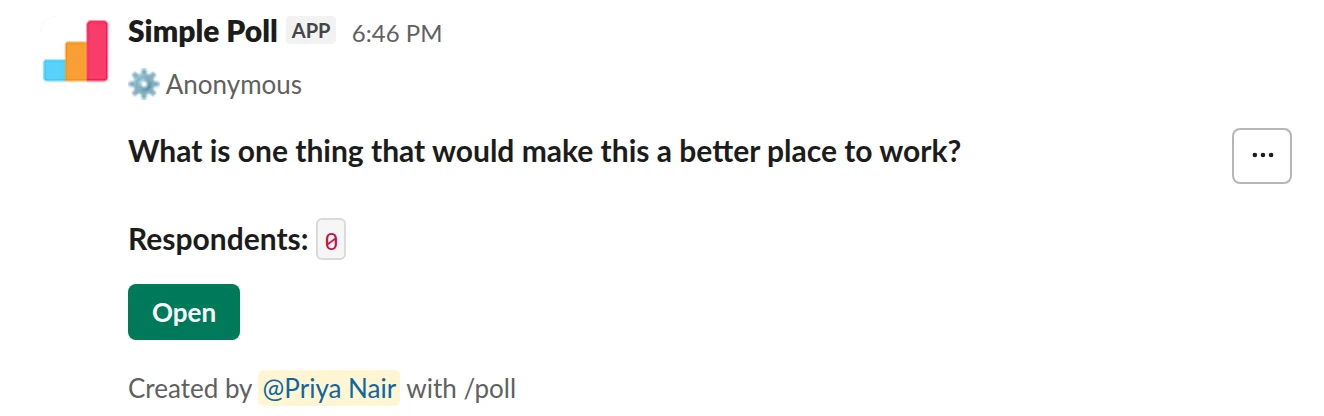
Short text with voting. One open question, anonymous, that anyone can answer. Free.
/poll "What is one thing that would make this a better place to work?" short text :thumbsup: anonymous
Free
Anonymous
What anonymity covers
Add anonymous to the survey header and it applies to every question. Results show the totals, and for rating scales the mean and median. Written answers show their words with no author. The sender sees the same view as everyone else: no names, ever.
Because no one can see who answered, no one can see who hasn't either. Use a reminder (Premium) to bring the survey back to people's attention instead of chasing individuals.
Make people believe it
Don't assume people know a survey is anonymous. Say it in the survey description, in plain words: "Anonymous. Nobody, including HR, sees who answered." Then keep the promise in how you share results.
Hiding results (hide results) also helps. Nobody sees the totals while answers come in, so early answers can't sway later ones and nobody can watch the numbers change to work out who just voted.
Small teams need extra care
In a team of five, a single low score can feel traceable even when the tool shows no names. For small groups, ask about the team rather than the person, wait until most people have answered before sharing anything, and report patterns, never the outlier. For sensitive topics, survey a larger group: a department rather than a squad.
When you want names
Anonymous is right for anything where an honest answer could cost someone: workload, their manager, morale, whether a process works. It's wrong when you need to follow up with a person: who needs equipment, who can cover a shift, who's attending. Run those as named polls, and say so in the question so nobody is surprised.
Run it across the company
For a company-wide survey, start from a tested set of questions such as the eNPS survey or manager feedback. Premium is priced per workspace, not per user, so every team can run its own anonymous survey under one plan. Details are on the pricing page.
Questions
Can HR or a Slack admin see who answered an anonymous survey?
No. An anonymous survey doesn't show who answered to anyone in the workspace, whatever their role.
Can I see who hasn't answered yet?
No. That would reveal who has. Send a reminder to the whole channel instead (Premium).
Is anonymous voting free?
Yes, on every plan. Surveys with several questions need Premium.
Does it work for a single question too?
Yes. Add anonymous at the end of any /poll command. The steps are in how to create an anonymous poll in Slack.
Related
- How to create an anonymous poll in Slack
To create an anonymous poll in Slack, type /poll "Your question" "Option 1" "Option 2" anonymous and press Enter. The word anonymous after the last quote hides who voted for what from everyone, including you as the creator. The poll still counts every vote and shows the totals, and it is free on every plan.
- What is an anonymous poll?
An anonymous poll records votes without showing who cast them: everyone sees the totals, and nobody can see which person picked which answer. In Simple Poll that includes the person who created the poll.
- What is psychological safety?
Psychological safety is "a shared belief held by members of a team that the team is safe for interpersonal risk taking", as Amy Edmondson defined it in 1999. In practice: people can ask, disagree, admit mistakes and raise problems without fear of embarrassment or punishment.
- Anonymous manager feedback survey for Slack
When a manager wants to know how they're doing from the people who report to them, and wants answers more honest than a one-to-one will get.
- How to hide poll results until the poll closes
When people can see a running tally, they tend to pile onto the leading option or skip voting once the result looks settled. Hiding the results until the poll closes gets you each person's own answer. In Simple Poll it's one keyword, and it works on every plan.
- Employee survey software that runs in Slack
Simple Poll runs employee surveys inside Slack. People answer in the channel, or in a direct message on Premium, with no link to open and no other tool to sign in to. Surveys (Premium) can be anonymous, recurring and exported, and one price covers everyone in the workspace.