Step by step
-
Open the channel
Go to the channel where the people you want ratings from are.
-
Type the question and add scale
Write the question in double quotes and add
scaleafter it:/poll "How clear is the Q3 plan?" scale. That gives people the points 1 to 5. -
Label the points if numbers are not enough
To show words instead of bare numbers, give exactly five labels from worst to best:
"Not clear" "Somewhat unclear" "Neutral" "Mostly clear" "Very clear" scale. Any other number of labels won't work. -
Or choose Rate on a scale in the form
Type
/pollon its own and press Enter, and choose Rate on a scale from 1 to 5 as the way people respond. -
Post and read the result
Check the preview and click Create Poll. Watch the spread as well as the average.
Example polls
Paste any of these into the message box in Slack.
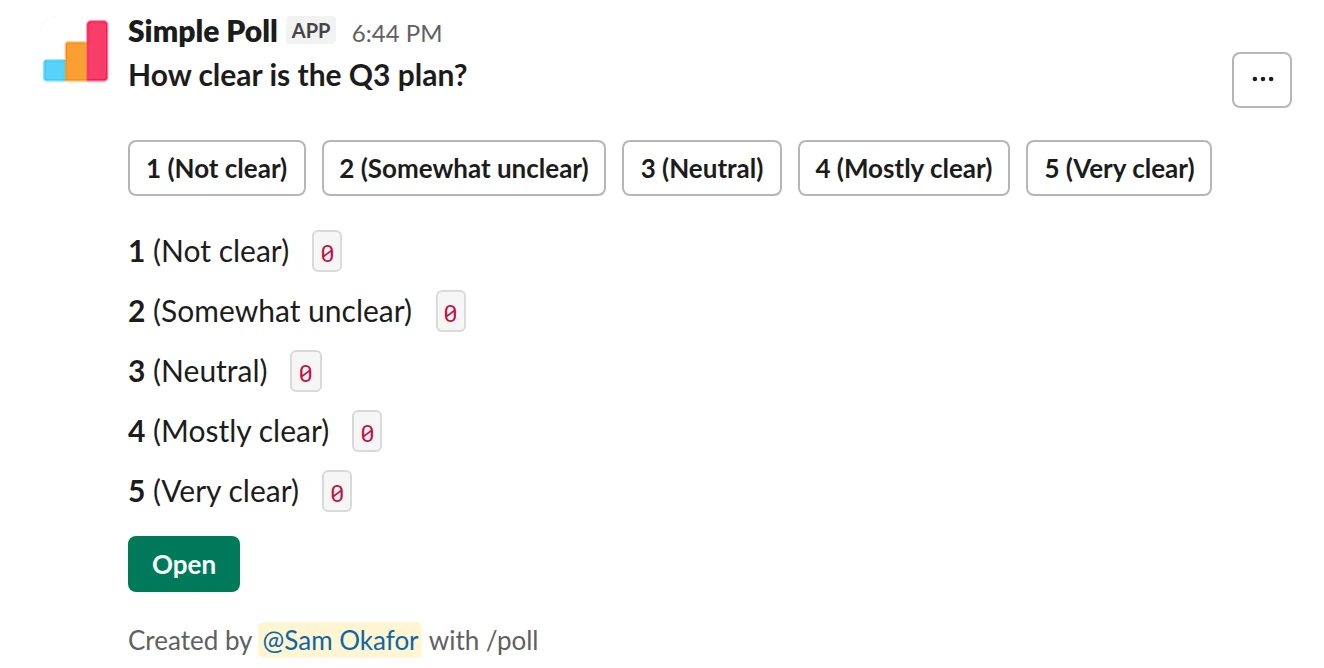
Scale from 1 to 5. A labelled 1 to 5 scale. Free.
/poll "How clear is the Q3 plan?" "Not clear" "Somewhat unclear" "Neutral" "Mostly clear" "Very clear" scale
Free
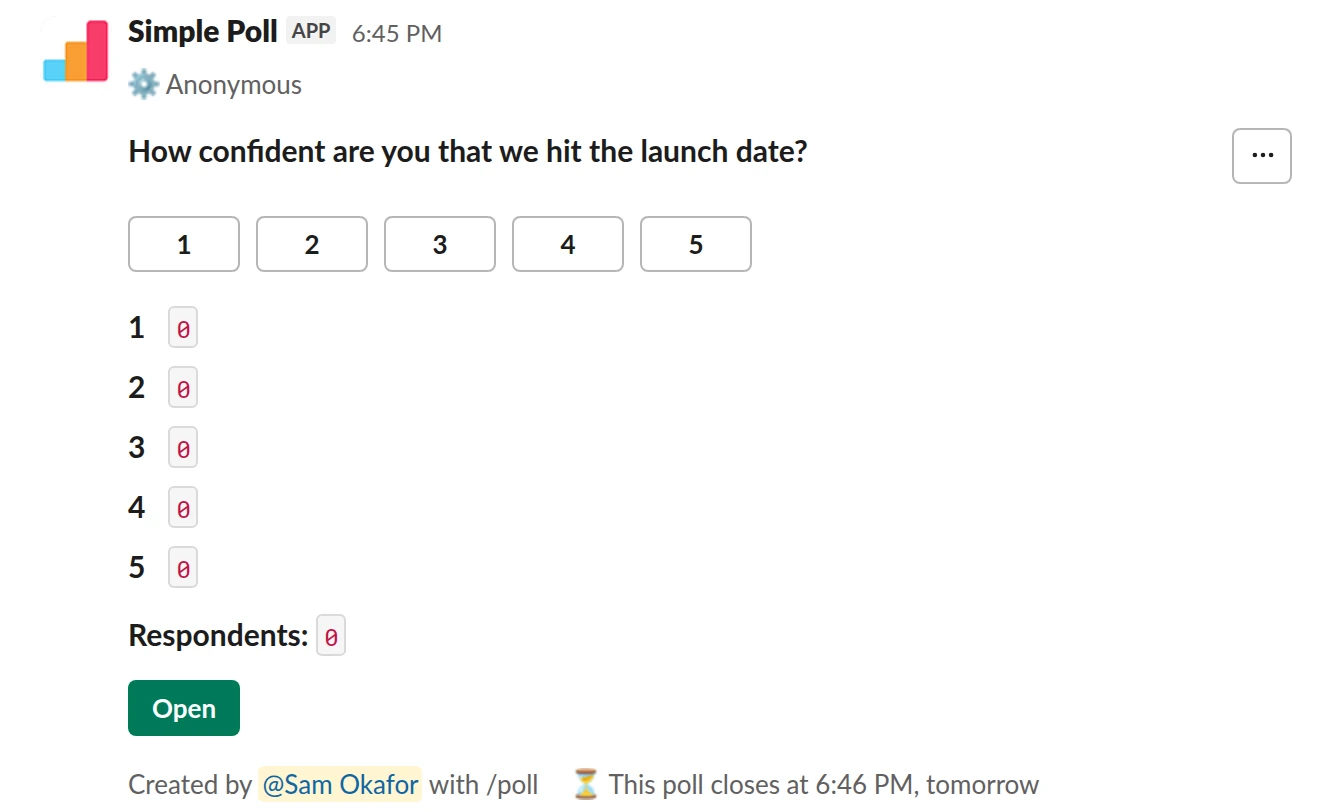
Scale from 1 to 5. An anonymous confidence check with bare 1 to 5 points, closing in a day (Premium).
/poll "How confident are you that we hit the launch date?" scale anonymous close after 1 day
Premium: closing automatically
AnonymousClose automatically: after 1 day
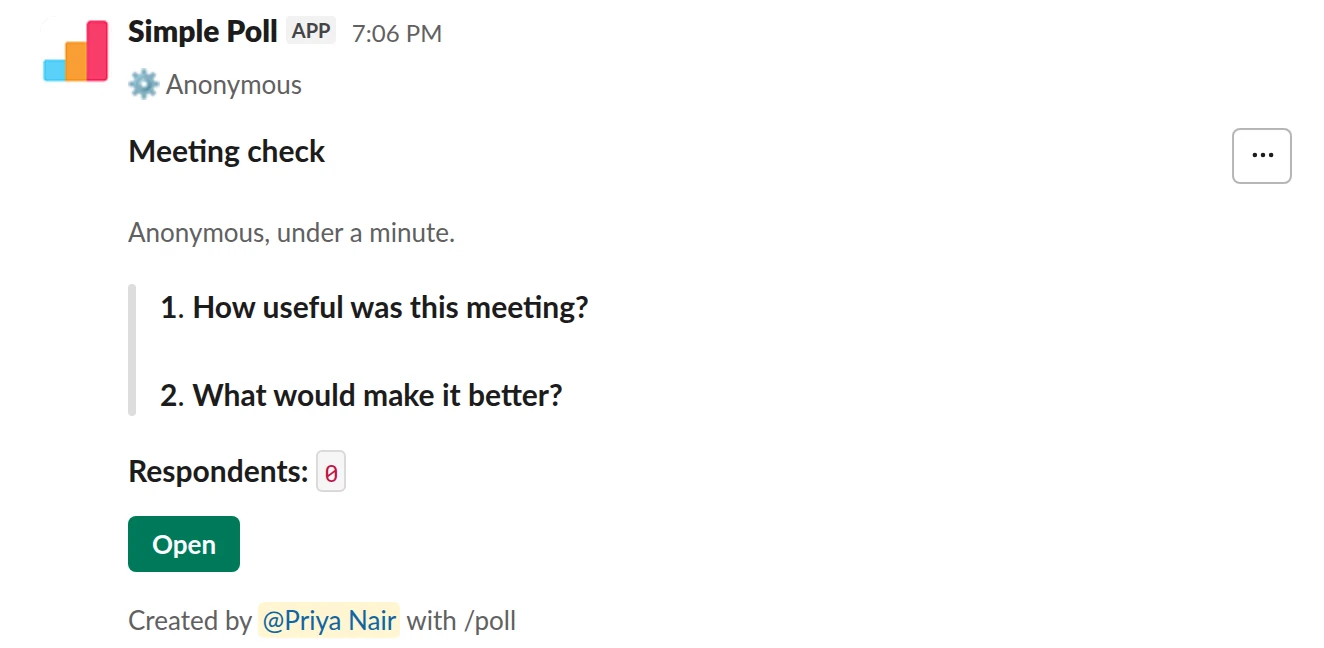
Survey (2 questions). A rating plus an optional why (Premium).
/poll "Meeting check" "Anonymous, under a minute." anonymous --- "How useful was this meeting?" "Waste of time" "Not very" "Somewhat" "Useful" "Very useful" scale --- "What would make it better?" short text optional
Premium: surveys (several questions)
Anonymous
Write a question that has a direction
A scale question needs a clear low end and a clear high end. "How confident are you we ship by the end of the month?" works; "Thoughts on the launch?" doesn't. Ask about one thing per question, and phrase it so 5 is always the good end. Mixing directions across questions is how people end up rating backwards.
Label the points when the numbers could mean different things to different people. "3" is ambiguous; "Neutral" is not.
Read the spread, not just the average
A 3.0 average can be everyone saying 3, or half the team saying 1 and half saying 5. Those are different problems. Look at how the votes split before you report the mean, and when the spread is wide, ask a follow-up open question to find out why.
For anything recurring, the trend matters more than any one score. A drop from 4.2 to 3.5 over three weeks is worth raising even though 3.5 sounds fine on its own.
Make it anonymous when the rating is about people or morale
Ratings of a manager, a meeting or how stretched someone feels drift upward when names are attached. Add anonymous for those, and say so in the question.
Scale questions in a survey
A scale makes a good first question in a survey (Premium): it's fast to answer, and an optional short text question after it can ask why. For ready-made questions, see the weekly pulse and OKR confidence templates.
Questions
Can I use a 1 to 10 scale?
No. Simple Poll's scale is 1 to 5. For a 0 to 10 question such as eNPS, use a choice poll with the numbers as options and limit 1 (Premium, since that is more than five options). The eNPS template has a ready-made version.
Can I name the points on the scale?
Yes. Give exactly five labels in quotes, from worst to best, before scale. Give none to use plain 1 to 5.
Does the result show an average?
Yes. Click the poll's Open button to see the results: the average and the median, above the votes for each point.
Is a scale poll free?
Yes. scale works on every plan. Using it inside a multi-question survey needs Premium.
Related
- How to create a survey in Slack
A survey in Simple Poll is one Slack message with several questions behind it. People click the survey's Open button, answer in a pop-up without leaving Slack, and you get the results in the same place. Surveys are a Premium feature, with up to 20 questions each.
- How to create an anonymous poll in Slack
An anonymous poll in Simple Poll hides who voted for what from everyone, including the person who created it. The poll still counts every vote and shows the totals. It's free on every plan.
- What is a Likert scale?
A Likert scale measures attitudes by asking people how much they agree with a set of statements, usually on five points from "strongly disagree" to "strongly agree". Strictly, one statement is a Likert item, and the scale is several items scored together.
- What is a pulse survey?
A pulse survey is a short survey, usually one to five questions, sent to the same group on a regular schedule so you can see how things change over time. Common topics are workload, morale and engagement.
- OKR confidence check poll for Slack
When you want an honest, regular read on whether the team believes each key result will land, early enough to change course.
- Meeting feedback poll for Slack
When a recurring meeting has been running for a while and you aren't sure it still earns its slot in everyone's calendar.