Example polls
Paste any of these into the message box in Slack.
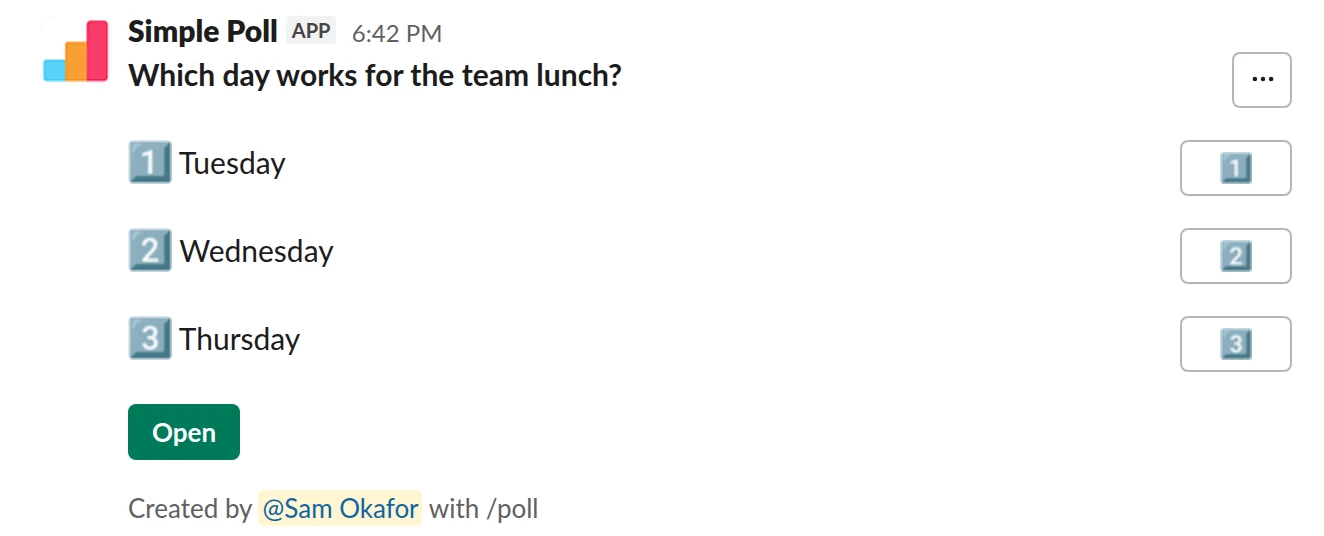
Choice poll. The simplest poll there is. Free.
/poll "Which day works for the team lunch?" "Tuesday" "Wednesday" "Thursday"
Free
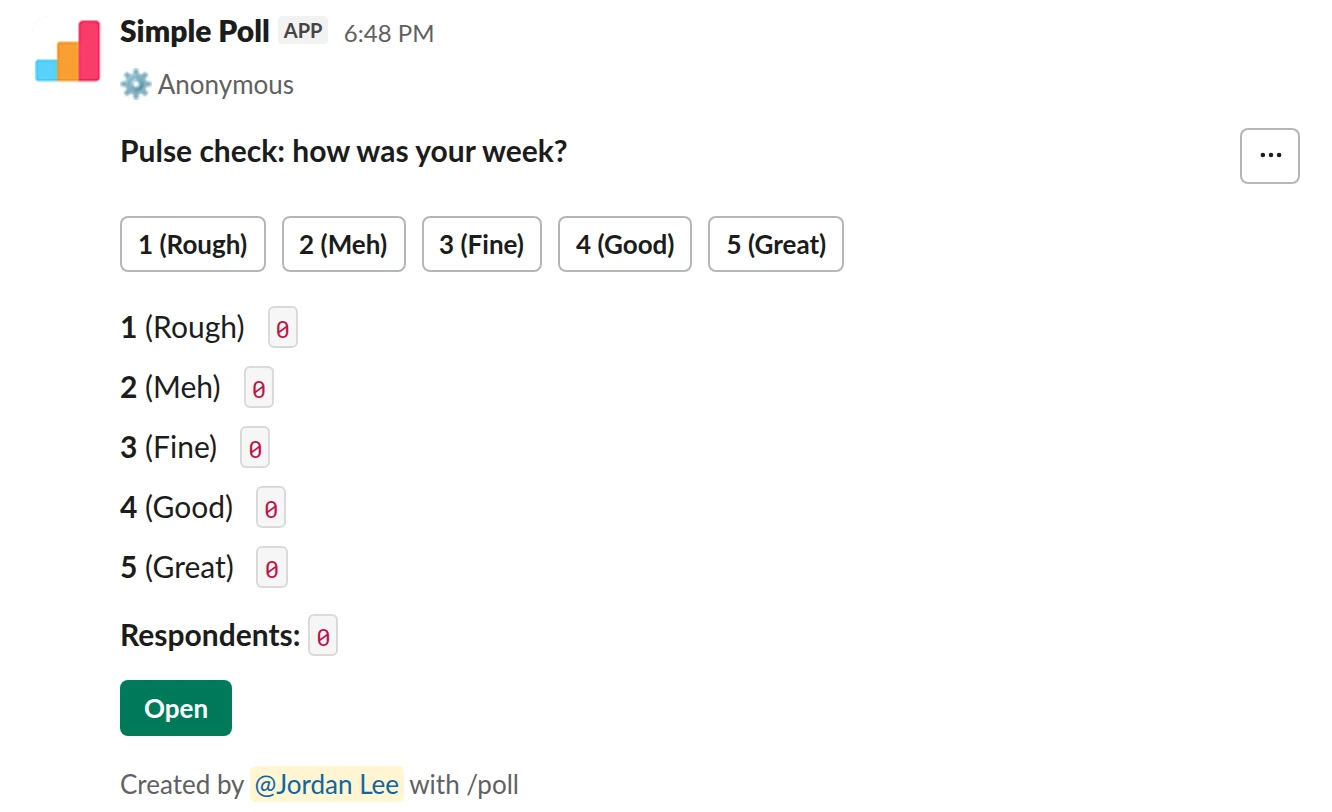
Scale from 1 to 5. An anonymous rating people answer in one click. Free.
/poll "Pulse check: how was your week?" "Rough" "Meh" "Fine" "Good" "Great" scale anonymous
Free
Anonymous
What people use it for
- Quick decisions: which day, which option, go or no-go.
- Anonymous feedback on workload, meetings, managers and morale.
- Recurring pulse and engagement surveys for HR and team leads.
- Q&A for all-hands meetings, where people submit and upvote questions.
- Event RSVPs and planning.
All of it happens inside Slack, so people don't need another account.
What it can see
Simple Poll sees the polls and votes your team creates. It doesn't read channel history, files or DMs. Every permission it asks for in Slack is explained on the scopes page. It's ISO 27001 certified, and its dashboard signs in with Slack, so nobody creates a new password. The security review page has the detail your IT team will want.
What it costs
There are three plans. Free covers light use with a monthly response limit. Premium is one price per workspace, set by member count, never per user, and adds surveys, recurring and scheduled polls, exports and unlimited responses for every member. Enterprise adds Enterprise Grid, a dedicated Customer Success Manager, security reviews and invoice billing. The pricing page has the price for your workspace size, and Premium has a 14-day free trial (card required, no charge until it ends).
Who makes it
Simple Poll is made by Klopp Industries Ltd, a company registered in England and Wales and with the UK Information Commissioner's Office. It's GDPR compliant. More on the about page.
How to approve it
If your workspace requires app approval, a Workspace Owner or app manager approves it from Slack's admin settings. The steps are in how to review a Slack app request. If you're approving the spend, the business case and how to pay pages cover the rest.
Questions
Is Simple Poll safe to install?
It's ISO 27001 certified and only sees the polls and votes your team creates. Your IT team can check the details on the security review page.
Do we have to pay to use it?
No. The Free plan stays free, with a monthly response limit. Premium adds unlimited responses and every feature.
Who in the company gets Premium?
Everyone in the workspace. One upgrade covers every member.
Related
- Simple Poll security review
This page collects what a security or IT reviewer needs to approve Simple Poll in one place. Where a source page exists, it's linked so you can cite it in your review.
- The business case for Simple Poll
This page is for the person who wants Simple Poll Premium and needs someone else to say yes, and for the person being asked. Send it to them as it is, or copy the message at the end.
- How to review and approve a Slack app request
By default, any member of a Slack workspace can install apps. Turning on app approval means members request apps and a Workspace Owner or an app manager approves or restricts each one. The steps below follow Slack's own help centre; the checks are what a careful reviewer looks at before saying yes.
- How to create a poll in Slack
To create a poll in Slack, add the Simple Poll app to your workspace, then type /poll "Your question" "Option 1" "Option 2" in any channel and press Enter. Check the preview and click Create Poll. Everyone in the channel can vote with one click, and the totals update live. It is free for polls with up to 5 options.