Example polls
Paste any of these into the message box in Slack.
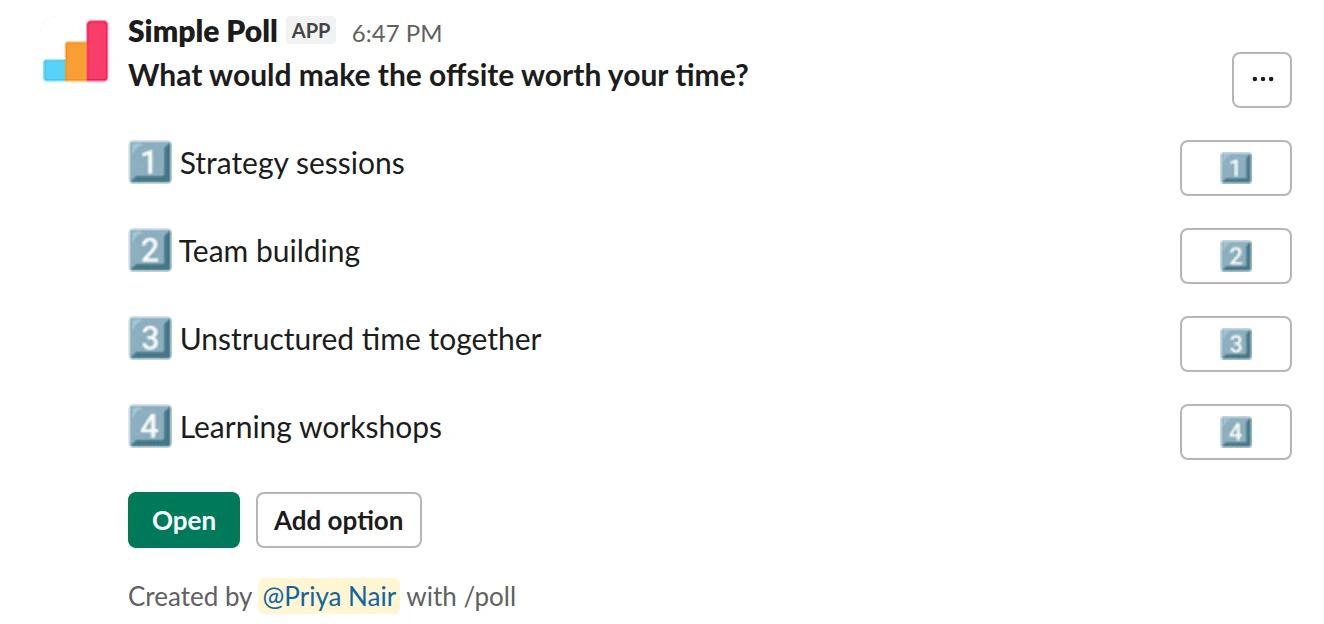
Choice poll. Before the event. People pick as many as they like and can add their own.
/poll "What would make the offsite worth your time?" "Strategy sessions" "Team building" "Unstructured time together" "Learning workshops" allow-options
Free
Allow options
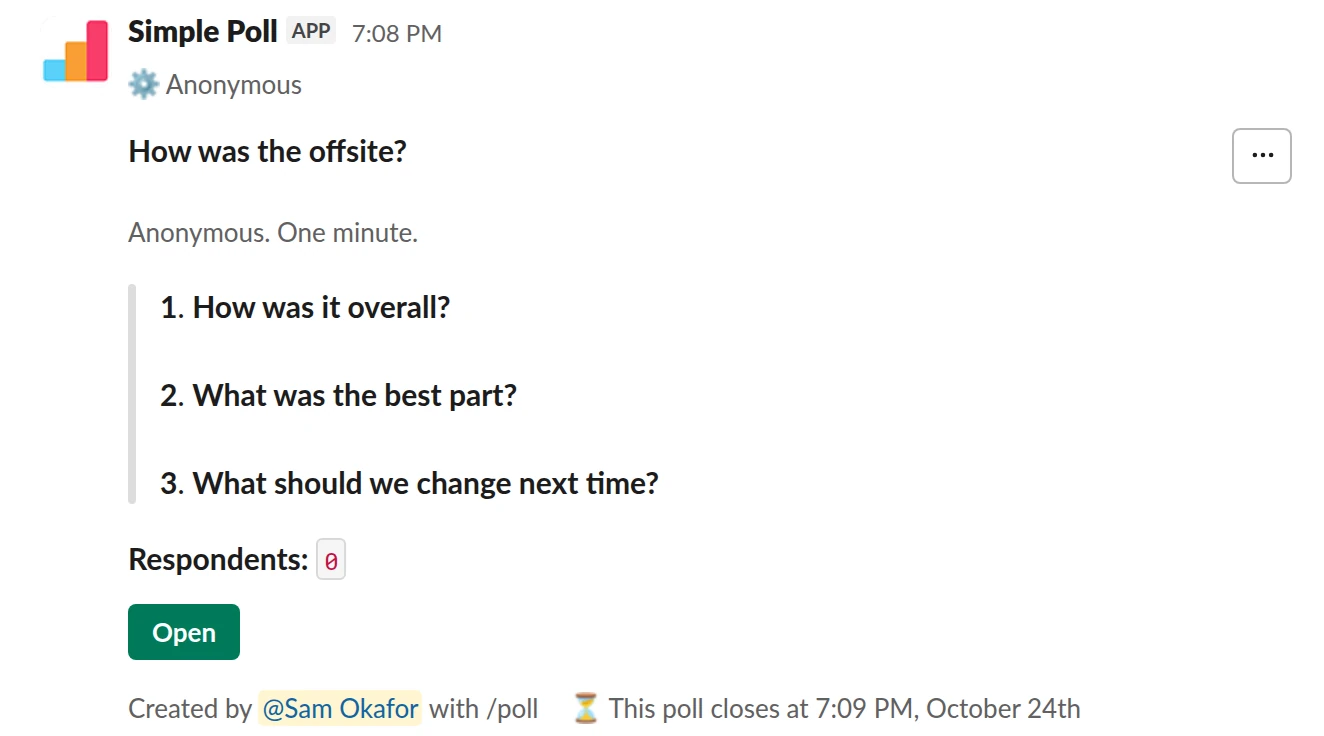
Survey (3 questions). After the event. Overall rating, best part, and one open question.
/poll "How was the offsite?" "Anonymous. One minute." anonymous close after 2 days --- "How was it overall?" "Poor" "Fair" "Good" "Very good" "Excellent" scale --- "What was the best part?" "Strategy day" "Hike" "Team dinner" "Workshops" "Free time" --- "What should we change next time?" short text optional
Premium: surveys (several questions), closing automatically
AnonymousClose automatically: after 2 days
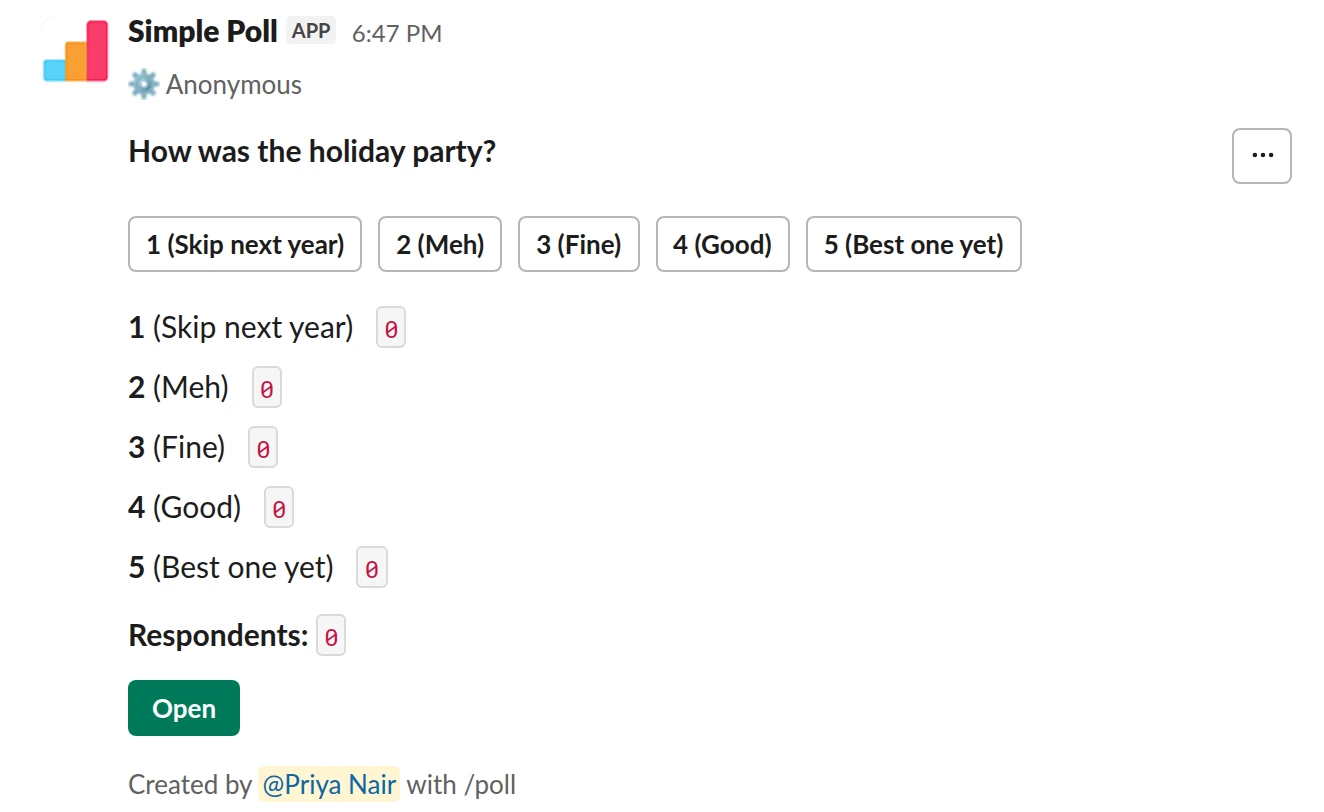
Scale from 1 to 5. The one-question version on Free, for a party or social event.
/poll "How was the holiday party?" "Skip next year" "Meh" "Fine" "Good" "Best one yet" scale anonymous
Free
Anonymous
Before the event
Ask about choices you haven't made yet and are willing to change: which sessions, which
activity, what food. Give real options and add allow-options so people can suggest
ones you missed.
Don't ask whether people want the event at all once it's booked. Ask what would make it worth their time.
After the event
Post the feedback poll the morning after, while it's fresh, and close after 2 days
(Premium). Ask three things:
- How was it overall? (1 to 5)
- What was the best part? (pick from the actual agenda)
- What should we change next time? (free text, optional)
Make it anonymous. Someone organised this event and people won't criticise it under
their own name.
What to do with the results
Keep the best-part results: they tell you what to protect when the budget gets cut next year. Read the free text for the one thing that went wrong for several people, like the venue, the timing or the travel, and fix that first. Share a short summary with everyone who came.
The mistake people make
Asking about everything. A twelve-question event survey gets answered by the organiser's friends. Three questions get answered by most of the room.
Questions
Can people suggest their own options?
Yes. Add allow-options and voters can add options to the poll. It's on every plan.
Can I post the feedback poll automatically the morning after?
Yes, on Premium. End the poll with schedule and a time, like schedule tomorrow 9am.
It posts once at that time.
What needs Premium?
Multi-question surveys, close after and schedule. Single-question polls with
allow-options or anonymous work on Free. Try Premium for 14 days with
/simplepoll trial.
Used by
Related
- Training session feedback poll for Slack
Right after a training, workshop, onboarding session or lunch-and-learn, while attendees still remember what was useful and what dragged.
- Meeting feedback poll for Slack
When a recurring meeting has been running for a while and you aren't sure it still earns its slot in everyone's calendar.
- Offsite location poll for Slack
When you are planning a team offsite and want the team to weigh in on where and when before you book anything.
- Holiday party planning poll for Slack
When you are organising an end-of-year party and want the date, format and details settled by the people who will be there.
- How to let people add options to a Slack poll
Sometimes you don't know all the options yet: the best venue, a name for the new team, the topic everyone actually wants. Turn on adding options and voters get an Add option button. Anything they add becomes an option everyone can vote on. It's free on every plan.